Fax
4
4 Fax
148
(Space) Available, but ignored
For more Information, refer to the documentation provided with Server Fax Kit.
3
Press the <Start> button.
Note • The port numbers are "1", line 2 (LINE 2 jack) J "2" and line 4 (LINE 4 jack) J "4".
• You can specify line 2 and line 4 when an option is installed.
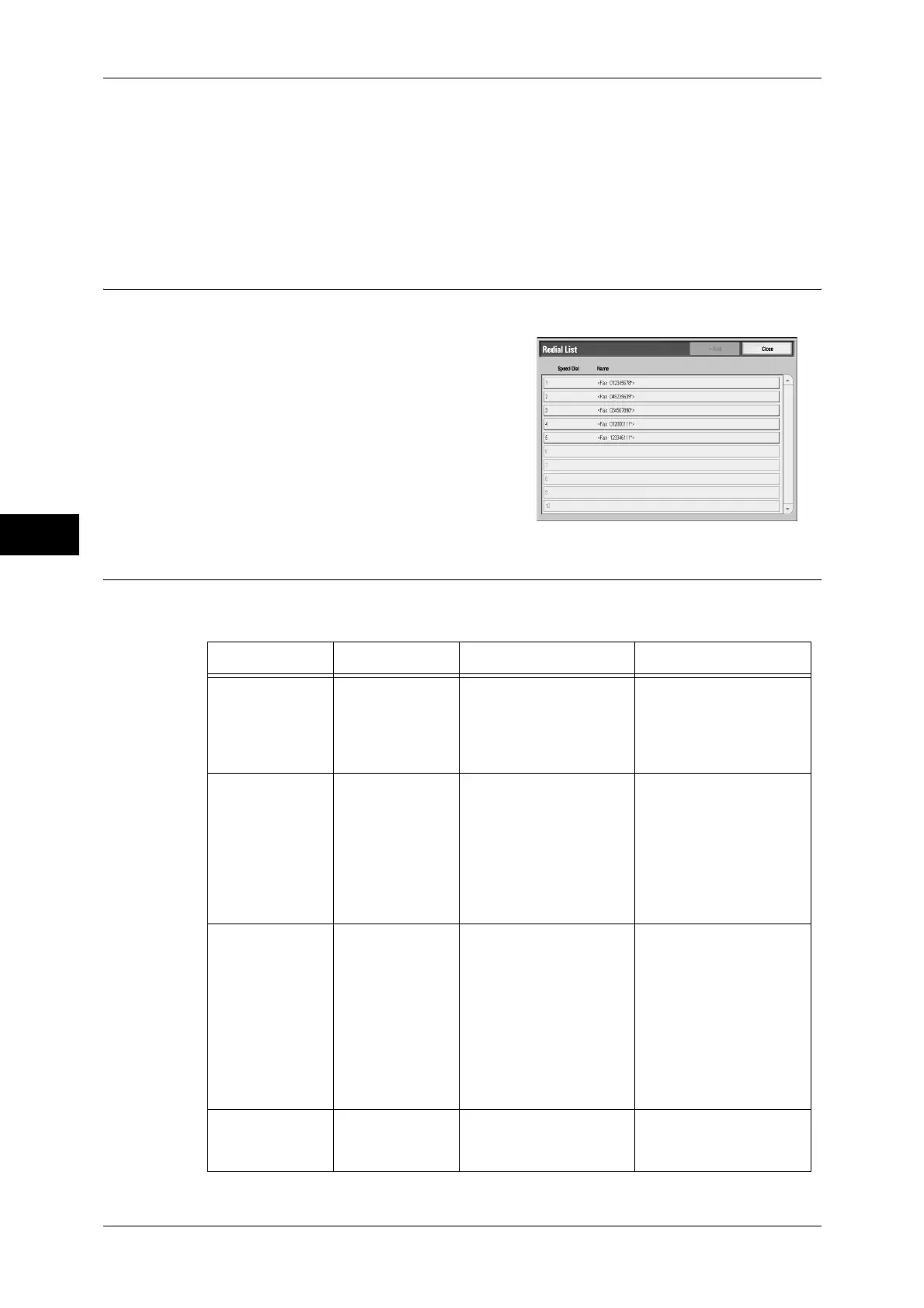
Specifying a Destination using the Redial Feature
You can specify recipients using the Redial feature.
1
Select [Redial List...].
2
Select items you want to specify for a
recipient, and select [Close].
3
Press the <Start> button.
Entering Specific Symbols
When specifying a recipient, you can use the following features to enter specific
symbols from the touch screen.
Feature Button Function Input method
Enter pause - or
<Pause> (-)
One pause is 3 seconds.
You can enter pauses of
6 seconds, 9 seconds,
etc. by additional button
presses.
Press the <Pause>
button.
(Example)
0-123 ...
0--123 ...
Transmit using a
password
S When a password has
been set, transmission
will only start if the
password matches the
ID number on the remote
terminal.
1. Select [New
Recipients] in the
[Fax/Internet Fax]
screen to display the
keyboard.
2. Select [S].
(Example)
0312345678S12345678
Transmit DTMF
signal
! Use to transmit the
DTMF signal.
1. Select [New
Recipients] in the
[Fax/Internet Fax]
screen to display the
keyboard.
2. Select [More
Characters].
3. Select [!].
(Example)
0311123456!123#
Transmit PB
(from dial pulse
to tone)
: Switches the dial type
from pulse to tone when
the Fax service is used.
1. Select [Tone (:)] on
the [On-hook] or [Off-
hook] screen.



 To Next Page
 Loading...