6 Fax
104
Fax
6
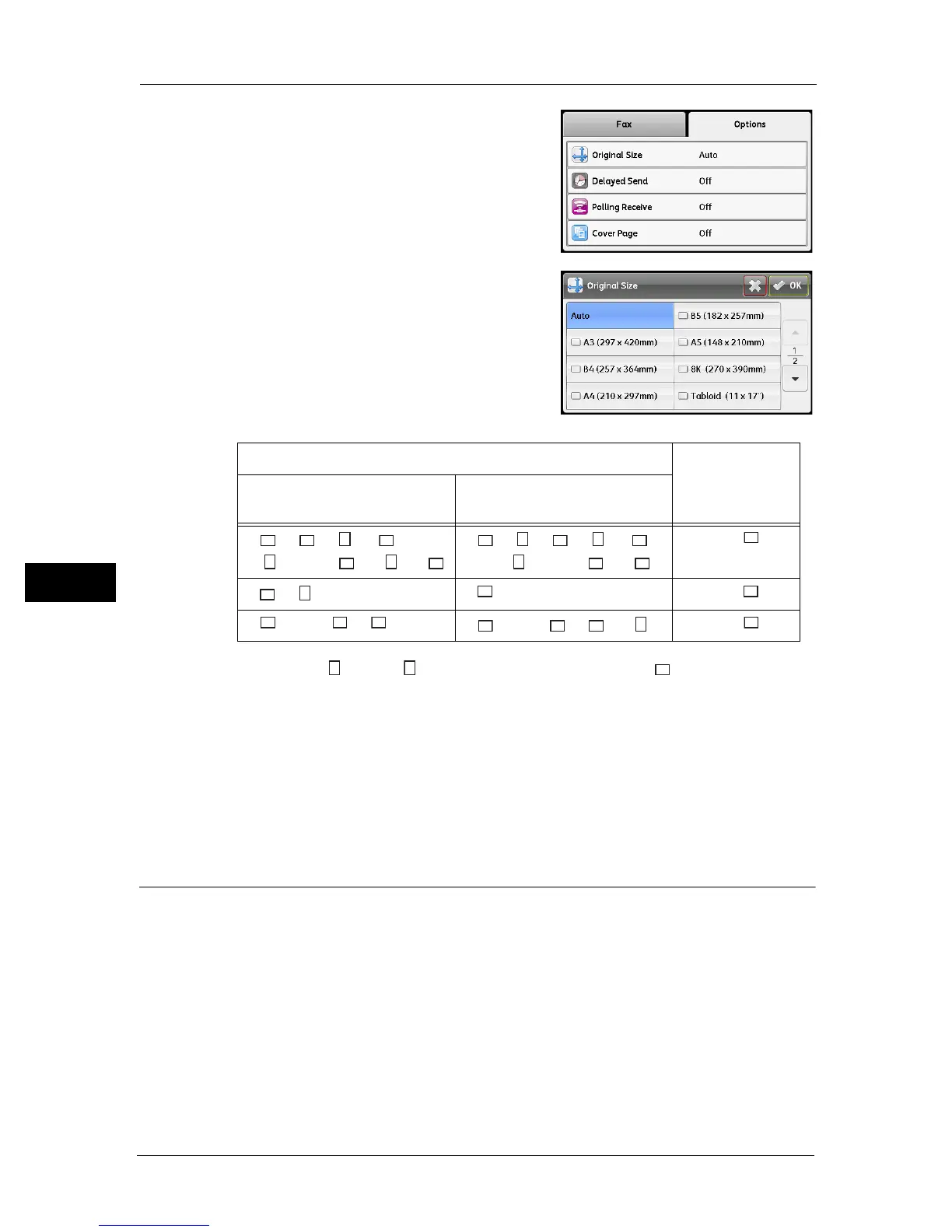
1 Select the [Options] tab, and then select [Original
Size].
2 Select the document size, and then select [OK].
Auto
If document is a standard size, the machine
detects the document size automatically. The
paper size used for sending the fax is determined
by the detected document size.
* : The image of A4 and 8.5 x 11 documents is rotated by 90 degrees and sent as A4 documents.
Note • The document size selection screen appears if the machine cannot detect the size of a document
placed on the document glass. Select the desired document size. Depending on the selected
document size, the printout may be too large for the paper or may have shadows at the edges.
• The document feeder does not support the non-standard document sizes.
Fixed document size (Preset)
You can set the document size of the placed document by selecting from the preset
document sizes.
Delayed Send
Used to send a document stored in the machine at a specified time..
Note • You can specify a time between 00:00 and 23:59 (or between 1:00 and 12:59 AM/PM when the 12-
hour clock has been set).
• You cannot specify a date.
Document Size
Paper Size
Fax is Sent As
Size placed on the document
glass
Size placed in the document
feeder
A5 , B5 , A4
*
, A4 , 8.5 ×
11"
*
, 8.5 × 11" , 16K , 16K
A5 , B5 , B5 , A4
*
, A4 ,
8.5 × 11"
*
, 8.5 × 11" , 16K
A4
B4 , B5
B4 B4
A3 , 11 × 17" , 8K
A3 , 11 × 17" , 8K , 16K
A3



 To Next Page
 Loading...