6-30 Edition 4 (05/2014) DMS Go+
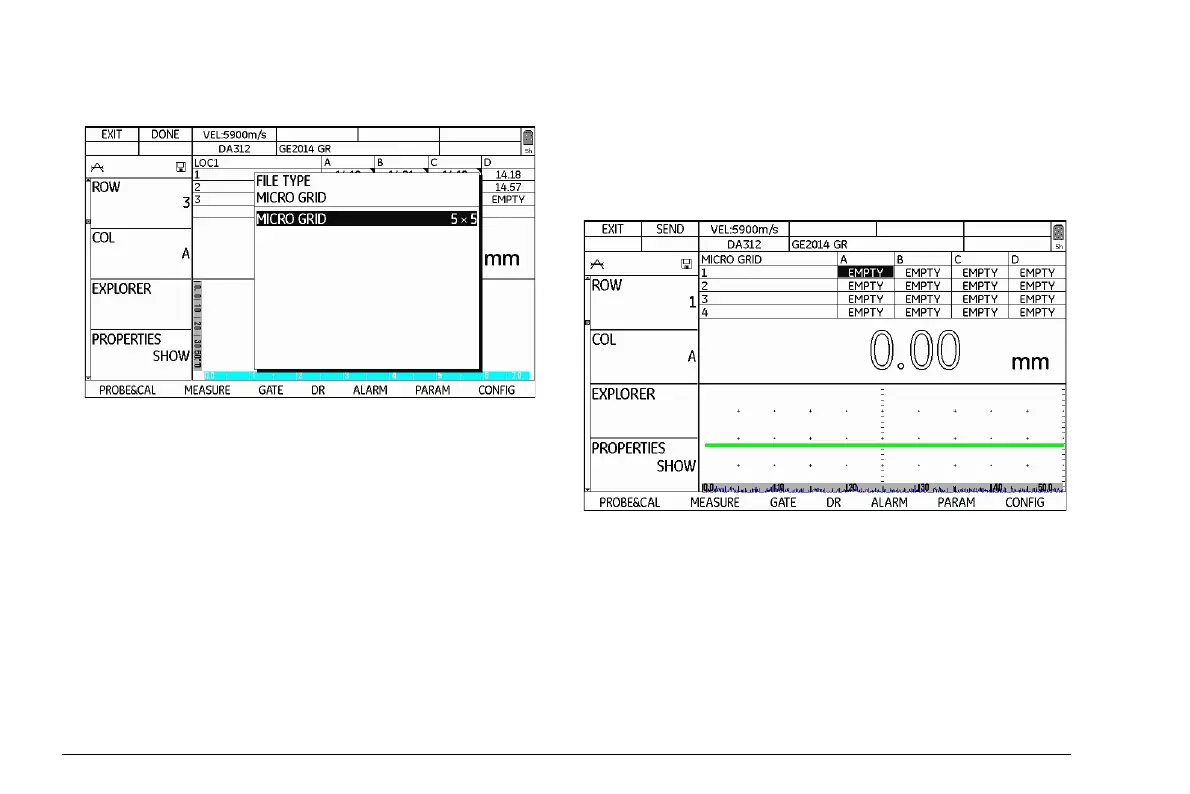
– Press the function key 1 (function µGRID). A selec-
tion menu is displayed.
– Press one of the left or right arrow keys in order to
choose the size of the Microgrid.
– Press the function key 2 (function DONE) in order to
save the selected size of Microgrid.
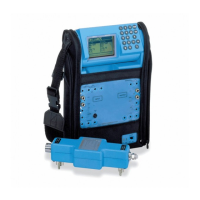
The grid of the Microgrid is then displayed above the A-
scan instead of the usual file structure. You can then en
-
ter data in the data points of the Microgrid by saving
readings. After saving the last reading for the Microgrid,
the normal file structure is displayed again.



 To Next Page