Appendix A: Software Download
© Harmonic Inc. Manual p/n 101543/Ver 1.0 A-3 ProView 2900 Series/SW Version 1.94
A.1.2 Log On
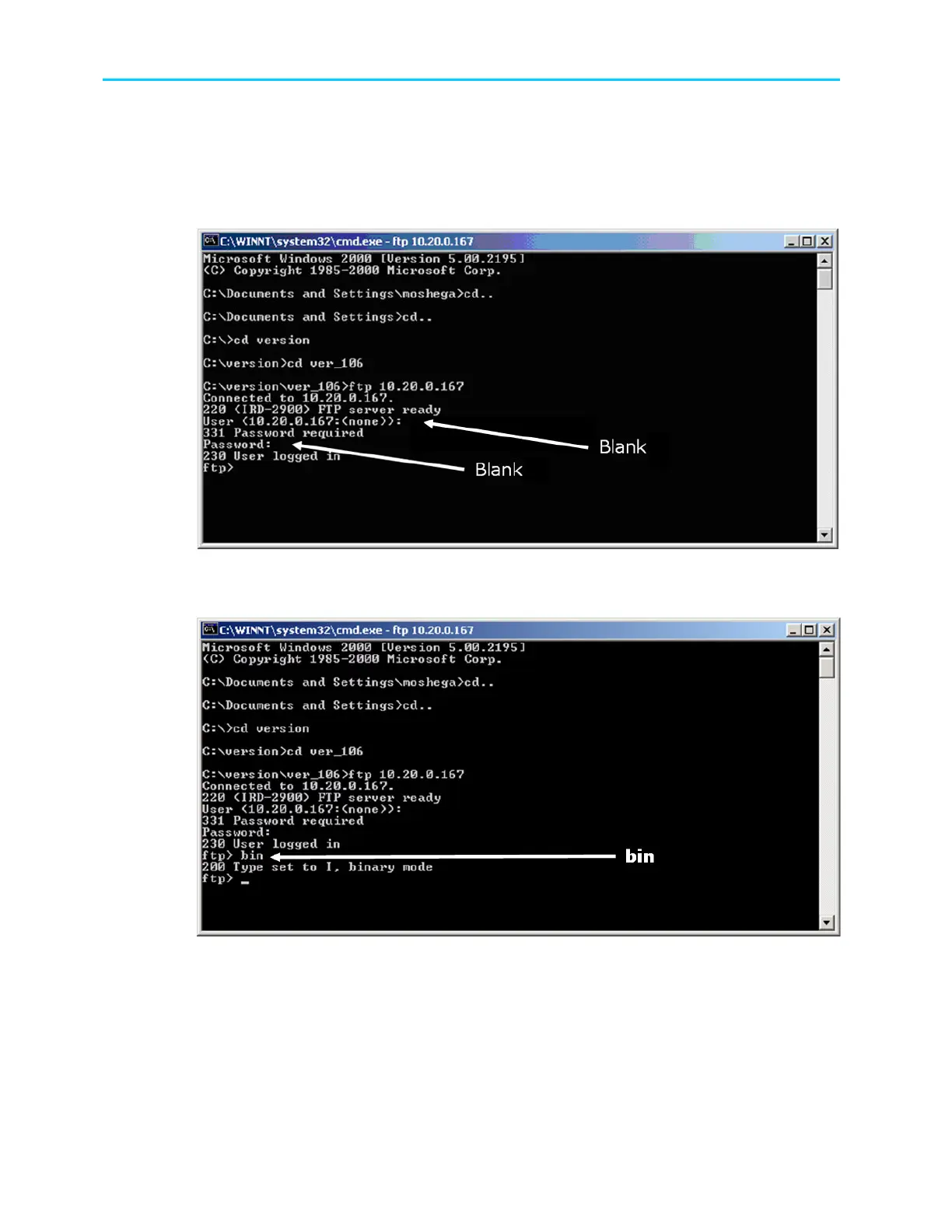
1. Log on to the ProView 2900 with the user name and password, both are empty for
the ProView 2900.
2. Reply with [Enter] for both user and password requests.
Figure A-4: Login to FTP
3. After connecting to the ProView 2900 through FTP, type “bin” and Click [Enter].
Figure A-5: Access Bin Folder
A.1.3 Loading The File
To load a source file from a local PC to the ProView 2900:
1. Type put and click [Enter]
2. After Local File, type the file name with the suffix (Notice - the software file name
and path in the PC should be known).



 To Next Page