Appendix A: Software Download
© Harmonic Inc. Manual p/n 101543/Ver 1.0 A-4 ProView 2900 Series/SW Version 1.94
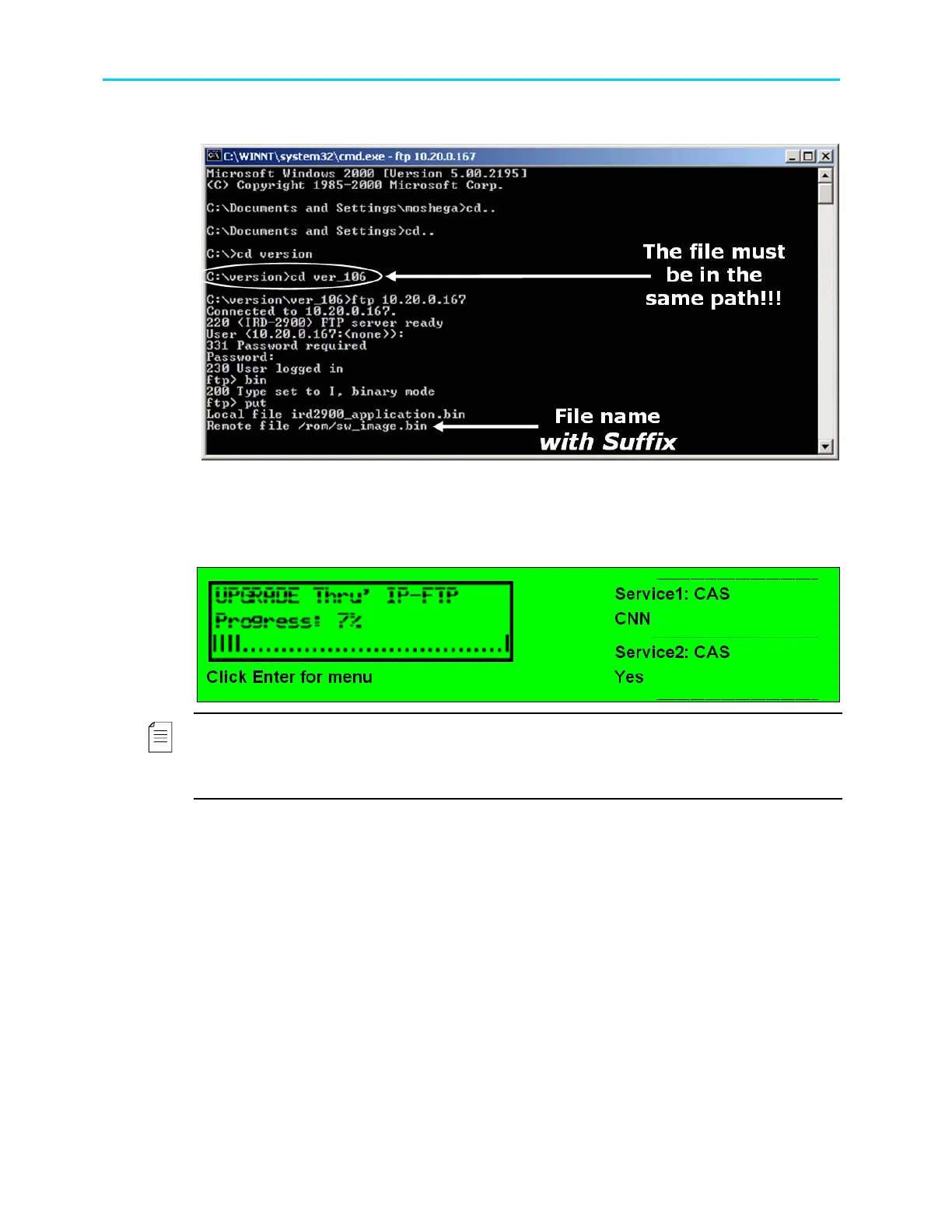
3. After Remote File, type ‘/rom/sw_image.bin’.
Figure A-6: Loading the File
After confirmation, the ProView 2900 progress is displayed in a loading screen on the
ProView 2900 front-panel. In the left frame window the loading progress is indicated by a
percentage and blinking progress bar. Following is the ProView 2900 loading screen:
NOTE
If the ProView 2900 is, for any reason, shut down during Software Download, the program
must be reinstalled through Boot Software Download. Reinstallation is available through RS-
232. See Section A.2.5.



 To Next Page