Effect Mode Options Descriptions
99 ______________________________________________________DML-1200 w/Axon Embedded Graphic Engine 24/12/2010
5.2.46 Tiling On
Effect Mode
parameter DMX value = 48
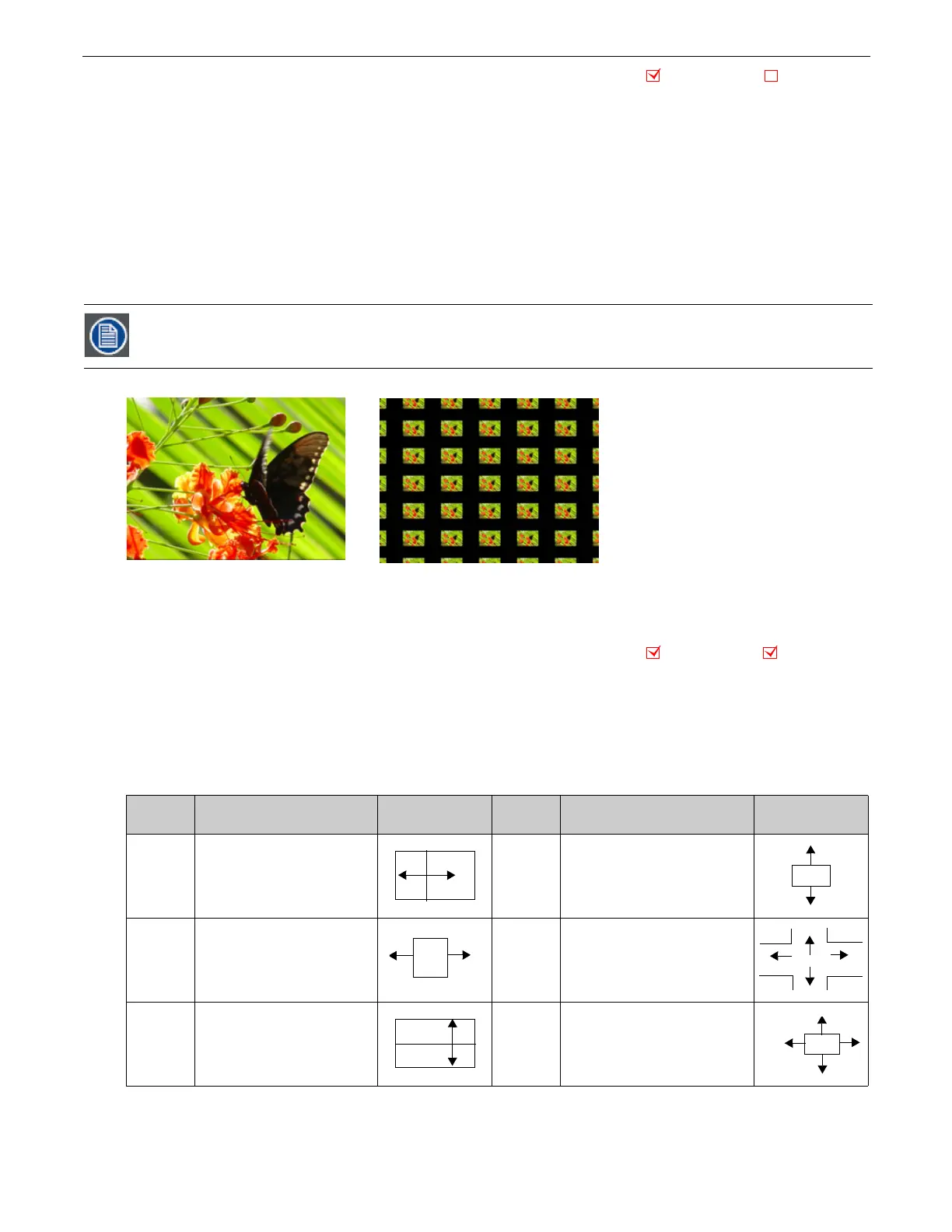
Tiling varies the number of times a media file is applied as a texture to an object. This effect works best on objects that have an
undisrupted surface area.
Modifier 1:
Adjusts the size and number of tiles along the x axis. A value of 128 (50%) =
no adjustment. Values below the midpoint size a single image to 0 = maximum image magnification. Values above the midpoint
increase number of images displayed to 255 (100%) = maximum.
Modifier 2:
Adjusts the size and number of tiles along the x axis. A value of 128 (50%) = no adjustment. Values below the midpoint
size a single image to 0 = maximum image magnification. Values above the midpoint increase number of images displayed to 255
(100%) = maximum.
Modifier 3:
Adjusts the spacing between tiles. Black spacing between tiles increases from a 0 = a minimum width to 127 = a
maximum width. Transparent spacing between tiles increases from 128 = a minimum width to 255 = a maximum width.
5.2.47 Transparent Wipes
Effect Mode
parameter DMX value = 33
Transparent wipes let you open one graphic to reveal another graphic behind it. You can select from six options and the center line
of the effect.
Modifier 1:
Adjusts the area of the wipe from the smallest at a value of 0 to the largest at a value of 255 (100%).
Modifier 2:
Selects the center of a wipe effect’s separation
Modifier 3:
Selects the wipe option. Each option occupies a portion of the DMX value range (see the following table).
The Tiling effect implemented on Effect 1 overrides tiling on both Effect 2 and Effect 3.
DMX
Value
Modifier 3: Wipe Option
DMX
Value
Modifier 3: Wipe Option
1-42
Rectangle wipes from center out
horizontally
127-170
Wipes from edges out vertically
43-84
Rectangle wipes from edges out
horizontally
171-212
Cross shape wipes from center out
85-126
Wipes from center out vertically
212-255
Box shape wipes from edges
outward
Object Effect Global Effect
Modifier 1 parameter DMX = 251
Modifier 2 parameter DMX = 255
Modifier 3 parameter DMX = 97
Original Content
Object Effect Global Effect



 To Next Page