Global Functions
37 ______________________________________________________DML-1200 w/Axon Embedded Graphic Engine 24/12/2010
4. GLOBAL FUNCTIONS
4.1 Global Intensity
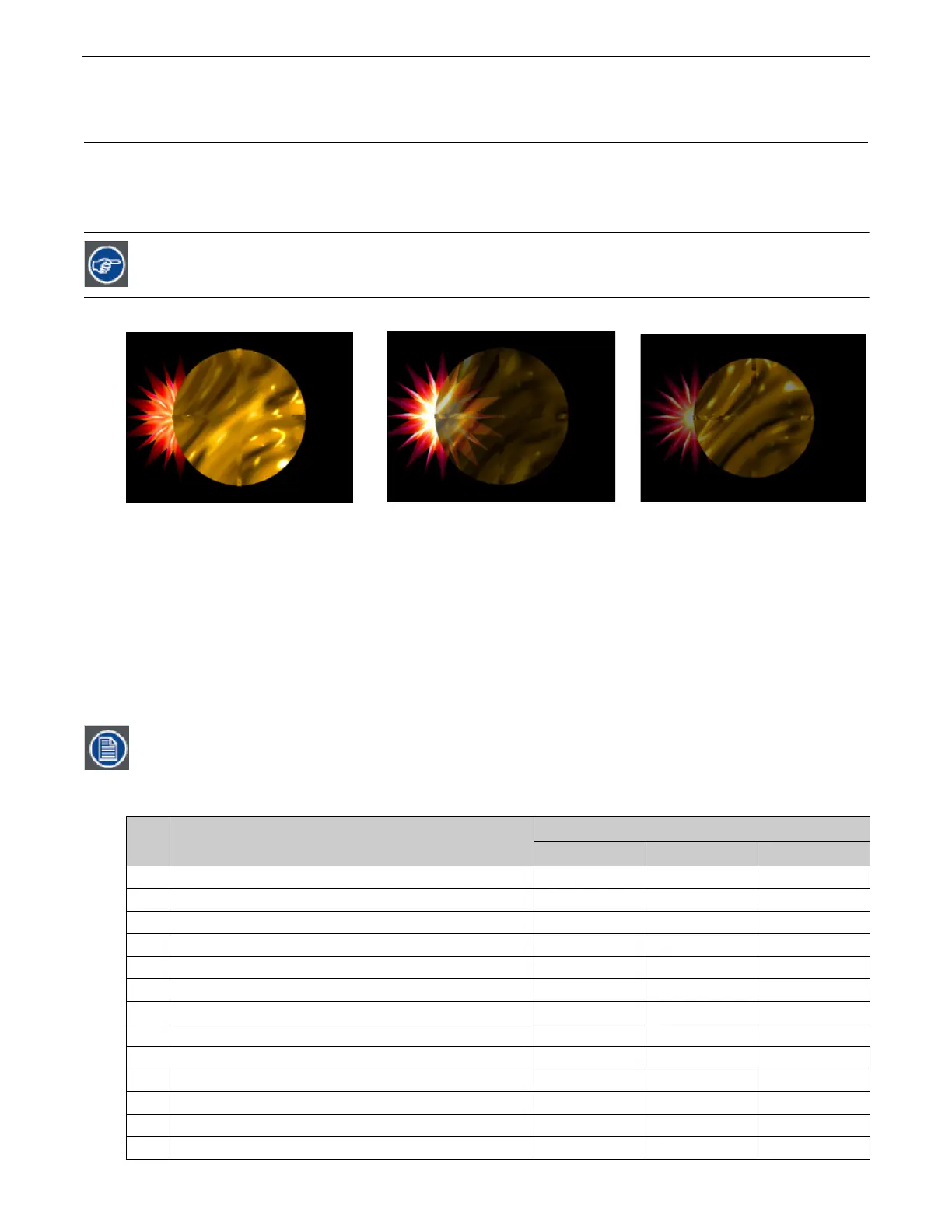
The
Global
Intensity
parameter creates a smooth
fade to video black
that doesn’t affect the opacity relationship between
individual objects. Use this parameter to adjust the intensity of a composite image over the separate Graphic Object’s Opacity
parameter settings. Increase intensity from not visible at a DMX value of 0 to full intensity at a value of 255 (100%).
Default DMX Value:
0 = no intensity (video black)
4.2 Global Effect Mode Channels
There are five banks of
Global Effect Mode
parameters, each with associated Modifier channels. All
Global
Effect Mode
parameters
have an identical list of color and visual effect options. This lets you apply a multiple-effect combination to the composite image.
The table below describes the interaction between a
Global Effect Mode
parameter and the three associated
Modifier
parameters
for each option. You can find a detailed description of each option in
Effect Mode Options Descriptions
on page 49.
The Dimmer, Object Opacity and Global Intensity parameters all have to be greater than 0 to make a defined
image visible
Modifier channels for Effect Mode 1 are labeled as CMY in the Wholehog system so you can also make use of the
color picker, HSI, and other Wholehog functions. Use the CMY parameter controls to adjust the three Effect Mode
1 Modifier parameters for both the Global and Graphic fixture types.
The default for Effect Mode 1 is set to CMY1 as well. Other Effect Mode Modifier channels are labeled Mod 1, Mod
2, and Mod 3.
DMX
Value
Effect Mode Name/Description
Adjustments
Modifier 1 Modifier 2 Modifier 3
0
Safe (no effects selection)
NA NA NA
1
CMY (RGB inverse)
Cyan Magenta Yellow
2
CMY Add, All Pixels
Cyan Magenta Yellow
3
CMY Add, All Non-black Pixels
Cyan Magenta Yellow
4
RGB Add, All Pixels
Red Green Blue
5
RGB Add 2, All Pixels
Red Green Blue
6
RGB Add, All Non-black Pixels
Red Green Blue
7
RGB Swap to GBR
Red to Green Green to Blue Blue to Red
8
RGB Swap to BRG
Red to Blue Green to Red Blue to Green
9
Solarize 1 inverts a color if value < DMX value
Red Green Blue
10
Solarize 2 inverts a color if value > DMX value
Red Green Blue
11
Solarize 3 sets color to 0 if value is < DMX value
Red Green Blue
12
Solarize 4 sets color to 0 if value is > DMX value
Red Green Blue
Graphic Object 1 Intensity DMX =255 (100%)
Graphic Object 2 Intensity DMX =179 (70%)
Global Intensity DMX = 128 (50%)
Graphic Object 1 Intensity DMX =255 (100%)
Graphic Object 2 Intensity DMX =255 (100%)



 To Next Page