Effect Mode Options Descriptions
85 ______________________________________________________DML-1200 w/Axon Embedded Graphic Engine 24/12/2010
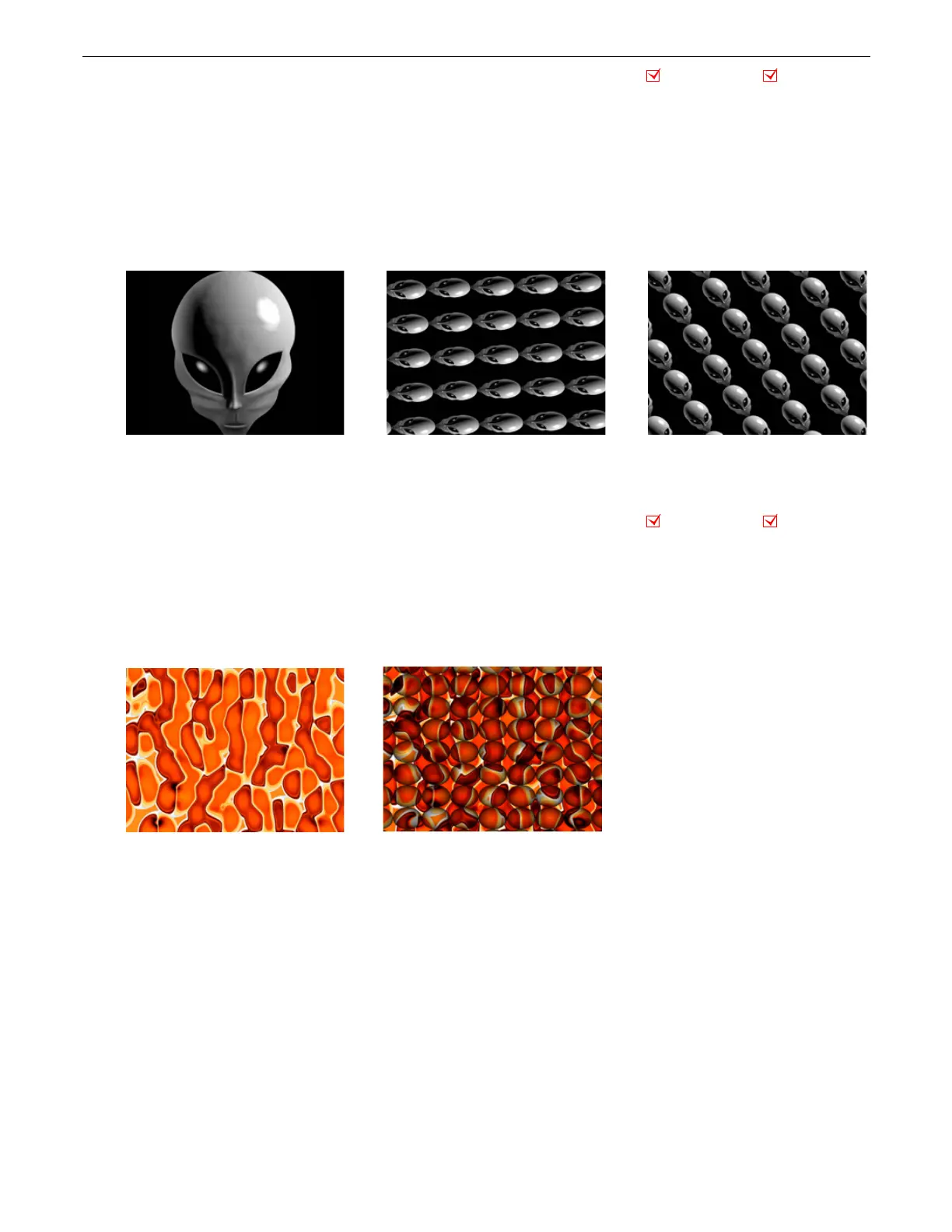
5.2.19 Image Scale and Rotate
Effect Mode
parameter DMX value = 52
This effect lets you scale and rotate the media file texture applied to a 3-D object’s surface independent of Graphic Object rotation
you set with the Rotation parameters (see
Rotating a 3-D Object
on page 9). This allows scaling and rotating outside the bounds of
the 3D object.
Modifier 1:
Scales the texture. The default DMX value of 0 = no adjustment. As you increase the DMX value to 255 (100%), the
single image to scales to an increasing number of multiple images similar to tiling.
Modifier 2:
Sets the texture rotation angle. A DMX value of 128 (50%) = no adjustment. Values above the midpoint rotate clockwise
255 (100%) = maximum rotation. Values below the midpoint rotate counterclockwise to 0=maximum rotation.
Modifier 3:
Sets the rotation speed from a DMX value of 0 = static to 255 (100%) = maximum.
5.2.20 Lens Grid
Effect Mode
parameter DMX value = 91
This effect lets you view the image through a grid of virtual convex lenses. You can adjust the number, magnification and edge
shading of the lenses over the image.
Modifier 1:
Controls the horizontal position of the lens’ centerpoint from 0 = left edge to 255 (100%) = right edge of output.
Modifier 2:
Controls the edge shading.
Modifier 3:
Controls the number of the lens from DMX values of 0 = many to 255 (100%) = single lens.
Object Effect Global Effect
Original Content Modifier 1 parameter DMX = 255
Modifier 2 parameter DMX = 0
Modifier 3 parameter DMX = 0
Modifier 1 parameter DMX = 255,
Modifier 2 parameter DMX = 81
Modifier 3 parameter DMX = 128
Object Effect Global Effect
Original Content
Modifier 1 parameter DMX = 12
Modifier 2 parameter DMX = 112
Modifier 3 parameter DMX = 33



 To Next Page