Effect Mode Options Descriptions
DML-1200 w/Axon Embedded Graphic Engine 24/12/2010 _____________________________________________________________________________ 80
Modifier 2:
When the Modifier 1 DMX value = 0 or 1, this channel selects from profiles that vary in gradient density or pattern.
When Modifier 1 DMX value = 2, this Modifier is not used.
Modifier 3:
When Modifier 1 DMX Value = 1, this parameter determines how to use the rendered Graphic Object content as a
texture for the frame.When Modifier 1 DMX value = 2, this Modifier is not used.
5.2.9 Faux LED
Effect Mode
parameter DMX value = 55
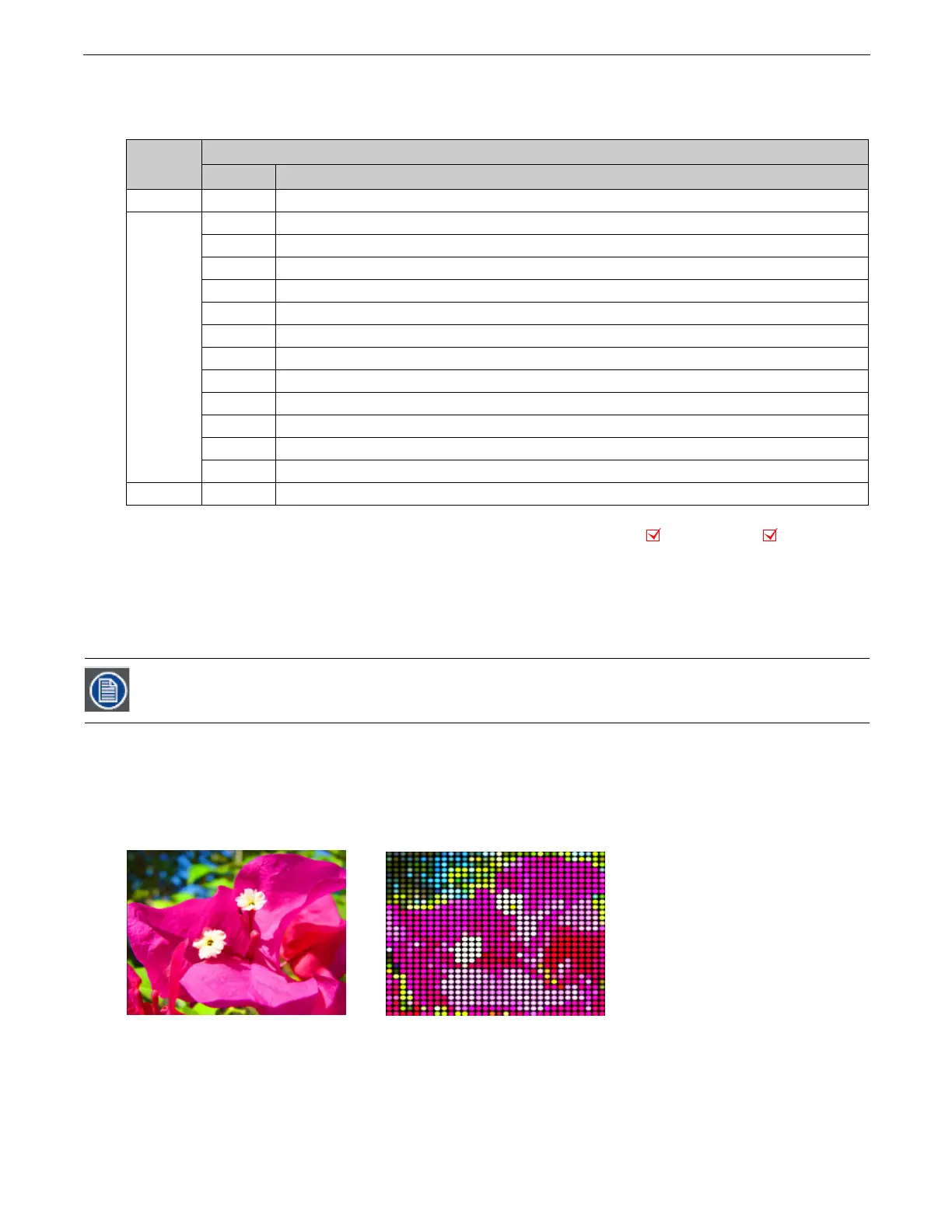
This effect divides the image into a grid of circles that mimic an LED wall. The color of the center pixel in each cell defines the
solid color for that circle. You can control “LED” size, background and color peaking.
Modifier 1:
Controls the “LED” size. The default DMX value of 0 displays a 100 x 100 grid of “LEDs”. Increasing the DMX value
decreases the grid divisions to a minimum of 10 x 10 at a value of 255 (100%).
Modifier 2:
Adjusts the grid spacing and color around each “LED”. A DMX value of 0 = the minimum black line between cells. The
spacing increases to a maximum at a DMX value of 127 (49%). At a value of 128 (50%), the space between cells reverts to the
minimum spacing and turns white. Increasing the value further increases the white spacing to a maximum at a DMX value of 255
(100%).
Modifier 3:
Adjusts the color peaking to simulate lighting at the “LED” center. A DMX value of 0 = no adjustment and flat color
across the cell. As you increase the DMX value, the peaking increases to a maximum at 255 (100%).
Modifier 1
DMX Value
Modifier 3
DMX value Action
0NA
Not Used
1
0
Graphic Object 1 texture without applied Effects
1
Graphic Object 1 texture including its first applied Effect
2
Graphic Object 1 texture including its first two applied Effects
3
Graphic Object 1 texture including its first three applied Effects
10
Graphic Object 2 texture without applied Effects
11
Graphic Object 2 texture including its first applied Effect
12
Graphic Object 2 texture including its first two applied Effects
13
Graphic Object 2 texture including its first three applied Effects
20
Graphic Object 3 texture without applied Effects
21
Graphic Object 3 texture including its first applied Effect
22
Graphic Object 3 texture including its first two applied Effects
23
Graphic Object 3 texture including its first three applied Effects
2NA
Not Used
A small number of larger “LEDs” will also result in reduced color variation.
This effect is also available as a Visual Mode adjusted with 2 Modifier parameters, (see Faux LED on page 75).
Object Effect Global Effect
Original content
Modifier 1 parameter DMX = 202
Modifier 2 parameter DMX = 16
Modifier 3 parameter DMX = 167



 To Next Page