Effect Mode Options Descriptions
DML-1200 w/Axon Embedded Graphic Engine 24/12/2010 _____________________________________________________________________________ 90
5.2.25.2 Particle System 2
Effect Mode
parameter DMX value = 96
This option can be used to add additional modifier adjustments to the baseline effect you set up in the Particle System 1 effect.
Modifier 1:
Determines the number of particles from 0 = smallest number to 255 (100%) = largest number of particles.
Modifier 2:
Adjusts particle size from 0 = smallest to 255 (100%) = largest particle size.
Modifier 3:
Adjusts the size of the emitter shape you selected in the Particle System 1 effect by spreading the source area from 0 =
the smallest source area to 255 (100%) = the largest.
5.2.25.3 Particle System 3
Effect Mode
parameter DMX value = 97
If you have already selected the Particle System 1 and 2 effects, you can further adjust the effect with this option.
Modifier 1:
Sets the Initial Particle Velocity from 0 = slowest to 255 (100%) = fastest.
Modifier 2:
Sets the particle rotation. A DMX value of 128 (50%) = no rotation. Values above the midpoint rotate counterclockwise
from 129 = slowest to 255 (100%) = fastest. Values below the midpoint rotate clockwise from 0 = fastest to 127 = slowest.
Modifier 3:
Sets the particle lifetime from 0 = shortest to 255 (100%) = longest
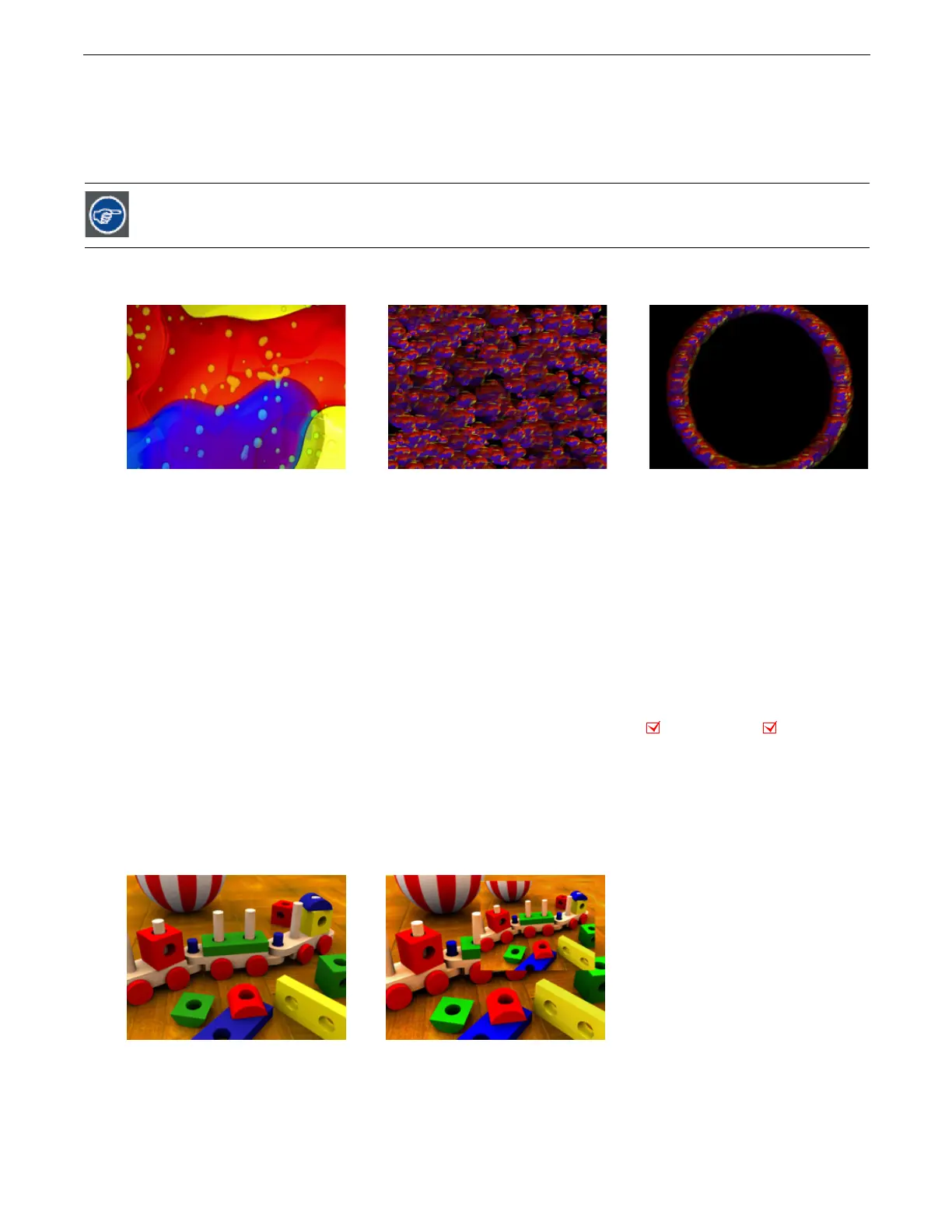
5.2.26 Picture in Picture
Effect Mode
parameter DMX value = 35
This effects creates a window in the image containing a scaled down version of the same image and then lets you position it
anywhere on the output plane.
Modifier 1:
Controls the horizontal position of the subpicture’s centerpoint from 0=left edge to 255 (100%) = right edge of output.
Modifier 2:
Controls the vertical position of the subpicture’s centerpoint from 0=top edge to 255 (100%) = bottom edge of output.
Modifier 3:
Controls the size of the picture from 0=smallest to 255 (100%) = largest.
Reducing the particle size enhances any trailing you set in the Particle System 1 effect.
Original Content Content with Particle 1 effect applied.
Modifier 1 parameter DMX = 0
Modifier 2 parameter DMX = 0
Modifier 3 parameter DMX = 0
Modifier parameter 1 DMX value = 45
Modifier parameter 2 DMX value = 62
Modifier parameter 3 DMX value = 0
Object Effect Global Effect
Original Content Modifier parameter 1 DMX value = 176
Modifier parameter 2 DMX value = 76
Modifier parameter 3 DMX value =133



 To Next Page