Effect Mode Options Descriptions
DML-1200 w/Axon Embedded Graphic Engine 24/12/2010 _____________________________________________________________________________ 76
5.2.4 Curved Surface Support
Effect Mode
parameter DMX value = 135-149
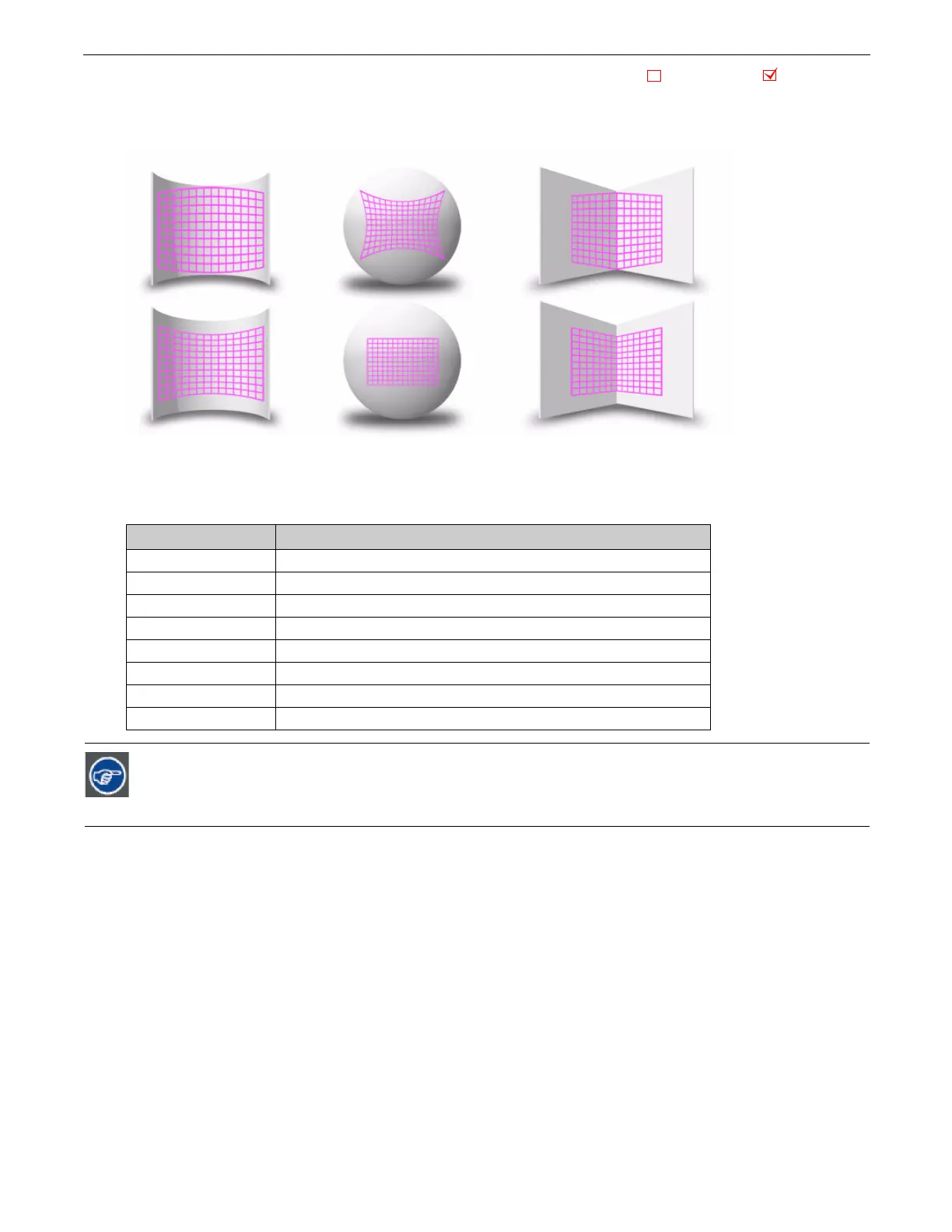
Curved Surface Support corrects for shape distortions that occur when you project onto surfaces that aren’t flat. This Global effect
facilitates projecting onto convex or concave cylinders, angular screens, spheres, and disk shaped surfaces.
You can apply this correction to any media server output including multi-fixture image panoramas created with the Collage
Generator Effect, (see
Collage Generator™ Effect
on page 43.)
Use these adjustments in conjunction with Keystone parameters and Ratio parameters to refine the output shape on any of these
surfaces.
Effect Mode DMX Value
Surface
135
Curved Vertical Convex Cylinder (opening toward projector)
136
Curved Vertical Concave Cylinder (opening away from projector)
137
Vertical Inside Corner (opening toward projector)
138
Vertical Outside Corner (opening away from projector)
139
Sphere
140
Convex Disk (opening away from projector)
148
Curved Horizontal Convex Cylinder (opening toward projector)
149
Curved Horizontal Concave Cylinder (opening away from projector)
Modifier channels for Effect Mode 1 are labeled as CMY in the Wholehog system so you can also make use of the
color picker, HSI, and other Wholehog functions. Use the CMY parameter controls to adjust the three Effect Mode
1 Modifier parameters for both the Global and Graphic fixture types. The default for Effect Mode 1 is set to CMY1
as well. Modifier channels for Effect Modes 2 and 3 are labeled Mod 1, Mod 2, and Mod 3.
Object Effect Global Effect



 To Next Page