Global Functions
DML-1200 w/Axon Embedded Graphic Engine 24/12/2010 _____________________________________________________________________________ 48
4.11 Viewpoint Position Z (Zoom)
The
Viewpoint Position Z (Zoom)
parameter is the distance from the view target. Zooming toward the target, you can move
through it and view it from the back side creating a mirror image view of the composite object.
Default DMX Value:
30260 = center (This default value is slightly less than midway through the range to maintain some depth to
the view of a composite image.)
DMX values above center move toward the maximum distance from origin in back of view target (a DMX value of 65535). DMX
values below center move toward the maximum distance from origin in front of view target at a value of zero.
4.12 Collage Generator™ Effect
The Collage Generator™ effect option lets you configure multiple media server outputs to display a single image in arrays up to 16
units horizontal by 8 units vertical.
Collage Generator™ technology allows you to create virtually seamless panoramic media projections controlled from your DMX
console. You can display either stock or custom content.
The native aspect ratio of one media server output is 4:3. Some of the arrays configured in conjunction with the Collage Generator
will output a different overall aspect ratio.
4.12.1 Collage Generator Options
Automated and Segmented Collage Generator options are available in each of the Global Effect parameters. The Collage Generator
effect has been continually developed to offer sharper images, and better edge blending. The following table shows the evolution
of the effect. Choosing the highest DMX value for the collage option you are using will give you the latest version of the effect.
4.12.1.1 Automated Collage Options
The original
Collage Generator
option (selected with a Global Effect DMX value = 134), should only be used with legacy shows. The
Enhanced
Collage Generator
option (Global Effect DMX value = 141) provides cleaner images and better edge blending. The
Collage Gen 3
option (DMX value = 150) offers the same image improvements as
Enhanced
Collage Generator
and further expands
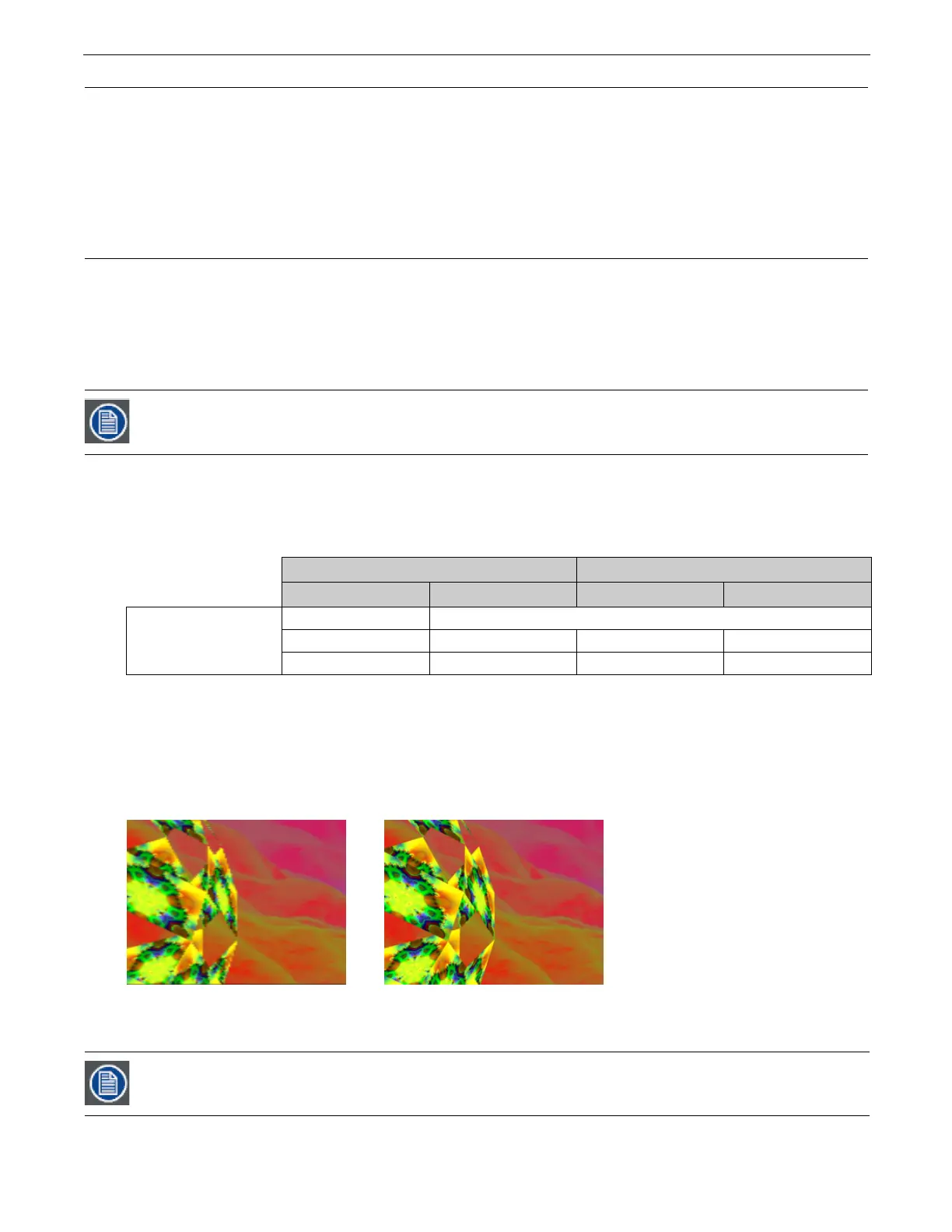
and refines edge blending capability. The images below illustrate the difference in the projected image of a cell from an 8 x 5
grid. The image below on the left shows the projector using the original Collage Generator option and the image on the right
shows the improved resolution obtained with the
Enhanced
Collage Generator
option.
The
Collage Generator Wrap
(DMX value = 145) and
Collage Gen 3 Wrap
(DMX value = 151) options include right and left edge
blending that lets you seamlessly project your collage on a 360 degree surface.
You can find other configurations and information on sizing and compressing media to use with the Collage
Generator at the High End Systems website (www.highend.com/support/digital_lighting).
Automated Collage Generator Options Segmented Collage Generator Options
Flat Collage 360° Wrap Flat Collage 360° Wrap
Global Effect DMX Value
134
141 145 146 147
150 151 152 153
In all of the Collage Generator options the content is automatically divided into cell segments by the graphics
engine after you define the array size.



 To Next Page