Effect Mode Options Descriptions
DML-1200 w/Axon Embedded Graphic Engine 24/12/2010 _____________________________________________________________________________ 100
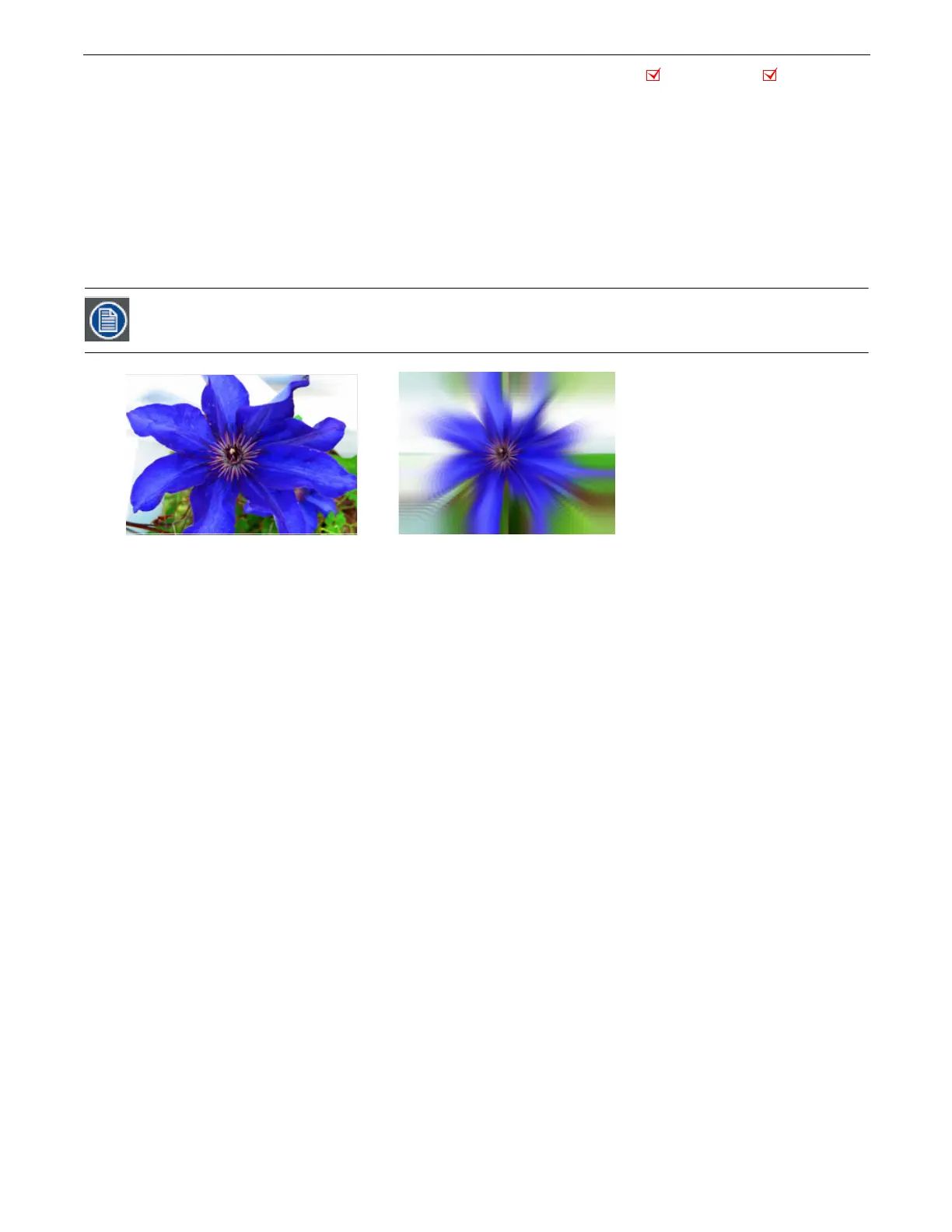
5.2.48 Zoom Blur
Effect Mode
parameter DMX value = 59
Zooms into a position on the image with a mult-image blurring effect. You can control the position of the zoom center on the
image.
Modifier 1:
The default DMX value of 128 (50%) = no adjustment. Values below the midpoint move the horizontal center of the
zoom right to 0 = maximum. Values above the midpoint move the horizontal center of the zoom left to 255 = maximum.
Modifier 2:
The default DMX value of 128 (50%) = no adjustment. Values below the midpoint move the vertical center of the zoom
down as you approach 0 = maximum. Values above the midpoint move the vertical center of the zoom up to 255 (100%) =
maximum.
Modifier 3:
The default DMX value of 128 (50%) = no adjustment. Values below the midpoint zoom in to the image centerpoint to
0 = maximum image size. Values above the midpoint zoom away from the image centerpoint to 255 = a minimum image size.
This effect is also available as a Visual Mode adjusted with 2 Modifier parameters, (see Zoom Blur on page 26)
Object Effect Global Effect
Original Content
Modifier 1 parameter DMX = 128
Modifier 2 parameter DMX = 128
Modifier 3 parameter DMX = 255



 To Next Page