Effect Mode Options Descriptions
DML-1200 w/Axon Embedded Graphic Engine 24/12/2010 _____________________________________________________________________________ 78
5.2.6 Downward Vertical Streaks
Effect Mode
parameter DMX value = 80
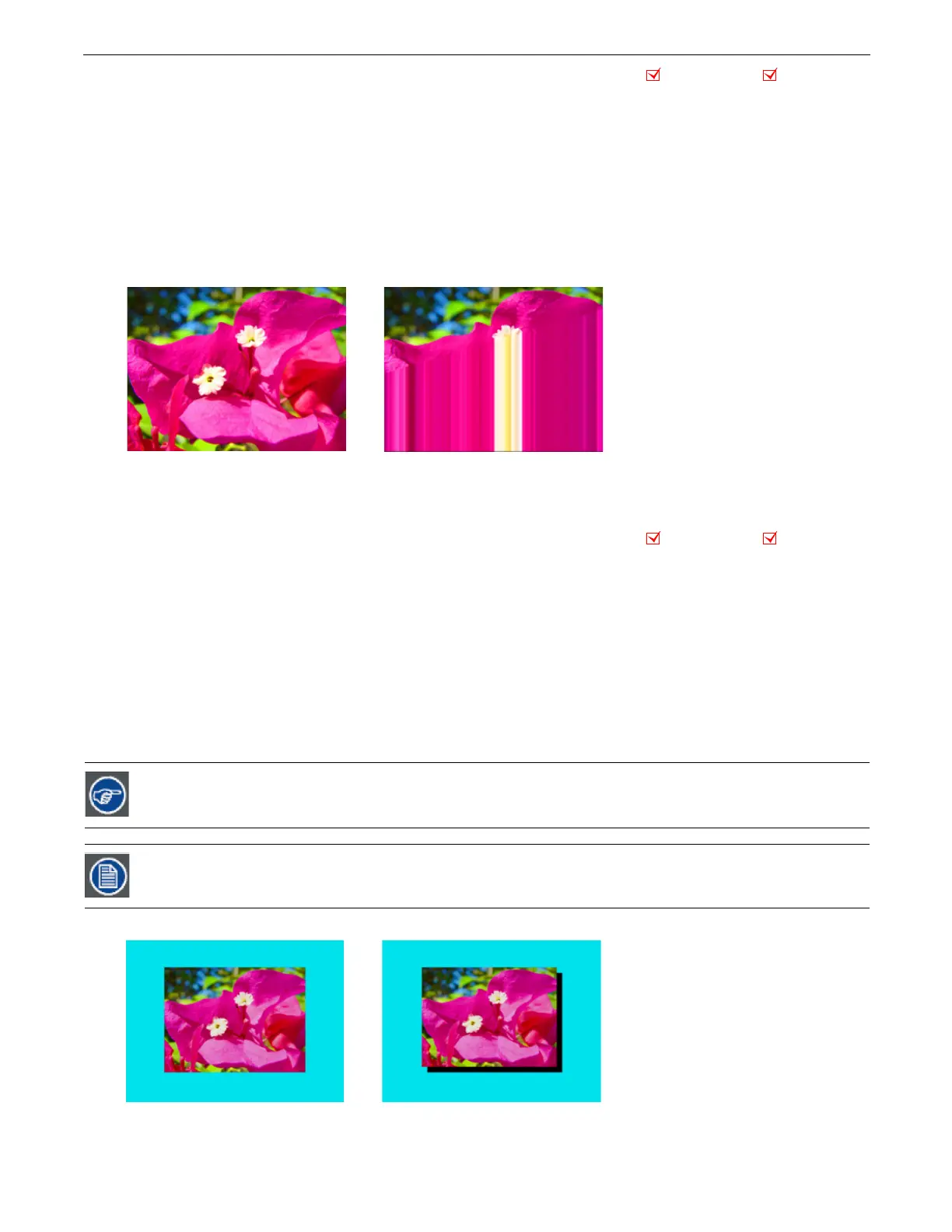
This effect lets you convert a portion of the image into vertical streaks. You can also rotate the angle of the streak and fade from
the original image to the image with the streak effect applied.
Modifier 1:
At a DMX value of 0, there is no effect. Increasing the DMX value sets the length of the streak portion of the image
from the bottom up to 255 (100%) = the full image converted to streaks.
Modifier 2:
The default DMX value of 128 (50%) = no adjustment. Values below the midpoint move the edge of the streaked
portion of the image clockwise as you approach 0 = 90°. Values above the midpoint move the edge of the streaked portion of the
image counterclockwise as you approach 90° at a value of 255 (100%).
Modifier 3:
When Modifier 1 has a DMX value > 0, Modifier 3 lets you fade from 0 = the original image to 255 (100%) = the
converted image.
5.2.7 Drop Shadow
Effect Mode
parameter DMX value = 58
This effect creates a black plane behind the selected media file texture on a flat rectangular object. You can bring the plane from
behind positioning it to form a drop shadow. You won’t see the shadow until you select a Modifier 1 or 2 DMX value above or
below 128 (50%).
Modifier 1:
The default DMX value of 128 (50%) = no adjustment. Values below the midpoint move the “shadow” right as you
approach 0 = maximum horizontal shadow width. Values above the midpoint move the “shadow” left to a maximum horizontal
shadow width at a value of 255 (100%)
Modifier 2:
The default DMX value of 128 (50%) = no adjustment. Values below the midpoint move the “shadow” down as you
approach 0 = maximum vertical shadow width. Values above the midpoint move the “shadow” up to a maximum vertical shadow
width at a value of 255 (100%)
Modifier 3:
Adjusts the shadow’s opacity from 0 = full opacity to 255 (100%) = maximum transparency.
To ensure that the shadow remains black and is unaffected by other graphic effects, apply it as the last effect
selected for an image.
This effect is also available as a Visual Mode adjusted with 2 Modifier parameters, (see Drop Shadow on page 18)
Object Effect Global Effect
Original content
Modifier 1 parameter DMX value = 170
Modifier 2 parameter DMX value = 158
Modifier 3 parameter DMX value = 255
Object Effect Global Effect
Original Content Modifier 1 parameter DMX value= 0
Modifier 2 parameter DMX value=255
Modifier 3 parameter DMX value=0



 To Next Page