Effect Mode Options Descriptions
79 ______________________________________________________DML-1200 w/Axon Embedded Graphic Engine 24/12/2010
5.2.8 Edge Frame Profiles
Effect Mode
parameter DMX value = 133
This effect contains three modes that modify the
Global Image Edge Fade
parameters to frame the global composite image.
Modifier 2 and Modifier 3 adjustments vary depending which of the framing modes is selected with Modifier 1.
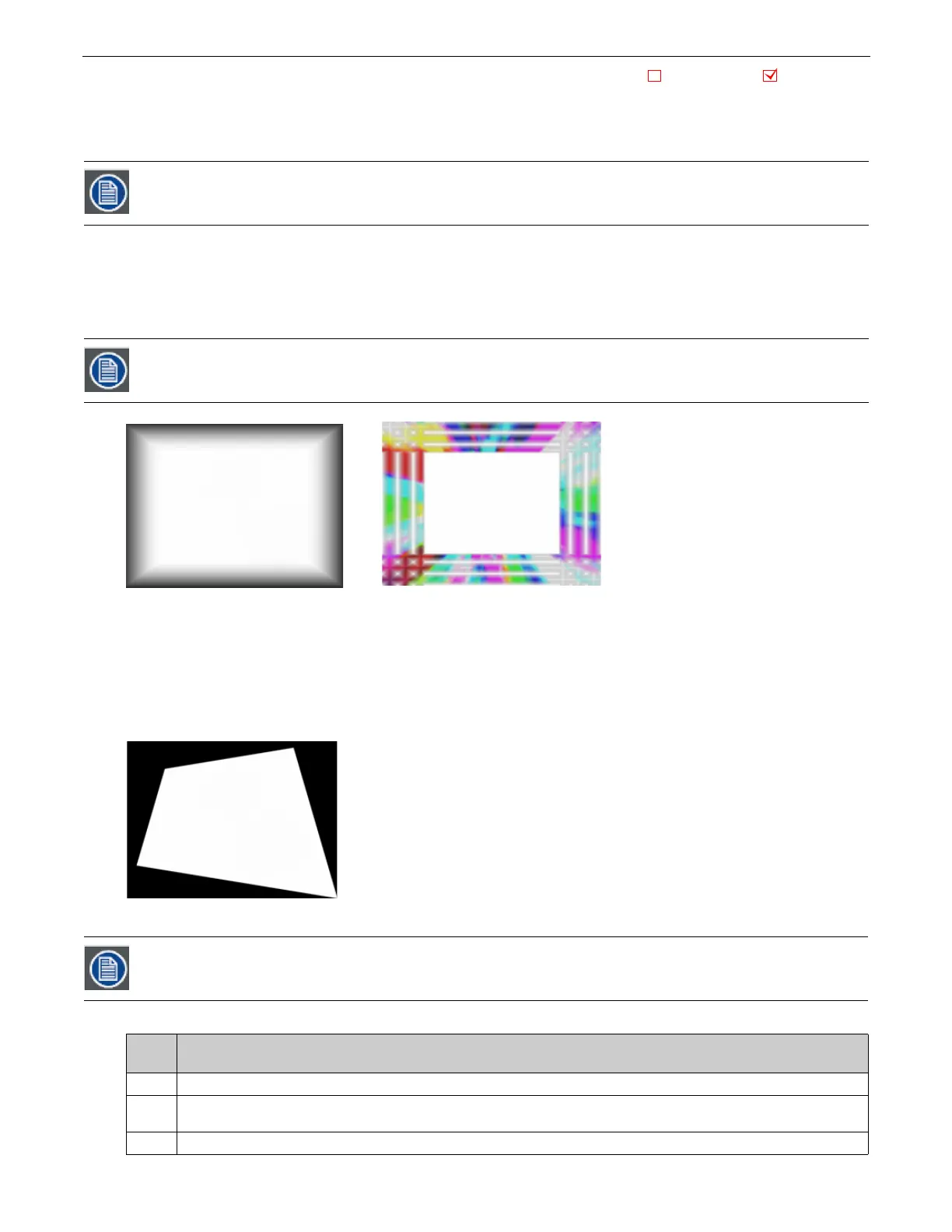
The images below show examples of the first two framing modes. In the image on the left Modifier 1 selects the internal profile
framing option, with Modifier 2 selecting the frame pattern.
In the example on the right, Modifier 1 selects the Graphic Object texture framing option, with Modifier 2 selecting the frame
pattern. A Modifier 3 DMX value = 10 designates the Frame texture as Graphic Object 2’s media file content minus any applied
effects.
Framing Shutter Emulation
When Modifier 1 is set to a DMX value = 2, Modifier parameters 2 and 3 are not used. Instead, the four
Global
Image Edge Fade
parameters control image to emulate framing shutters. In the example to the right, each
Image Edge Fade
parameter has been set
to a DMX value = 100.
Modifier 1:
This parameter allows you to select from three framing modes.
If the Global Image Edge Fade DMX values are set to Zero, the Framing output will be unseen in modes 0 and 1.
Global Image Edge Fade DMX values = 100.
TT
This technique is useful when your are running Version 1 Protocol. Version 2 Protocol provides a much better
solution for this situation with eight Framing Shutter channels.
DMX
Value
Action
0
Frames the image using an Internal Frame profile to control the Global Fade Edge parameter appearance.
1
Frames the image using an Internal Frame profile to control the Global Fade Edge parameter appearance. Rendered Graphic Object
content is selected at Frame texture using Modifier 3 parameter
2
Image clipping changing operation of the Global Image Edge Fade parameters to Emulate Framing Shutters
Object Effect Global Effect
Effect Mode parameter = 133
Modifier 1 parameter DMX = 1
Modifier 2 parameter DMX = 251
Modifier 3 parameter DMX = 10
Effect Mode parameter = 133
Modifier 1 parameter DMX = 0
Modifier 2 parameter DMX = 15
Modifier 3 Not Used



 To Next Page