Effect Mode Options Descriptions
DML-1200 w/Axon Embedded Graphic Engine 24/12/2010 _____________________________________________________________________________ 56
5.1.3 Background Color Cycle
Effect Mode
parameter DMX value = 132
There is a background behind every composite image. You cannot rotate, scale or position the background and it is visible from
every viewpoint and position. This effect allows you to cycle a color sequence on the background controlling the transition speed.
Modifier 1:
Defines the red color component speed. A DMX value of 128 (50%) = default cycle speed. DMX Values above the
midpoint increase cycle speed in a forward direction to 255 (100%) = fastest change speed. DMX values below the midpoint
increase cycle speed in a backward direction to 0 = fastest change speed.
Modifier 2:
Defines the green color component speed. A DMX value of 128 (50%) = default cycle speed. DMX Values above the
midpoint increase cycle speed in a forward direction to 255 (100%) = fastest change speed. DMX values below the midpoint
increase cycle speed in a backward direction to 0 = fastest change speed.
Modifier 3:
Defines the blue color component speed. A DMX value of 128 (50%) = default cycle speed. DMX Values above the
midpoint increase cycle speed in a forward direction to 255 (100%) = fastest change speed. DMX values below the midpoint
increase cycle speed in a backward direction to 0 = fastest change speed.
5.1.4 CMY
Effect Mode
parameter DMX value = 1
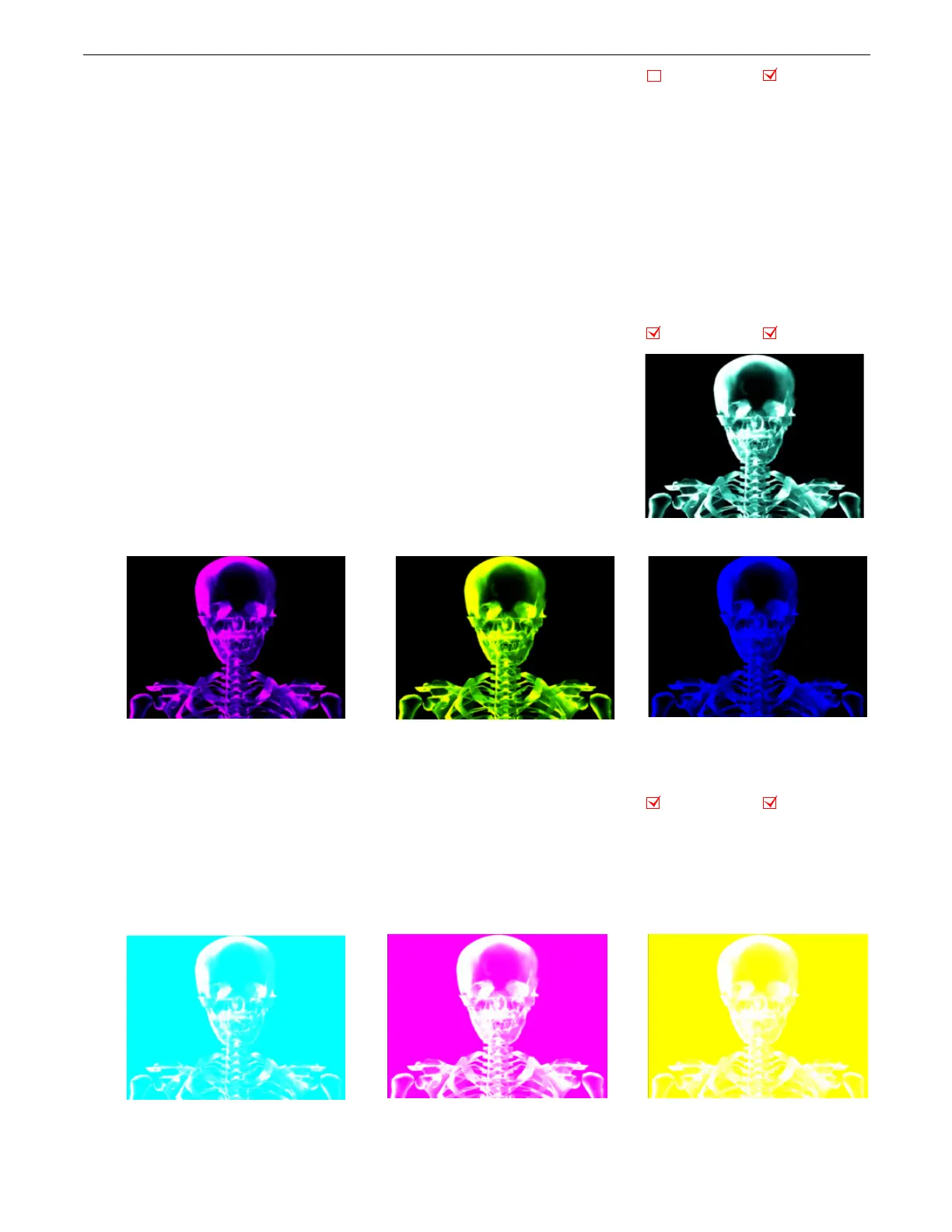
This parameter simulates CMY color by inverting RGB color components. Use this
parameter when you want to color mix with a CMY color model instead of RGB
color model.
Modifier 1:
Increases cyan color component from 0 = no adjustment to 255 (100%)
= maximum cyan saturation.
Modifier 2:
Increases magenta color component from 0 = no adjustment to 255
(100%) = maximum magenta saturation.
Modifier 3:
Increases yellow color component from 0 = no adjustment to 255
(100%) = maximum yellow saturation.
5.1.5 CMY Add All Pixels
Effect Mode
parameter DMX value = 2
This effect increases color values across all pixels including black pixels.
Modifier 1:
Increases cyan color component from 0 = no adjustment to 255 (100%) = maximum cyan saturation.
Modifier 2:
Increases magenta color component from 0 = no adjustment to 255 (100%) = maximum magenta saturation.
Modifier 3:
Increases yellow color component from 0 = no adjustment to 255 (100%) = maximum yellow saturation.
Object Effect Global Effect
Object Effect Global Effect
Original Content
Modifier 1 parameter DMX = 0
Modifier 2 parameter DMX = 255
Modifier 3 parameter DMX = 0
Modifier 1 parameter DMX = 255
Modifier 2 parameter DMX = 255
Modifier 3 parameter DMX = 0
Modifier 1 parameter DMX = 0
Modifier 2 parameter DMX = 0
Modifier 3 parameter DMX = 255
Object Effect Global Effect
Modifier 1 parameter DMX = 255
Modifier 2 parameter DMX = 0
Modifier 3 parameter DMX = 0
Modifier 1 parameter DMX = 0
Modifier 2 parameter DMX = 0
Modifier 3 parameter DMX = 255
Modifier 1 parameter DMX = 0
Modifier 2 parameter DMX = 255
Modifier 3 parameter DMX = 0



 To Next Page