Content Management Application (CMA)
DML-1200 w/Axon Embedded Graphic Engine 24/12/2010 _____________________________________________________________________________ 116
6.8 Deleting Content
To delete
all
User Content from a server:
1. In the CMA Client Window select
All Server
in the left pane.
2. Select the Server with the content you want to delete in the right pane.
3. From the drop down menu or the right-click popup list, select
Delete Content.
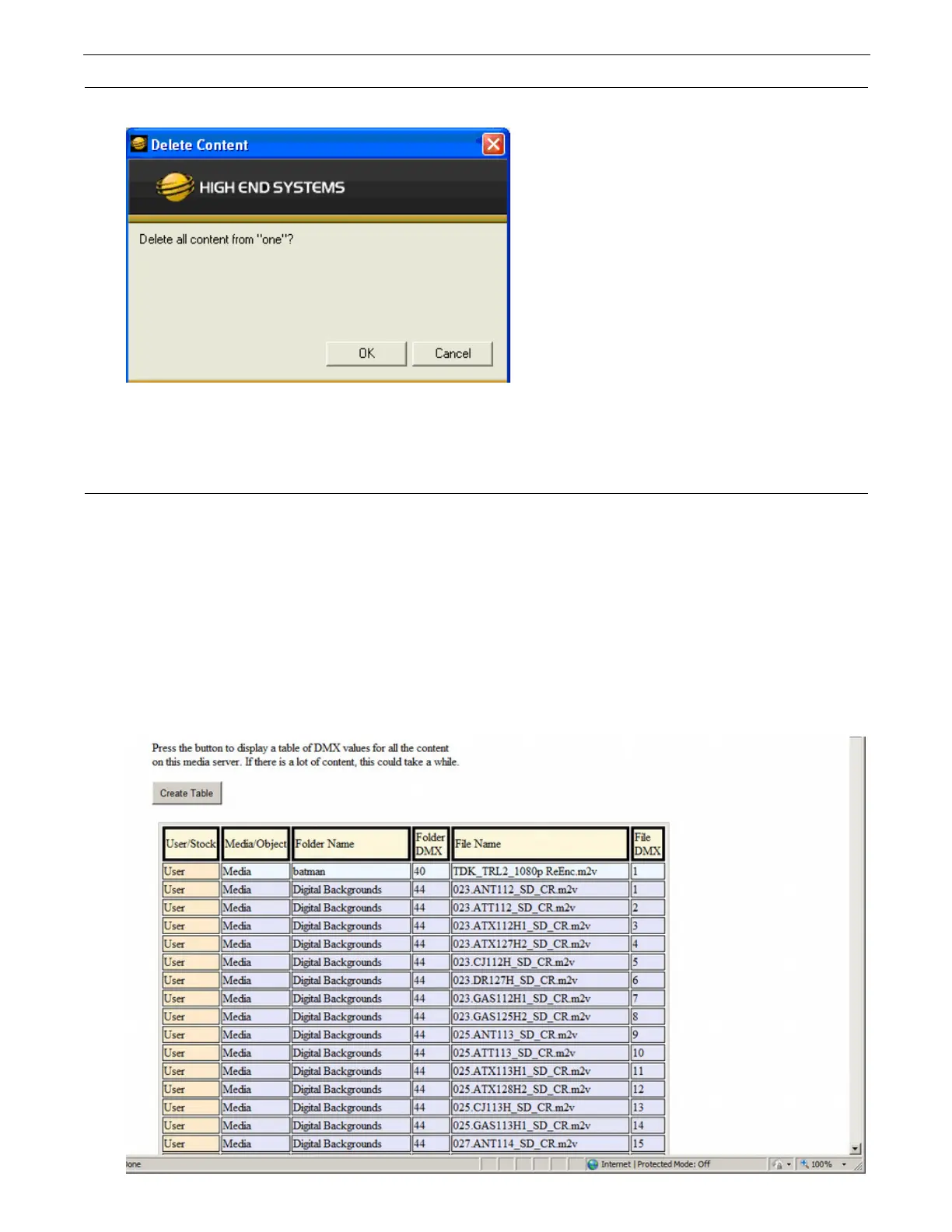
A dialog box OKs/cancels the action.
6.9 DMX Summary
The DMX Summary lets you view all the content for a single server in a table format with the following details:
• Whether the content is a
User
Media file/folder, a
Stock
Media file/folder, or a
Object
• The associated
Folder Name
for media files
•The
Folder DMX
value for media files
•The
File Name
for media or object files
•The
File DMX
value for media or object files
To view the DMX summary table:
1. Select
All Servers
from the left pane of the CMA Client Window.
2. Select a Server in the right pane
3. Select DMX Summary from the drop down menu or the right-click popup list.
4. Press the
Create Table
button on the screen to build the summary table.



 To Next Page