Global Functions
DML-1200 w/Axon Embedded Graphic Engine 24/12/2010 _____________________________________________________________________________ 46
4.6.2 Keystone Y Ratio
The
Keystone
Y Ratio
parameter shapes the output to adjust for keystone effects created in certain output situations. This
parameter adjusts the output by compressing or expanding the image vertically.
Default DMX Value:
128 (50%) = no adjustment
DMX value settings below the midpoint of the range compress the image vertically from 0 = maximum compression to 255 (100%)
= no compression.
DMX value settings above the midpoint of the range expands the image vertically from 128 = no expansion to 255 (100%) =
maximum expansion.
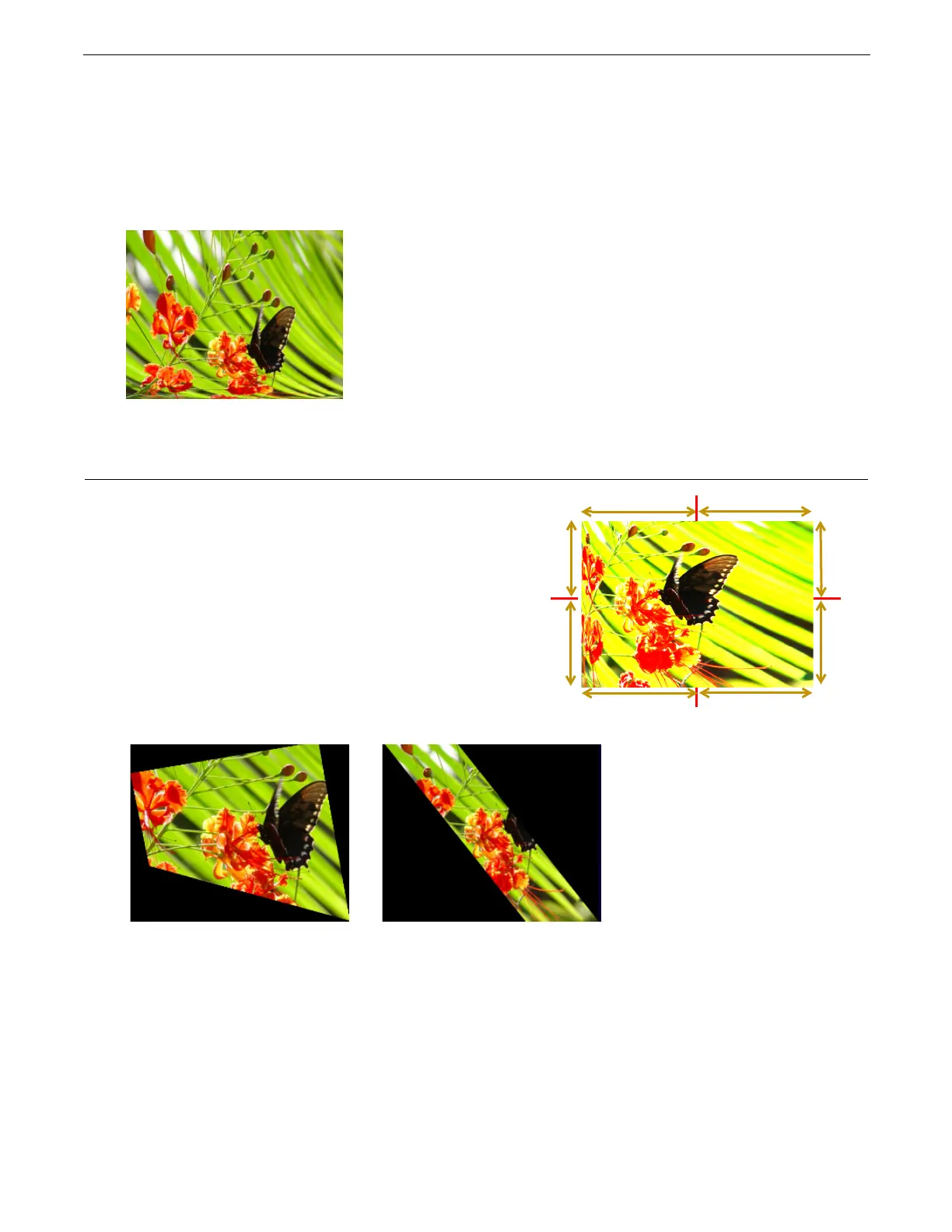
4.7 Framing Parameters
Eight
Framing
parameters
allow you to clip an image from each
corner in horizontal and vertical directions.
Default DMX Value:
0 = no effect applied.
Each corner has an x and a y value that adjust and correct scale of
the projection from any corner toward the image center on that
axis.
Setting all
Framing
X
and
Y
parameters DMX values to zero will
place the four corners of the image at the four corners of the
projector output. Adjusting framing x values across 255 (100%)
clips the image from the selected x corner position horizontally
toward the image. Adjusting keystone y values toward 255
(100%) clips the image from the selected y corner position
vertically across the image.
Ratio DMX value = 255 (100%)
Top
Top Left X
Top Rig ht X
Top
Bottom
Right Y
Bottom Right XBottom Left X
Right Y
Left Y
Bottom
Left Y
Original Content
Framing Top Left X DMX value = 8
Framing Top Left Y DMX value = 31
Framing Top Right X DMX value = 32
Framing Bottom Left X DMX value = 23
Framing Bottom Left X DMX value = 67
Other Framing parameter DMX values = 0
Framing Top Left X DMX value = 5
Framing Top Right X DMX value = 188
Framing Bottom Right X DMX value = 5
Framing Bottom Left X DMX value = 188
Other Framing parameter DMX values = 0



 To Next Page