Global Functions
47 ______________________________________________________DML-1200 w/Axon Embedded Graphic Engine 24/12/2010
4.8 Global Viewpoint Mode
The
Global Viewpoint Mode
parameter defines a 3-D space and the
Viewpoint Position
parameters modify your
viewing location
with the defined 3-D space. Each Viewpoint Mode uses three values to specify a viewpoint in space. This point in space is specified
by the horizontal angle, vertical angle, and zoom.
Within any 3-D space, you can choose the viewpoint target as the center of 3-D space or the center of any defined Graphic Object
from 1–9.
Default DMX Value:
0 = Perspective view, Spherical Coordinates with the focus at the center of the 3-D space.
4.8.1 Perspective View, Spherical Coordinates
This Viewpoint mode creates a 3-D space with a perspective view of a 3-D space. Viewpoints are located in terms of X, Y and Z
positions located on a sphere surrounding the image.
4.8.2 Perspective View, Cartesian Coordinates
This Viewpoint mode parameter creates a 3-D space with a perspective view. Viewpoints are located in terms of rectangular X, Y
and Z positions describing a location in this space.
4.8.3 Orthogonal View, Cartesian Coordinates
This Viewpoint mode creates a 3-D space without perspective. Viewpoint are located in terms of rectangular X, Y and Z positions
describing a location in this space. In this case, the composite image is always flat.
4.8.4 Variable Edge Blending
NOTE:Setting the Viewpoint Mode Parameter to a DMX value of 128 accesses the Variable Edge Blending function. This option
extends the edge blending range between image components in a Collage. When this option is selected, the Viewpoint Modifier 1
and 2 parameters provide horizontal and vertical adjustments. For more information on using Variable Edge Blending in
conjunction with the Collage Generator Effect, see
Variable Edge Blending
on page 42.
4.9 Viewpoint Position X
The
Viewpoint Position X
parameter determines the x component of the viewpoint position to the target you have specified in the
Viewpoint Mode parameter. The horizontal angle is the angle around the vertical (y) axis. Heading is another name for this angle.
Default DMX Value:
32768 = center
DMX values above center of the range move counterclockwise to the maximum horizontal angle at a value of 65535 (100%). DMX
values below the center move clockwise to the minimum horizontal angle at a value of 0.
4.10 Viewpoint Position Y
The
Viewpoint Position Y
parameter sets the vertical angle above/below the horizontal plane. Pitch is another name for this
component of the viewpoint position.
Default DMX Value:
32768 = center
DMX values above the center of the range move counterclockwise to the maximum vertical angle at a value of 65535 (100%). DMX
values below the center move clockwise to the minimum vertical angle at a value of 0.
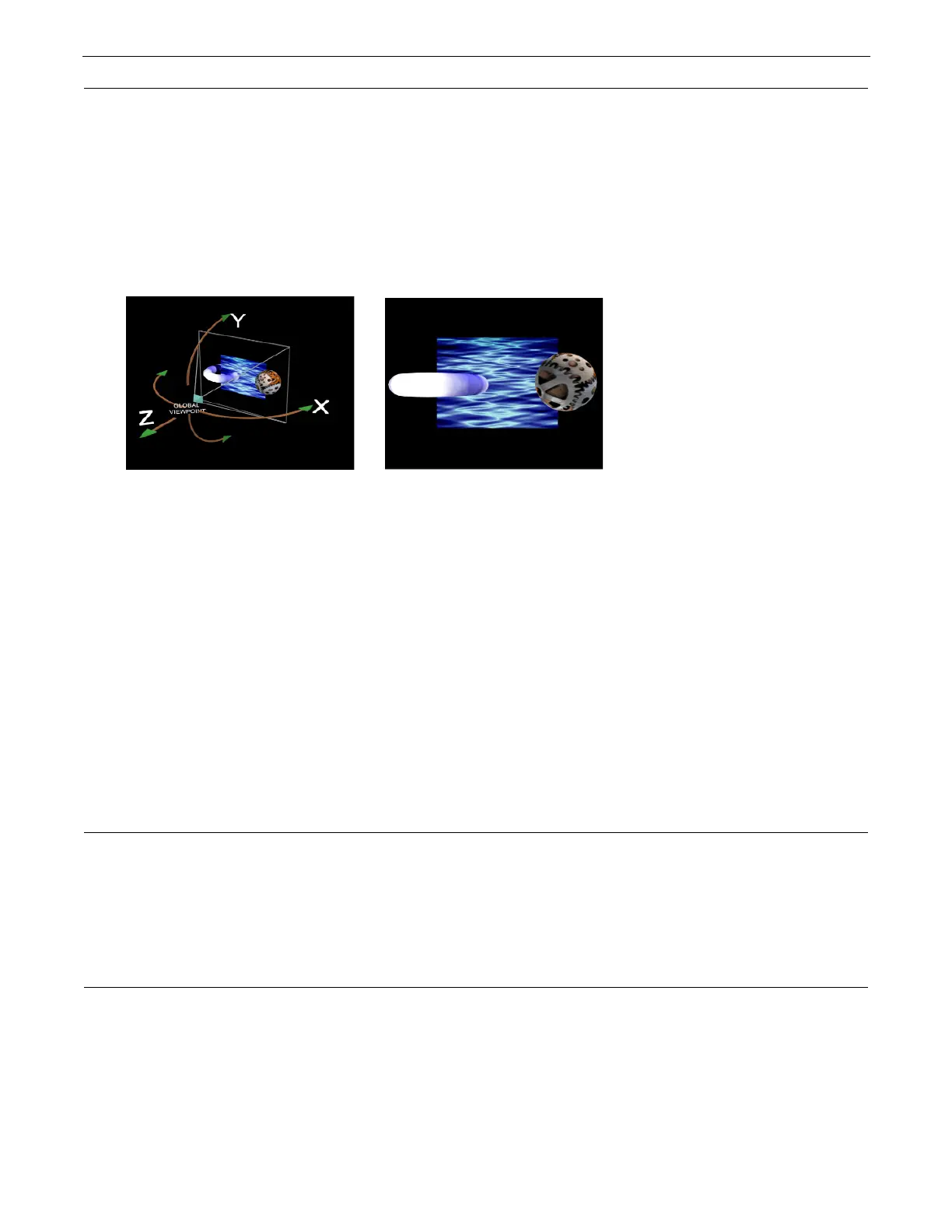
Global Viewpoint set with X, Y, and Z
positions all equal to zero.
Output displayed with global
viewpoint shown at left.



 To Next Page