Content Management Application (CMA)
101 _____________________________________________________DML-1200 w/Axon Embedded Graphic Engine 24/12/2010
6. CONTENT MANAGEMENT APPLICATION (CMA)
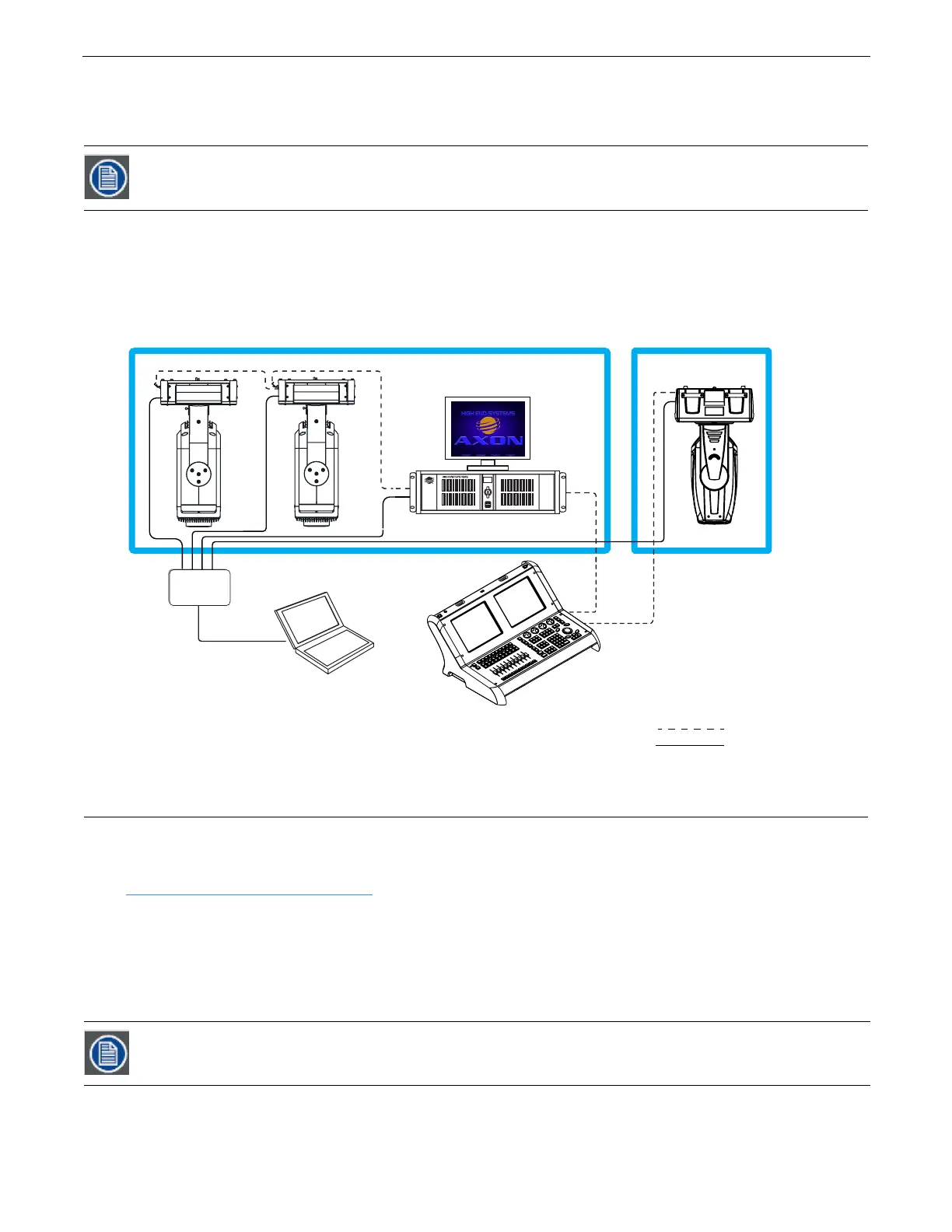
A Content Management Application (CMA) running on an Axon media server or a computer connected through an Ethernet network
gives you remote control of content, software and configuration management functions.
The CMA software that shipped on CD with your DML-1200 w/Axon fixture is used to:
• Upload and download custom digital content to fixtures
• Configure units to use in a DMX environment
• Update software for multiple units
The CMA can access all media servers connected to the same Ethernet network.
6.1 Launching the CMA
6.1.1 Installing the CMA on Your Computer
You can download the latest version of the application from the Digital Lighting support section of the High End Systems website
www.highend.com/support/digital_lighting/
. A download wizard simplifies installation on your personal computer.
The following are the recommended software requirements for running the CMA:
• Windows XP, Vista, Windows 7 (32 and 64 bit) or Mac OS 10.6 or later
•Microsoft .Net 2
• 100/1000 base Ethernet card (a Gigabit Ethernet card is recommended for fast content uploading of large files)
To automatically install the CMA on your computer’s hard drive, insert the CD that shipped with your media server.
Information in this section will apply to both Axon and DML-1200 w/Axon. The CMA views DML-1200w/Axon
fixtures exactly the same as an Axon media server and doesn’t recognize the hardware and projector
configuration items you can access through the fixture menu.
If you are running Windows OS and the CMA doesn't automatically install, navigate to the CMA.msi file in your
windows browser and double click to install the CMA.
Laptop Computer
Ethernet
Switch
DMX Universe 1
DMX Universe 2
AXON
(Optional)
Road Hog Fullboar Console
[
]
]
[
DMX 512 Data Cabling
Ethernet Cabling



 To Next Page