Effect Mode Options Descriptions
DML-1200 w/Axon Embedded Graphic Engine 24/12/2010 _____________________________________________________________________________ 62
5.1.19 HS Effect Mode Options
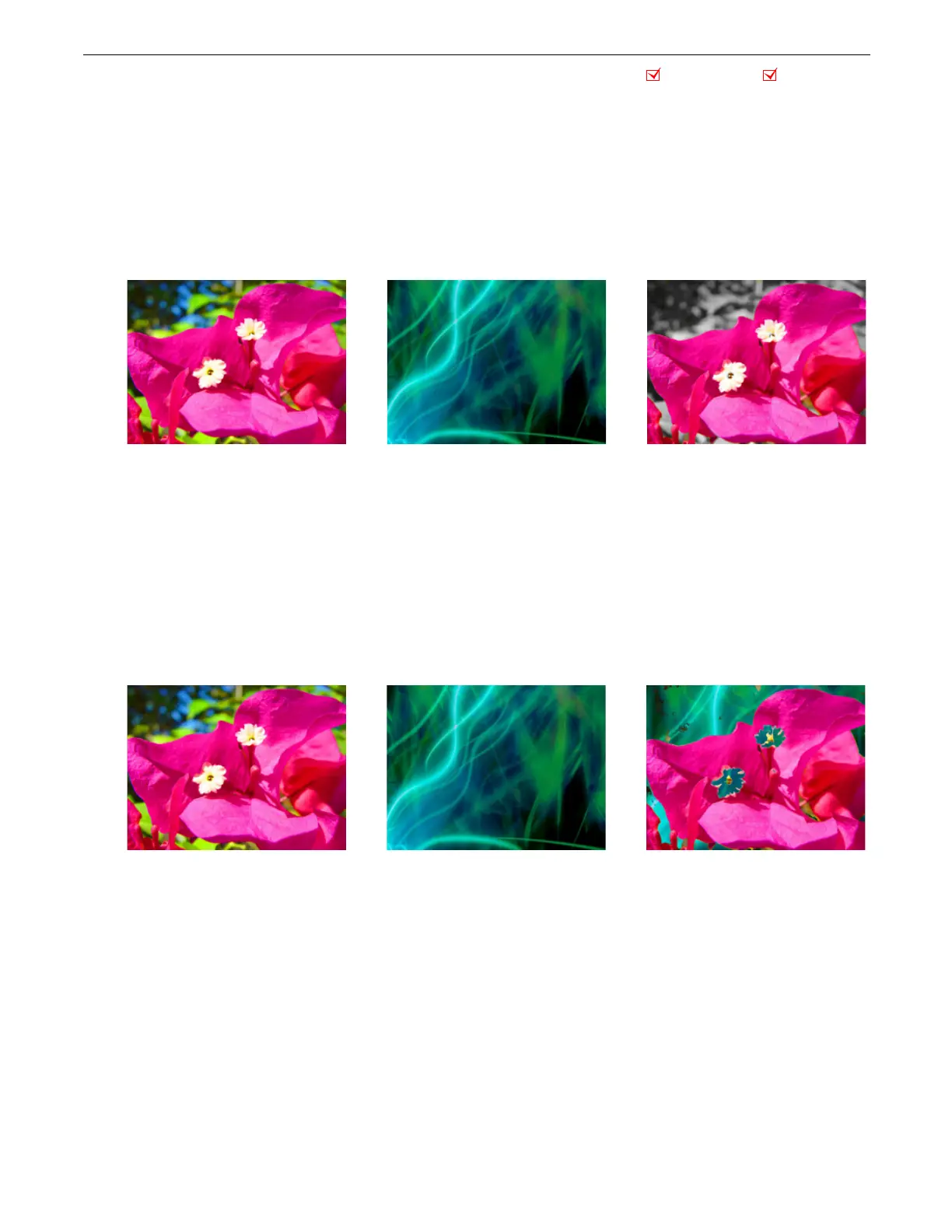
These Object and Global effects map the media file to an HSI color space. This makes it easier to isolate a specific feature in an
image such as an individual flower in a landscape.
5.1.19.1 HS to Gray
Effect Mode
parameter DMX value = 87
This effect Maps a selected color coordinate to an HSI color space and turns everything else gray.
Modifier 1:
Adjusts the
H
ue color component from 0 = no adjustment to 255 (100%) = maximum hue.
Modifier 2:
Adjusts the
S
aturation color component from 0 = no adjustment to 255 (100%) = maximum saturation.
Modifier 3:
Adjusts the color tolerance from 0 = minimum to 255 (100%) = maximum
5.1.19.2 HS Selected to Transparent
Effect Mode
parameter DMX value = 89
Maps a selected color coordinate to a HSI color space and turns it transparent and shows graphic objects “behind” it. Everything
else is unchanged.
Modifier 1:
Adjusts the
H
ue color component from 0 = no adjustment to 255 (100%) = maximum hue.
Modifier 2:
Adjusts the
S
aturation color component from 0 = no adjustment to 255 (100%) = maximum saturation.
Modifier 3:
Adjusts the color tolerance from 0 = minimum to 255 (100%) = maximum.
Object Effect Global Effect
Object 1 Content
Object 2 Background Content Effect Mode parameter = 87
Modifier 1 parameter DMX = 0
Modifier 2 parameter DMX = 0
Modifier 3 parameter DMX = 222
Object 1 Content
Object 2 Background Content Effect Mode Parameter = 89
Modifier 1 parameter DMX = 0
Modifier 2 parameter DMX = 38
Modifier 3 parameter DMX = 255



 To Next Page