Graphic Functions
29 ______________________________________________________DML-1200 w/Axon Embedded Graphic Engine 24/12/2010
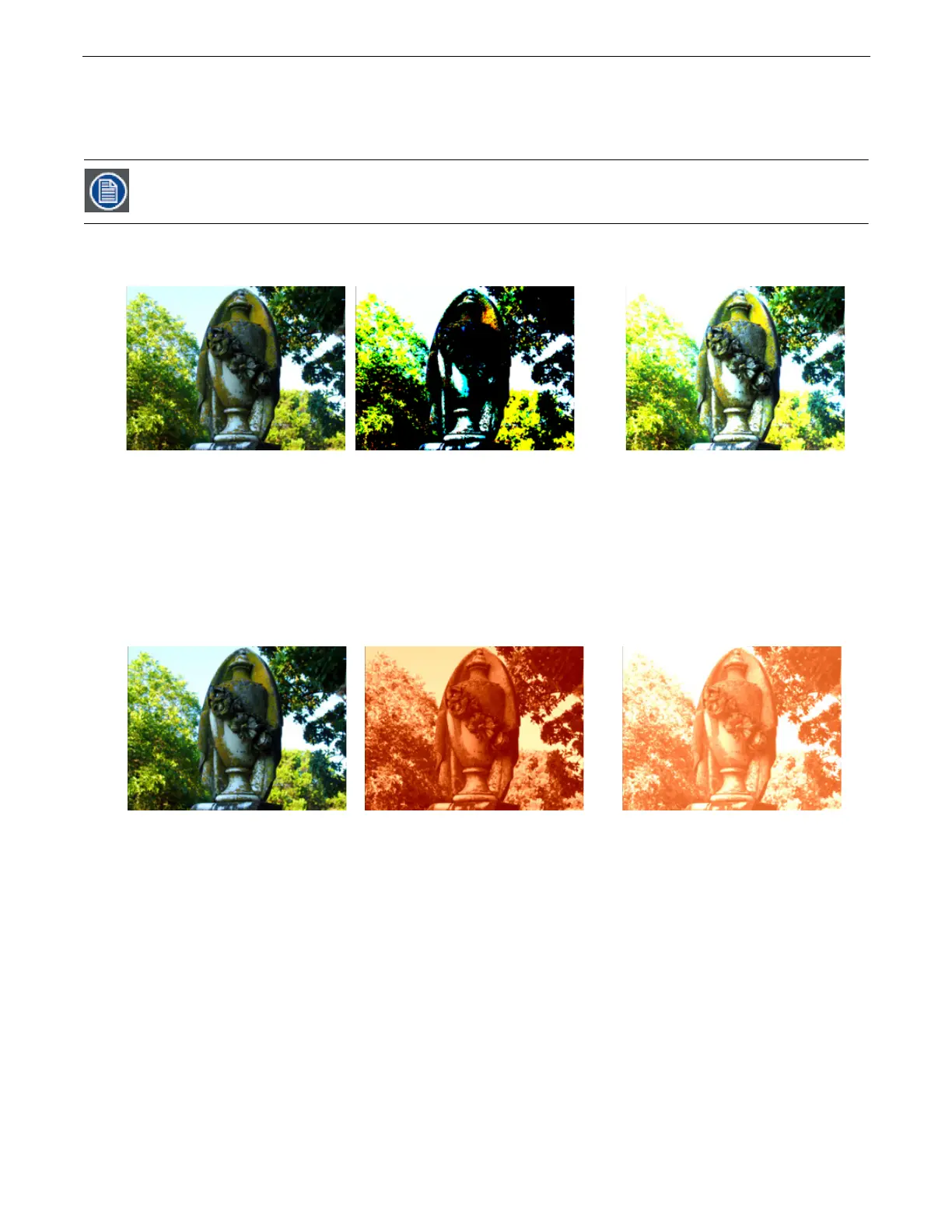
2.3.3.19 Posterizer
Visual Mode
Parameter DMX value = 6
This effect uses the associated
Modifier 1
parameter to posterize by replacing each color in an image with the highest values of
that color but expanding it only to the border of that color. There is no bleeding or blending of colors.
Modifier 1:
Adjusts color polarization level. The higher the value, the more color detail will be removed.
Modifier 2:
Adjust the image contrast from 0 = no adjustment to 255 (100%) = maximum contrast.
2.3.3.20 Push to Red
Visual Mode
Parameter DMX value = 3
This option reduces colors in the selected image to all Red values
Modifier 1:
Fades from original color at a DMX value = 0 to a range of red tones at a value of 255 (100%)
Modifier 2:
Adjusts color saturation from no adjustment at a DMX value = 0 to full saturation at a value of 255 (100%)
In this visual mode, you won’t see a change in the image until you adjust the Modifier 1 parameter.
Original Content
Visual Mode Parameter DMX value = 6
Visual Mode Parameter DMX value = 6
Visual Mode Modifier1 DMX value= 190(75%)
Visual Mode Modifier2 DMX value=255(100%)
Visual Mode Parameter DMX value = 6
Visual Mode Modifier 2 DMX value=255(100%)
Original Content
Visual Mode Parameter DMX value = 3
Visual Mode Parameter DMX value = 3
Visual Mode Modifier1 DMX value=190 (75%)
Visual Mode Modifier2 DMX value=255(100%
Visual Mode Parameter DMX value = 3
Visual Mode Modifier2 DMX value=255(100%)



 To Next Page