Effect Mode Options Descriptions
95 ______________________________________________________DML-1200 w/Axon Embedded Graphic Engine 24/12/2010
5.2.36.2 Sinewave, Vertical w/Y Axis Wobbulation
Effect Mode
parameter DMX value = 71
5.2.36.3 Sinewave, Vertical w/Z Axis Wobbulation
Effect Mode
parameter DMX value = 72
This effect creates a Vertical sinewave pattern and then varies the boundaries of the underlying object along the X axis without
affecting the media file that is applied as a texture.
Modifier 1:
Adjusts the size (amplitude) of the wobble from 0 = no adjustment to 255 (100%) = maximum size.
Modifier 2:
Adjusts the rate (frequency) of the wobble from 0 = no adjustment to 255 (100%) = maximum rate.
Modifier 3:
Adjusts the offset (phase) of the wobble from 0 = no adjustment to 255 (100%) = maximum offset.
5.2.37 Slats, Vertical
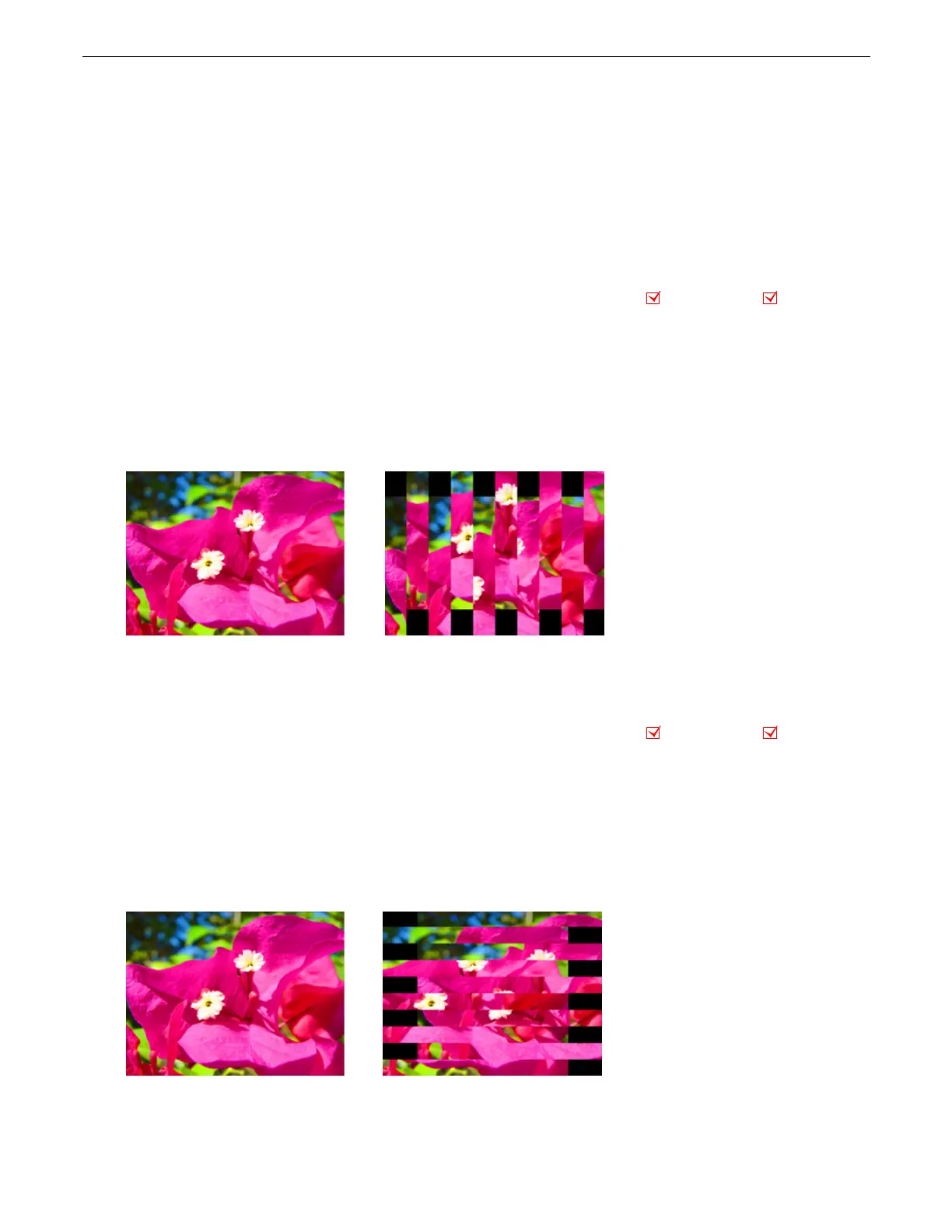
This effect renders the image in offset vertical slats.
Effect
Mode
parameter DMX value = 62
Modifier 1:
Adjusts the number of slats from a DMX value of 0 = no slats to 255 = the maximum number of slats.
Modifier 2:
Adjusts the displacement of the slats from a DMX value of 0 = no displacement to 255 = image completely removed
from screen.
Modifier 3:
When the DMX value for Modifier 1 >0, Modifier 3 fades from the original image to the slatted image. A DMX value of 0
= the original image with no effect applied. Increasing the value fades to the slatted image with 255 = the slatted image at full
opacity.
5.2.38 Slats, Horizontal
This effect renders the image in offset horizontal slats.
Effect
Mode
parameter DMX value = 63
Modifier 1:
Adjusts the number of slats from a DMX value of 0 = no slats to 255 = the maximum number of slats.
Modifier 2:
Adjusts the displacement of the slats from a DMX value of 0 = no displacement to 255 = image completely removed
from screen.
Modifier 3:
When the DMX value for Modifier 1 >0, Modifier 3 fades from the original image to the slatted image. A DMX value of 0
= the original image with no effect applied. Increasing the value fades to the slatted image with 255 = the slatted image at full
opacity.
Object Effect Global Effect
Effect Mode parameter DMX = 62
Modifier 1 parameter DMX = 204
Modifier 2 parameter DMX =40
Modifier 3 parameter DMX = 255
riginal Content
Object Effect Global Effect
Effect Mode parameter DMX value = 63
Modifier 1 parameter DMX =204
Modifier 2 parameter DMX =40
Modifier 3 parameter DMX = 255
riginal Content



 To Next Page