Graphic Functions
13 ______________________________________________________DML-1200 w/Axon Embedded Graphic Engine 24/12/2010
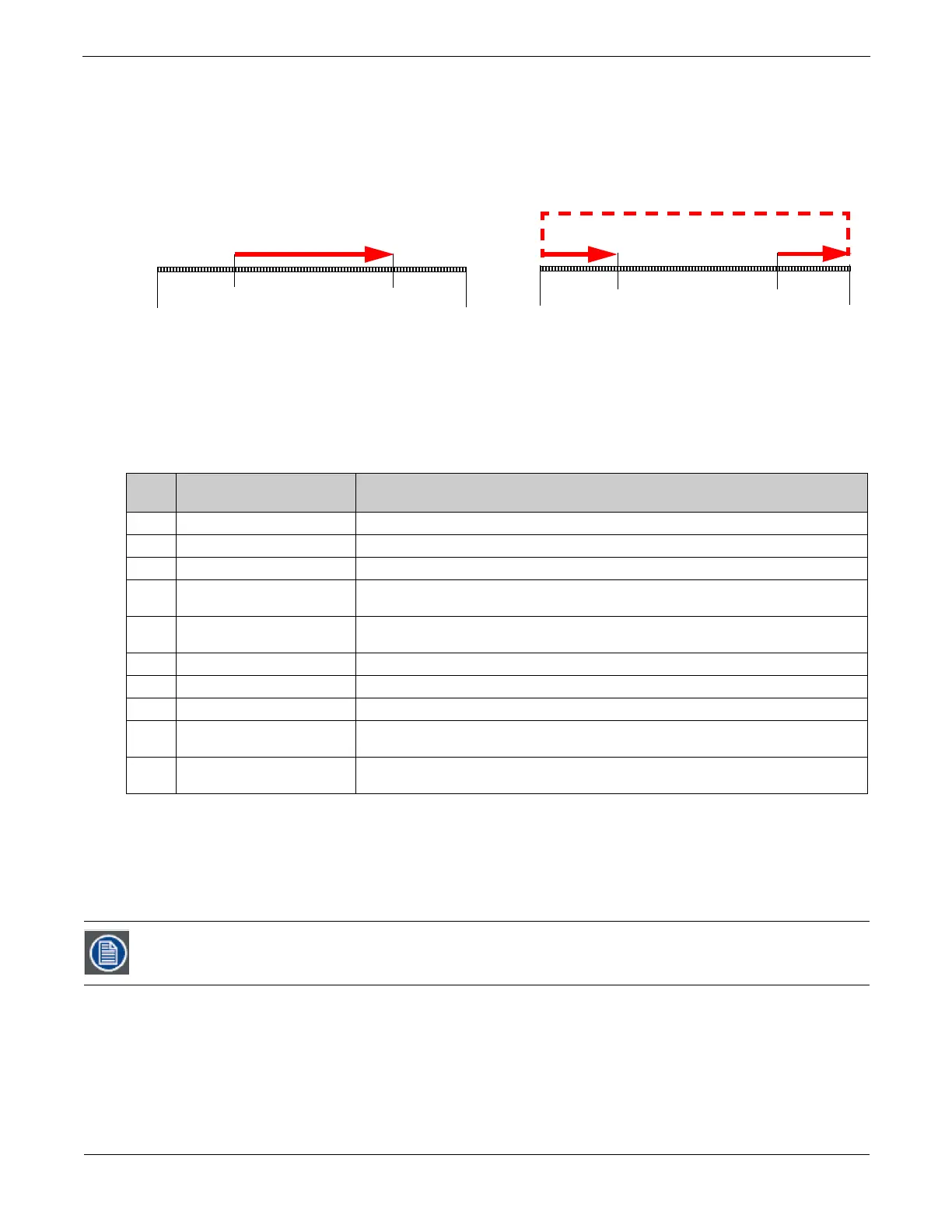
2.1.4.2 Segment Selection Examples
You can create a segment anywhere between the beginning and the end of a media file. The In Frame does not have to precede
the Out Frame.
To skip a segment in the center of a media file, set the In Frame to a point following the Out Frame. The file will play from the
In Frame to the end and then start at the beginning of the file and play to the Out Frame. When you create a segment in this way,
you may notice a jump as playback skips from the end of the file to the beginning.
2.1.5 Defining Playback
After selecting and defining a media file segment to display on a 3-D object, you can choose from several
Playback Mode
s and
assign a
Playback Speed
.
2.1.5.1 Playback Mode
A
Playback Mode
parameter for each 3-D image allows several playback options.
Default DMX Value:
0 = Plays forward in a continuous loop
Scrubbing
Scrubbing
displays the selected frame of the composite output of the media server. While scrubbing the In Frame, the frame
selected by the
In Frame
coarse and fine channels will be displayed. Likewise, scrubbing the
Out Frame
will display the frame
selected by the
Out Frame
coarse and fine channels. When the “with statistics” option is selected, the composite output includes
text data related to the selected frame. Remember that the
In Frame
and
Out Frame
parameters are defined as a DMX value
mapped to the percentage of the media file length, not a specific frame.
2.1.5.2 Playback Speed
The
Playback Speed
parameter controls the speed of the selected media file’s Playback Mode. The Playback Speed for a media file
is used whenever the Playback Mode Parameter’s DMX value is assigned to any Play Forward option.
Default DMX Value:
128 = Playback at normal speed.
A DMX value of 0 or 128 (50%) plays back media files at the original recorded speed. DMX values from 1 to 127 plays the media
file back at an increasing speed, from slowest to the original recorded speed. Values from 129-255 set playback speed from faster
than normal to fastest speed.
DMX
Value
Playback Mode Description
0
Play forward looping Plays the media segment from In Frame setting to Out Frame setting, looping continuously
1
Play forward once Plays the media segment from In Frame setting to Out Frame setting, and holds on the last frame
2
Pause Stops playback at the frame currently playing
3
Play forward once if opacity > 0
Plays the media segment from In Frame setting to Out Frame setting, and holds on the last frame,
Plays only when the content opacity value is greater than zero.
4
Play forward if opacity > 0
Plays media segment from In Frame setting to Out Frame setting, looping continuously. Plays only
when the content opacity value is greater than zero.
5
Pause and rewind Stops playback at the frame currently playing, then jumps to the In Frame setting.
6
Scrub In Frame Displays frame that has been defined by the In Frame parameter
7
Scrub Out Frame Displays frame that has been defined by the Out Frame parameter
8
Scrub In Frame with statistics
Displays frame that has been defined by the In Frame parameter with media file data overlaid on
the output.
9
Scrub Out Frame with statistics
Displays frame that has been defined by the Out Frame parameter with media file data overlaid on
the output.
If the Global Control Mode parameter = 255, a DMX value of 1-3 for the Global Control parameter provides an
alternate font color to enhance statistics readability.
File
Start
File
End
In Frame
25%
In Frame
75%
Out Frame
75%
Out Frame
25%
Example 2
Example 1
File
Start
File
End
Example 1



 To Next Page