Graphic Functions
DML-1200 w/Axon Embedded Graphic Engine 24/12/2010 _____________________________________________________________________________ 20
2.3 Opacity and Effects
The parameters described in this chapter are set for each Graphic Object you define. Parameters for composite image intensity and
effects are described in
Global Functions
on page 32.
2.3.1 Opacity
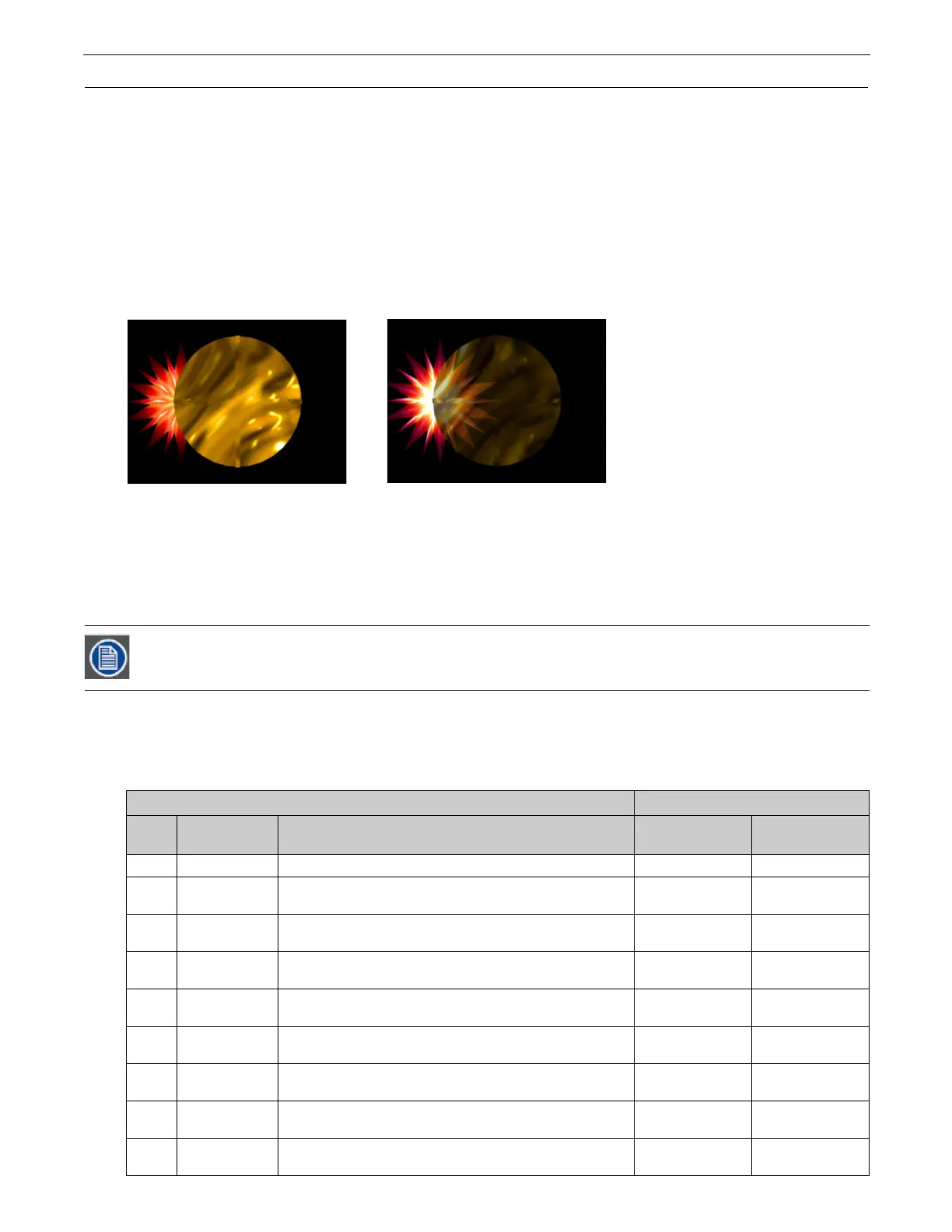
Adjusting an object’s opacity allows one object to “show through” another. You can adjust the opacity of an individual 3-D object
from completely transparent to full opacity using this parameter. Increase opacity from not visible at a value of zero to full opacity
at a value of 255.
Default DMX Value:
0 = completely transparent
The Global Intensity parameter provides a similar adjustment to the combined image. This global control parameter controls
intensity levels on the overall image (see
Global Intensity
on page 32). When you have multiple objects in relation to each other,
the Global Intensity parameter is the best way to apply a fade to the composite image.
2.3.2 Visual Mode
Visual Mode options are defined using three parameters. The
Visual Mode
parameter has options for enhancing and adjusting the
black level and contrast of a 3-D object. Once you choose a visual mode, two
Modifier
parameters adjust the selected mode.
Default DMX Value:
1 = Content Optimization
Default DMX values for Modifier 1 and Modifier 2 channels depend on the selected option.
The following table illustrates the interaction between the Visual Mode Parameter and the two associated Modifier parameters for
each option.
In most cases, you won’t see a change in the content until you adjust the Modifier parameters for that mode.
Visual Mode Option Adjustments
DMX
Value
Name Description Modifier 1 Modifier 2
0Safe
No visual mode processing applied to rendered output.
Not Used Not Used
1
Content
Optimization
Enhances image black level and contrast
Adjusts
Back Level
Adjusts
Contrast
2 Push to Sepia
Fades from original image color to sepia
Adjusts Fade
Adjusts
Saturation
3 Push to Red
Fades from original image color to red tones
Adjusts Fade
Adjusts
Saturation
4 Graymaker
Gradually transitions image from color to grayscale
Replaces
color with gray
Adjusts
brightness
5 Graymaker2
Converts image to grayscale
Adjusts
black level
Adjusts
contrast
6Posterizer
Converts colors to their highest values without bleeding or blending
Reduces
color detail
Adjusts
Contrast
7 Color to B/W
Fades colors to black/white with no grays
Fades color through
B/W to White
Not Used
8
Fire
Gradient
Maps original color intensity levels to a red-to-yellow gradient.
Fades image to
red-yellow gradient
Not Used
raphic Object 1 Intensity DMX =255 (100%)
raphic Object 2 Intensity DMX =255 (100%)
Graphic Object 1 Intensity DMX =255 (100%)
Graphic Object 2 Intensity DMX =179 (70%)



 To Next Page