Effect Mode Options Descriptions
DML-1200 w/Axon Embedded Graphic Engine 24/12/2010 _____________________________________________________________________________ 64
5.1.21 Mask Color
Effect Mode
parameter DMX value = 128
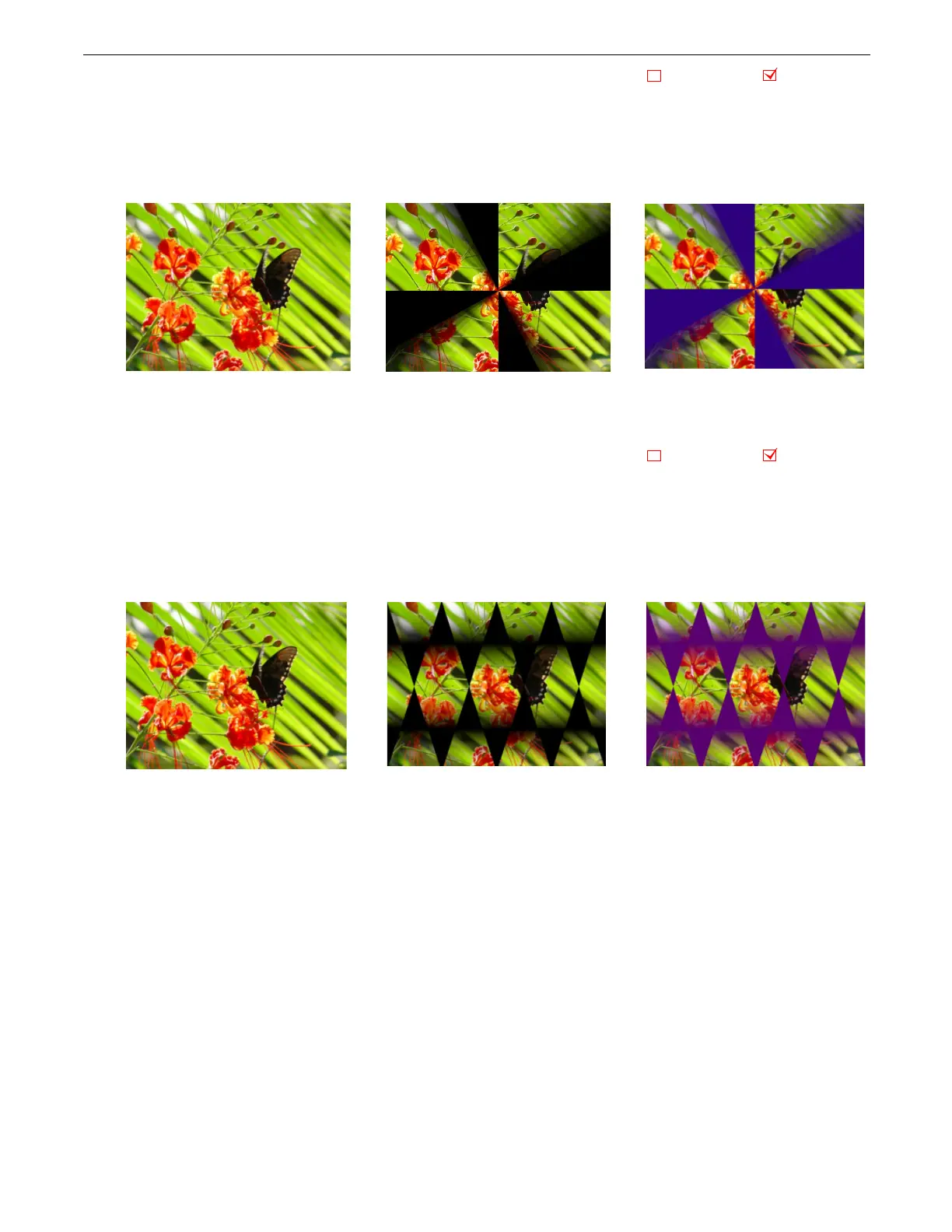
This effect applies color to a selected mask shape
Modifier 1:
Increases red color component from a DMX value of 0 = no adjustment to 255 (100%) = maximum red saturation.
Modifier 2:
Increases blue color component from a DMX value of 0 = no adjustment to 255 (100%) = maximum blue saturation.
Modifier 3:
Increases green color component from a DMX value of 0 = no adjustment to 255 (100%) = maximum green saturation.
5.1.22 Mask Color and Edge Fade Color
Effect Mode
parameter DMX value = 130
This effect applies a color to both the selected Mask shape and any selected Edge parameter. Color can also be applied to Mask
shape and Edge parameters separately.
Modifier 1:
Increases red color component from a DMX value of 0 = no adjustment to 255 (100%) = maximum red saturation.
Modifier 2:
Increases blue color component from a DMX value of 0 = no adjustment to 255 (100%) = maximum blue saturation.
Modifier 3:
Increases green color component from a DMX value of 0 = no adjustment to 255 (100%) = maximum green saturation.
Object Effect Global Effect
Original Content
Modifier 1 parameter DMX = 47
Modifier 2 parameter DMX = 0
Modifier 3 parameter DMX = 127
Effect Mode Parameter = 128
Object Effect Global Effect
Modifier 1 parameter DMX = 89
Modifier 2 parameter DMX = 0
Modifier 3 parameter DMX = 112
Original Content with Mask Color and
Edge Fade Color effect applied
Original Content



 To Next Page