Content Management Application (CMA)
DML-1200 w/Axon Embedded Graphic Engine 24/12/2010 _____________________________________________________________________________ 112
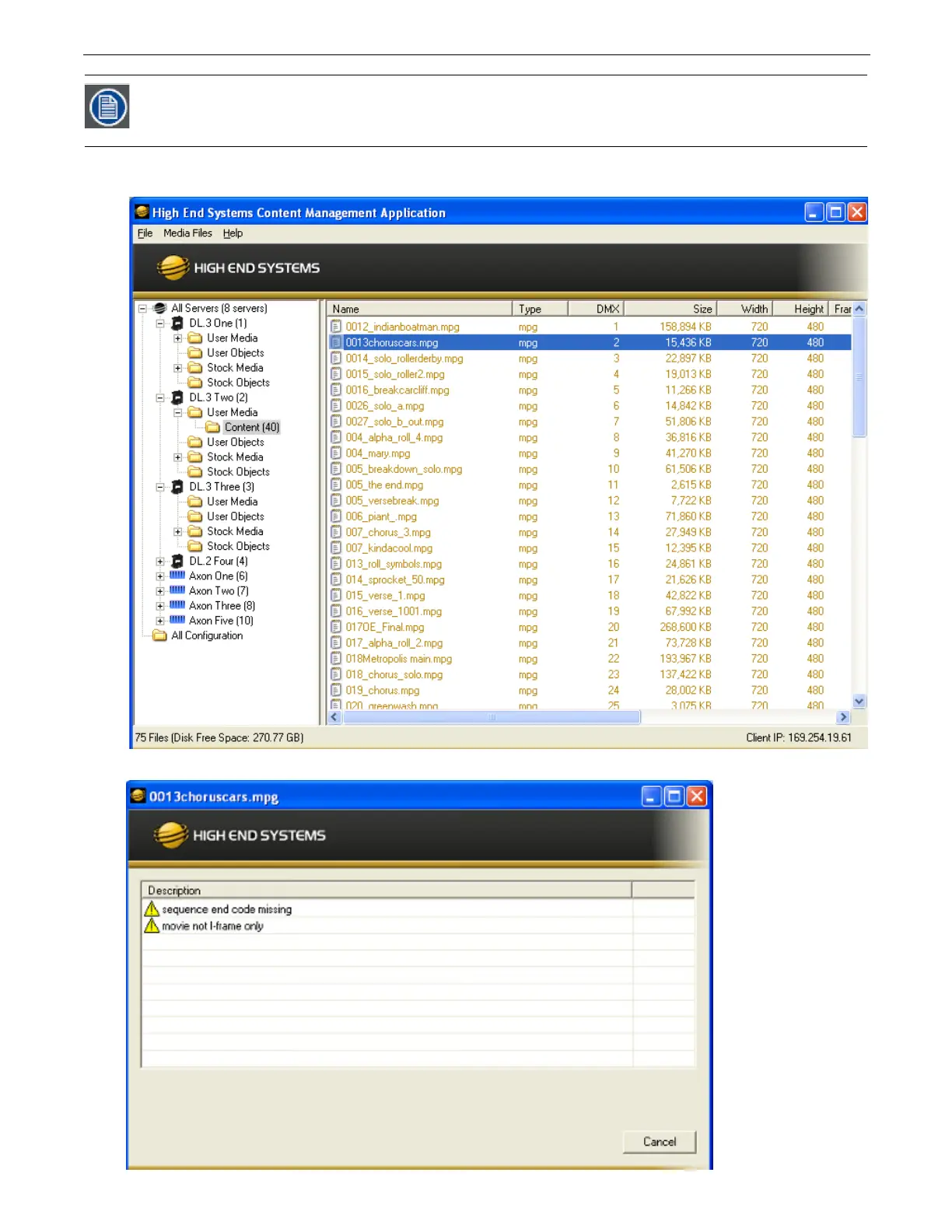
The files with errors in a group of files will not be copied on to the server. Files with warnings will be copied. They will show up
highlighted in yellow when viewed in the “Details” view in the CMA to indicate to the user that this file is problematic.
Double-clicking on the highlighted file will bring up another dialog describing the identified file error.
After the process has finished, the dialog will indicate the number of issues that it found and a listing of the
affected files. After viewing the list, click on the Dismiss button to continue working with CMA.



 To Next Page