86
CONCEPT 4000.CONCEPT 4000.
CONCEPT 4000.CONCEPT 4000.
CONCEPT 4000. User Manual.
Times: Menu Option 5
SET TIME AND DATE
The time and date can be set and adjusted in the
“Times” menu.
This will be necessary when the system is first
commissioned and for daylight saving changes.
(This may be done automatically by the system, or
in some reporting formats, by the Central Station)
The display will show the system’s current date
and time.
The Date & Time is set in the format:
DD/MM/YY-HH:MM The 24 hour clock is used.
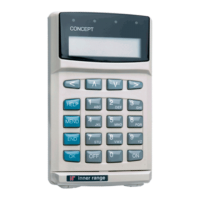
Use the <DIGIT> keys to enter in the values
required and the <RIGHT> Arrow key to move
the cursor across the fields.
Press <OK> when complete.
NOTE: When OK is pressed, the Date & Time is
saved AND the seconds count is set to “00”
The display will now allow you to set the weekday
Use the <RIGHT> Arrow key to select the day of
the week then press the <OK> key when
complete.
Press <END> to exit and return to the normal
display.
etc.
REMEMBER !!
Any time you need it,
is as close as the press of a key.


 To Next Page
