110 User’s Manual INNOMAR Parametric Sub-Bottom Profilers / SESWIN
110 Innomar Technologie GmbH (2023-01)
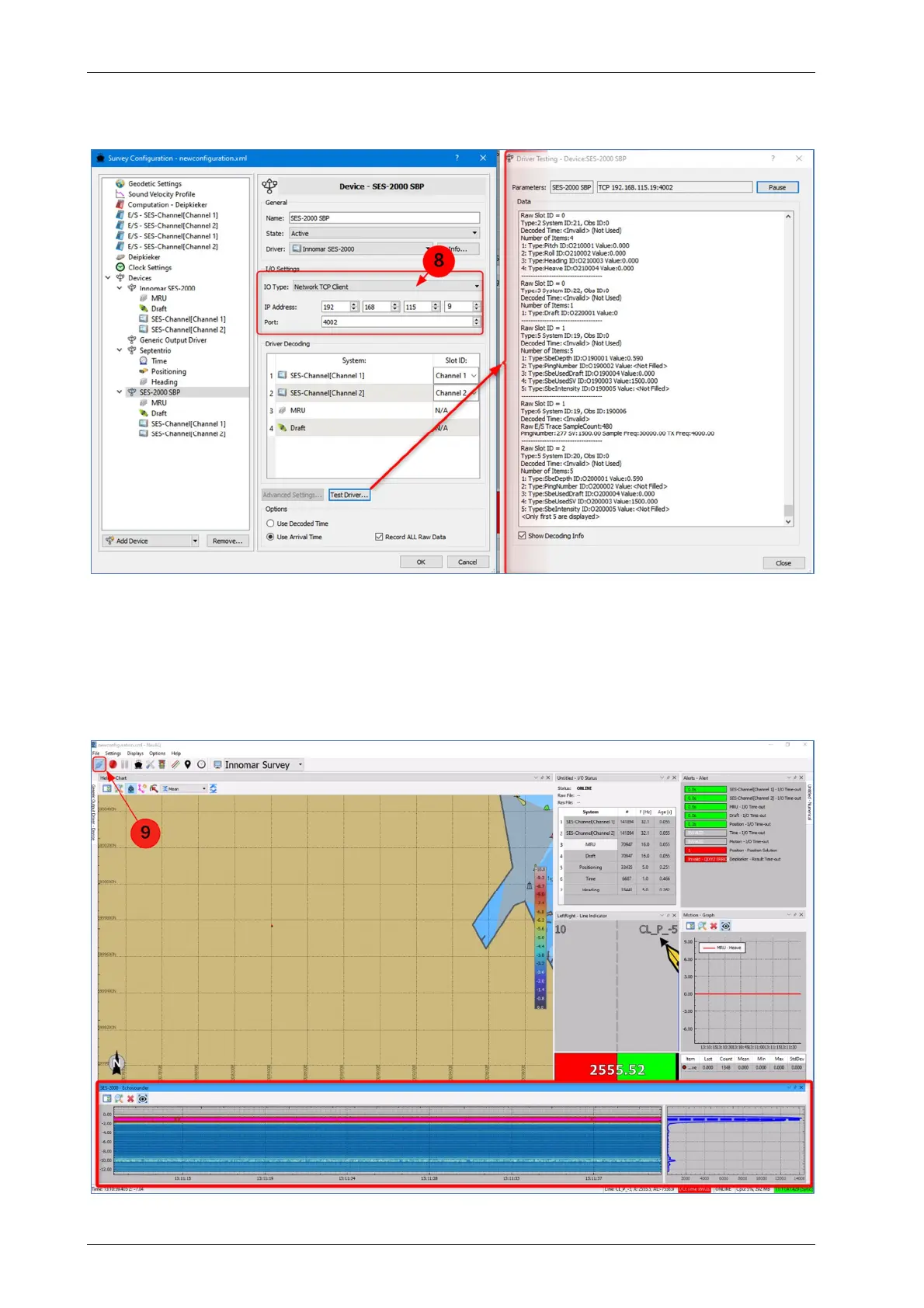
Before testing the connection in NavAQ, the network parameters must be set up (8). The IO Type
is Network TCP Client and the IP address and port must fit to the Broadcast Server settings of
the SESWIN software.
If the network interface is set up, it is possible to test all settings to confirm the selected
parameters. The Test Driver button opens a window where all incoming data are shown.
Before NavAQ can be used in its online mode, a GPS system must be connected and configured.
If this is not done, no echo data will be displayed, even if the Innomar SBP is operating properly
and broadcasting data. To switch the NavAQ software to the online mode, press the Go Online
and Start I/O buttons (9). Then incoming data will be shown in the Echosounder display window.



 To Next Page