User’s Manual INNOMAR Parametric Sub-Bottom Profilers / SESWIN 111
Innomar Technologie GmbH (2023-01) 111
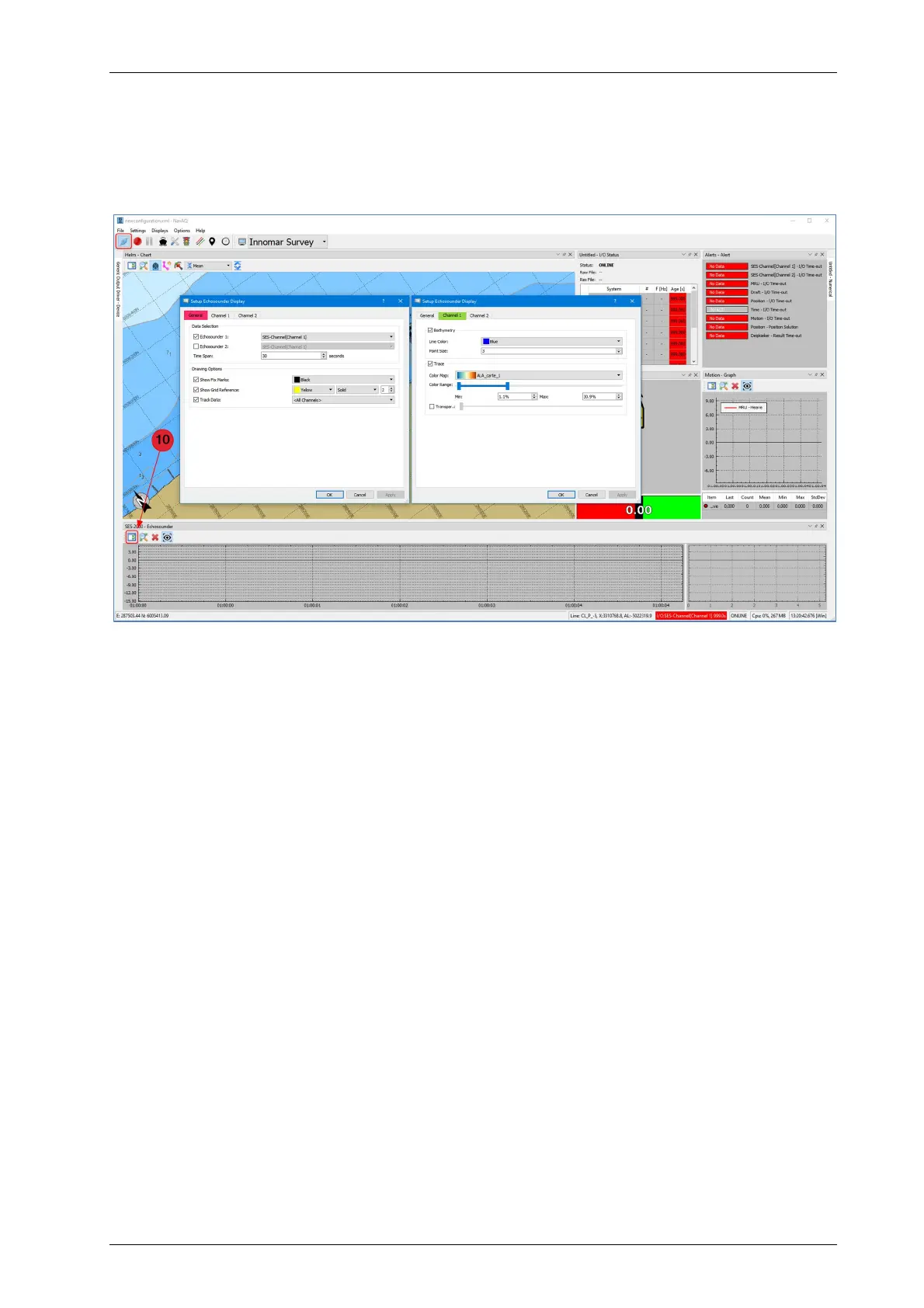
The visualization of the echo data can be configured via the “Setup Display” button (10) in the
Echosounder Display window. Here, you can switch between the channels and the echo data
window length in terms of time can be defined. Furthermore, colour and thickness of the digitized
bathymetry line can be configured in this dialogue, as well as the setup of the colour mapping for
the amplitudes of the signal traces. A drop-down list with several pre-configured colour maps is
available. Contrast, colour range and transparency are adjustable, too.



 To Next Page