202 User’s Manual INNOMAR Parametric Sub-Bottom Profilers / SESWIN
202 Innomar Technologie GmbH (2023-01)
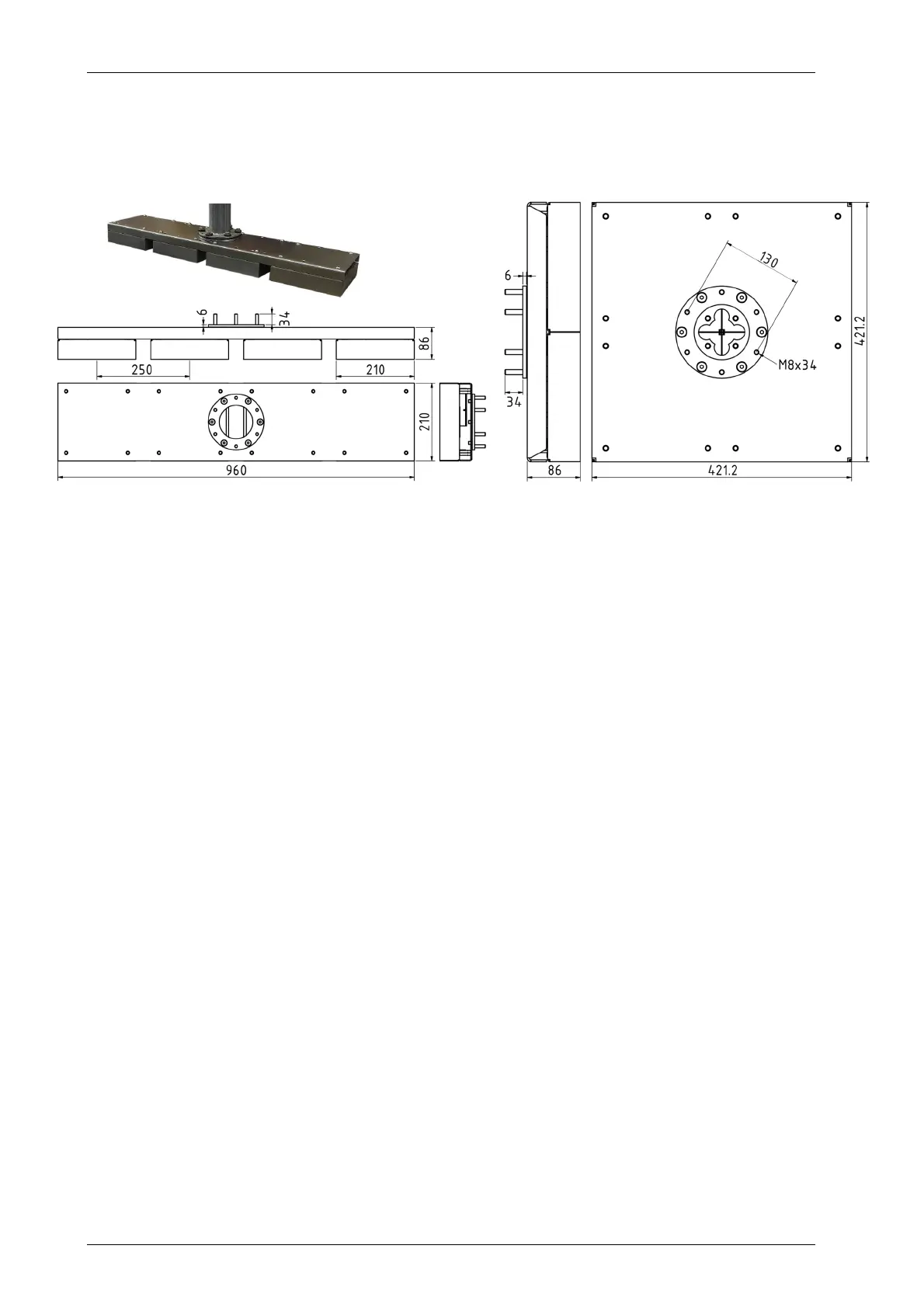
For mounting the individual transducers as line or square array, Innomar provides mounting
frames. Sketches below show those mounting frames for the 4 transducers of the quattro model.
The mounting frames have the same flange as the compact / standard transducers with six
threaded studs M8, so the same pole can be used.
quattro line array 4x1 quattro square array 2x2
Considerations for Operation (Acquiring Data for 3D Visualization)
Water depth: ideally less than 10 meters, should not exceed 20 meters (ping rates!)
Burial depth: less than 5 meters, depending on sediments
Positioning and Motion: ideally RTK with centimetric X, Y, Z or at least 10 cm lateral and
accurate tide measurements, true heading required, motion sensor for roll / pitch / heave
required
Coverage: full coverage is required for good 3D models, plan time for infills, a vessel must
have good navigability, typical survey speed is less than 4 knots, 1 m line spacing for the
standard array with 25 cm spacing, other transducer arrangements with larger spacing are
possible
Mounting: stable platform, pole or moon-pool mounting (consider retractable device in case
of long transits), no air bubbles below transducer, cable length is 15 m
Processing Workflow
Generate full set of standard 2D sections from multi-transducer data file (Innomar ISE):
o apply array geometry and XYZ-offsets,
o apply/change lever arm correction,
o interpolate coordinates for every single trace.
Export individual traces to XYZ Amplitude (voxel) files (Innomar ISE):
o apply signal processing such as filters, noise reduction, tide correction etc.
Transform irregularly distributed data set into uniform XYZA grid (Innomar Gridder):
o apply clipping rectangle,
o define cell size,
o interpolate with user adjustable search radius,
o no extended migration processing required.
Visualize data set in 3D (3
rd
party volume renderer):
o apply colour and opacity maps,
o apply clip planes to visualize time slices or sub-volumes,
o manipulate volumetric data in 3D,
o measure features,
o do segmentation,
o create movies.



 To Next Page