GAPS - User Guide
Switch to new
log file
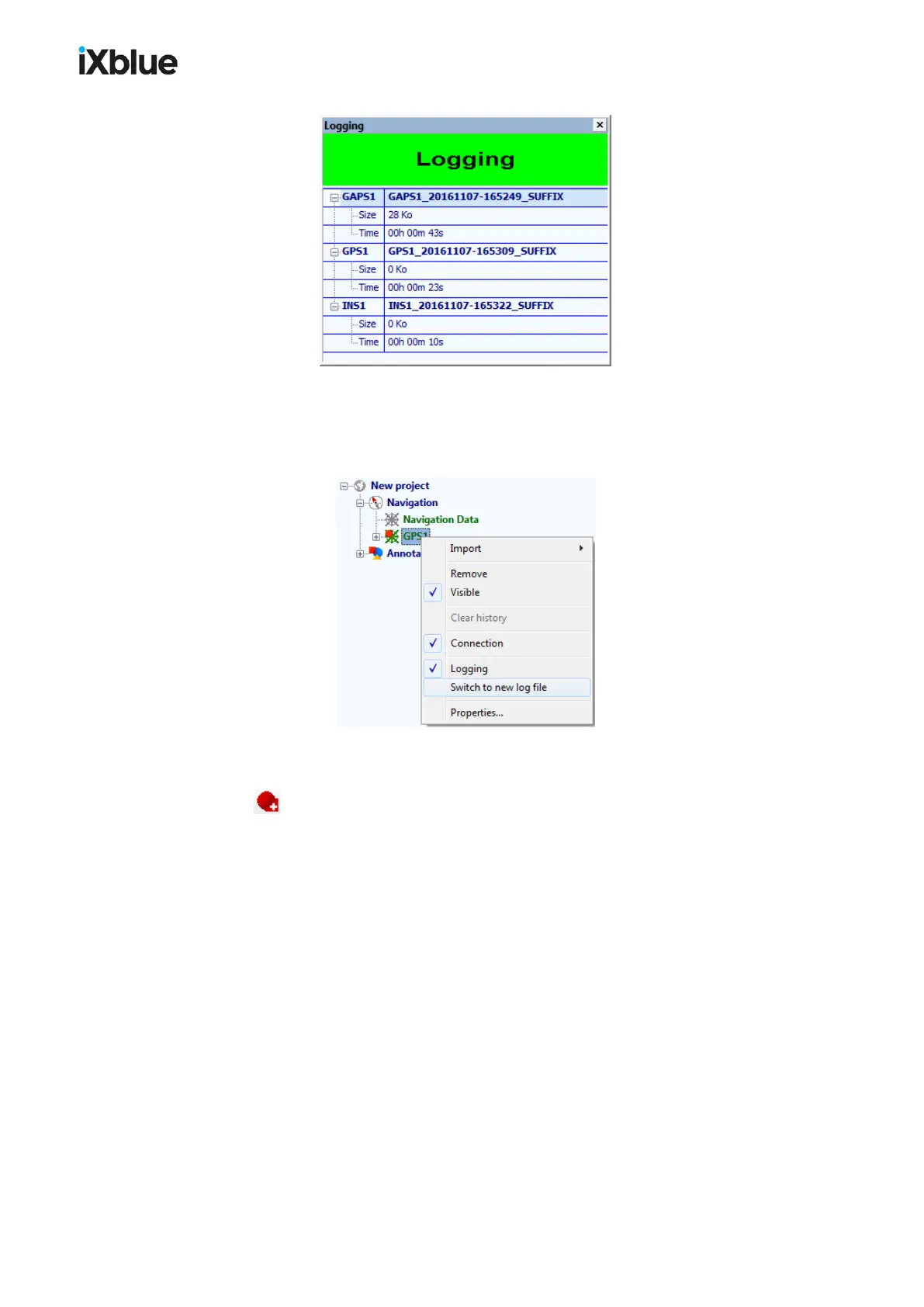
There are two ways to manually switch the logging to a new file outside the duration and file
size limit that you might have configured:
● Right click on the equipment item under Navigation and select Switch to a new log file
in the menu that opens.
● In the equipment toolbar, select the equipment device or All equipment (if you wish to
switch to a new log file for all equipment devices at once) and click on the switch button
.
As soon as one of the two limitations described above is reached, the current log file is closed
and a new file is opened for recording the incoming data flow.
102 MU-GAPS-AN-005-H - November 2019



 To Next Page