GAPS - User Guide
4.4.1.4 Configuring the Pressure Input
1. Click on the INSTALLATION > INPUTS.
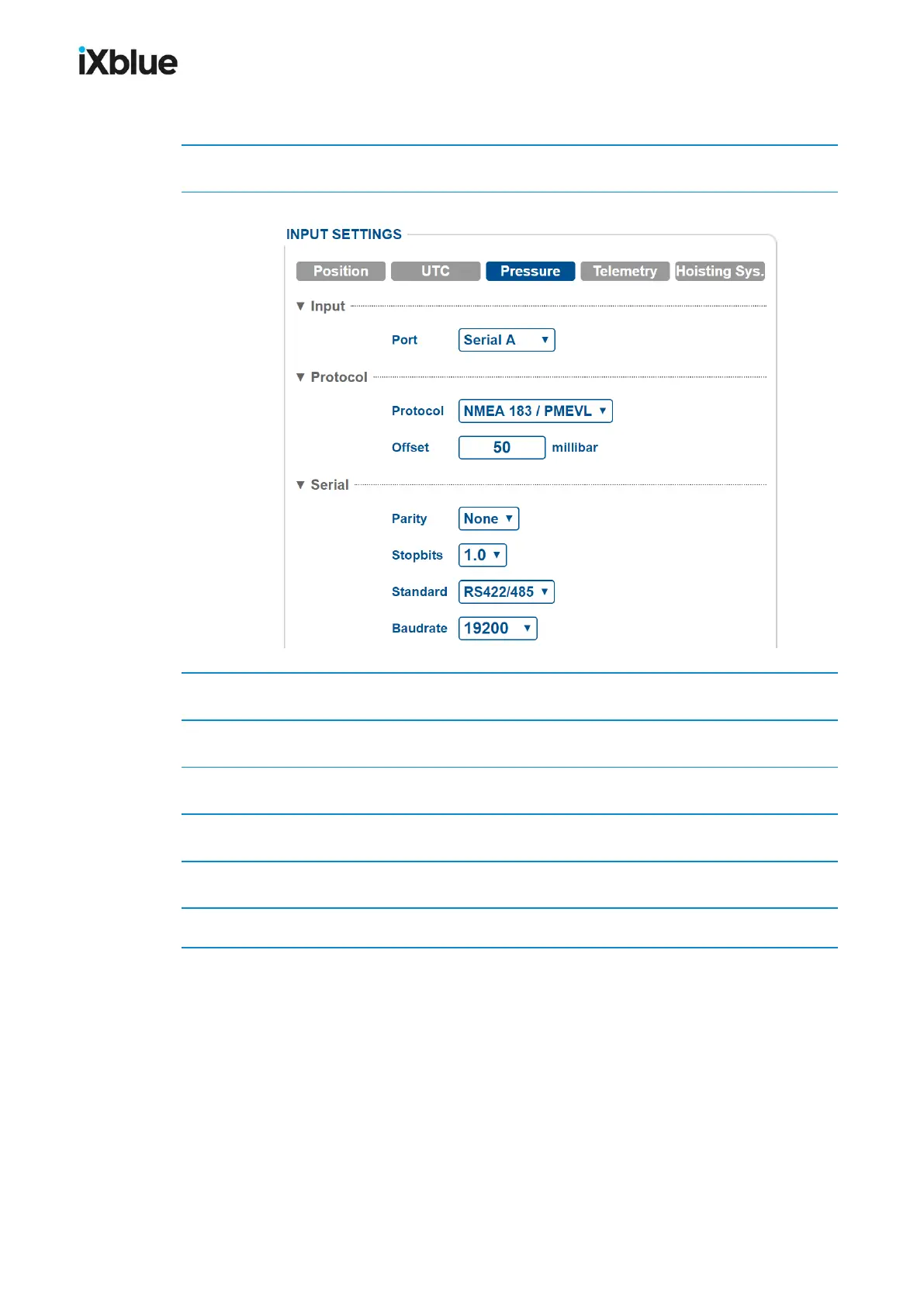
2. Click on Pressure to have access to the pressure sensor parameters.
3. In Input, select the Port between Serial A, B, C, D or Ethernet A, B, C, D.
4. In Protocol, select the Protocol and the Timeout in the corresponding scrolling lists.
5. In Protocol, enter an Offset in millibar for the pressure sensor.
6. For a Serial link, enter the Parity, Stopbits, Standard and Baudrate.
7. For an Ethernet link, enter the Transport Layer, possible IP and Port.
8. Click on OK to validate your input data configuration and send this data to the GAPS.
68 MU-GAPS-AN-005-H - November 2019



 To Next Page