GAPS - User Guide
4.1.1 MAIN WINDOW
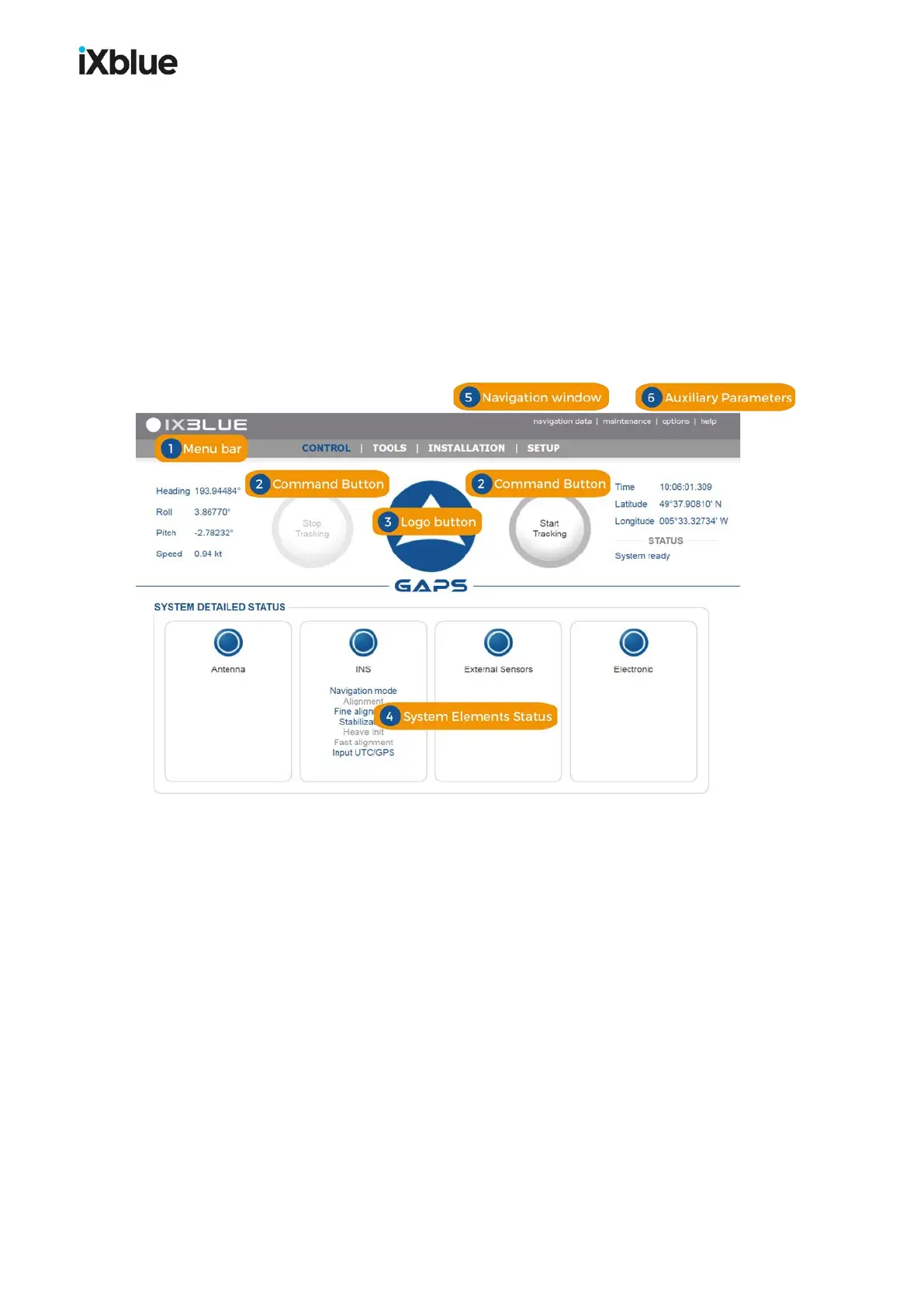
The main window of the Web-based user interface is made of:
● Access to all data values (navigation data menu)
● Access to the maintenance tasks (maintenance menu)
● Language selection (French, English or Russian)
● Operating mode (day or night modes)
● Menu bar
● Command buttons
● System status display
● Main data display
You can re-size the page. Some elements disappear as you decrease the size of the window.
Figure 30 - Web-based Interface main window
Logo
The logo appears on every page and tab of the Web-based user interface. It supplies you with
visual information on the status of the system using an associated color coding system. By
clicking on this you obtain a quick access to detailed status displays of the system’s different
elements.
48 MU-GAPS-AN-005-H - November 2019



 To Next Page