GAPS - User Guide
4.1.6 WEB-BASED USER INTERFACE OPTIONS
The options menu on the upper right corner of the main window allows you to edit:
● Language (French, English or Russian)
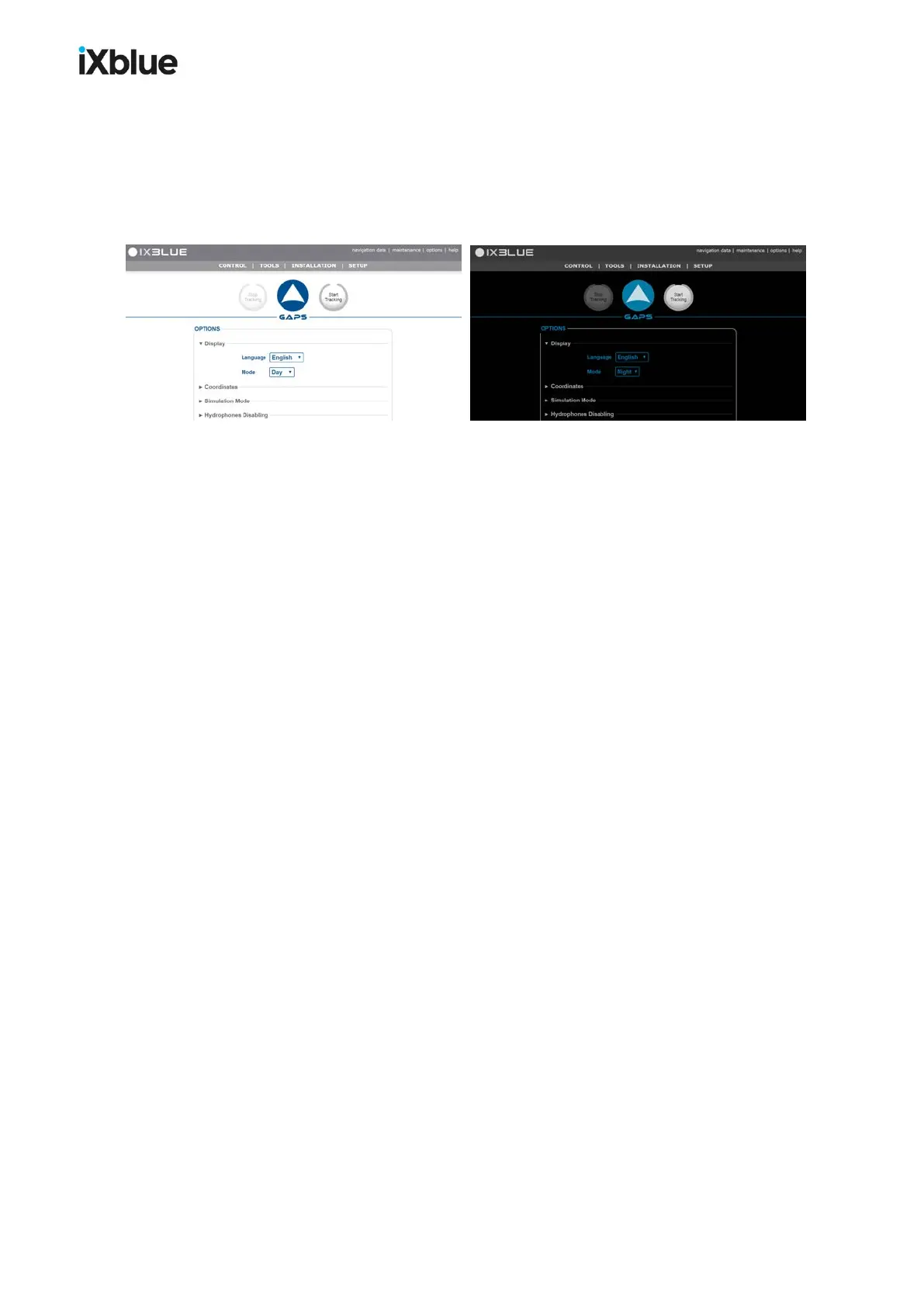
● Mode of Display (Day Mode and Night Mode). The night mode is designed to prevent
the light of the screen to disrupt the navigation of the ship.
Figure 33 - Day and Night modes
● Coordinates format in UTM or Latitude / Longitude
● Simulation mode Real (default) or Artificial. The artificial mode simulates an actual
operating mode. It allows the user to validate beforehand the chosen configuration without
the need to deploy the acoustic antenna into the water.
● Hydrophone Disabling: Select H
n
disabled to exclude all detections made by H
n
. See
section 9.3.3.
● Dynamic Positioning Mode: See section 8.
> Automatic (default): GPS, LBL or inverted USBL are used in the order: Position
sensor, LBL if no GPS available and Inverted USBL if no LBL and no GPS available
> GPS Only: only data from GPS are used for DP
> LBL Only: only data from LBL are used for DP
> USBL Only : only data from USBL are used for DP
52 MU-GAPS-AN-005-H - November 2019



 To Next Page