GAPS - User Guide
7.4 Coupling Using MTBx2 Acoustic Communication
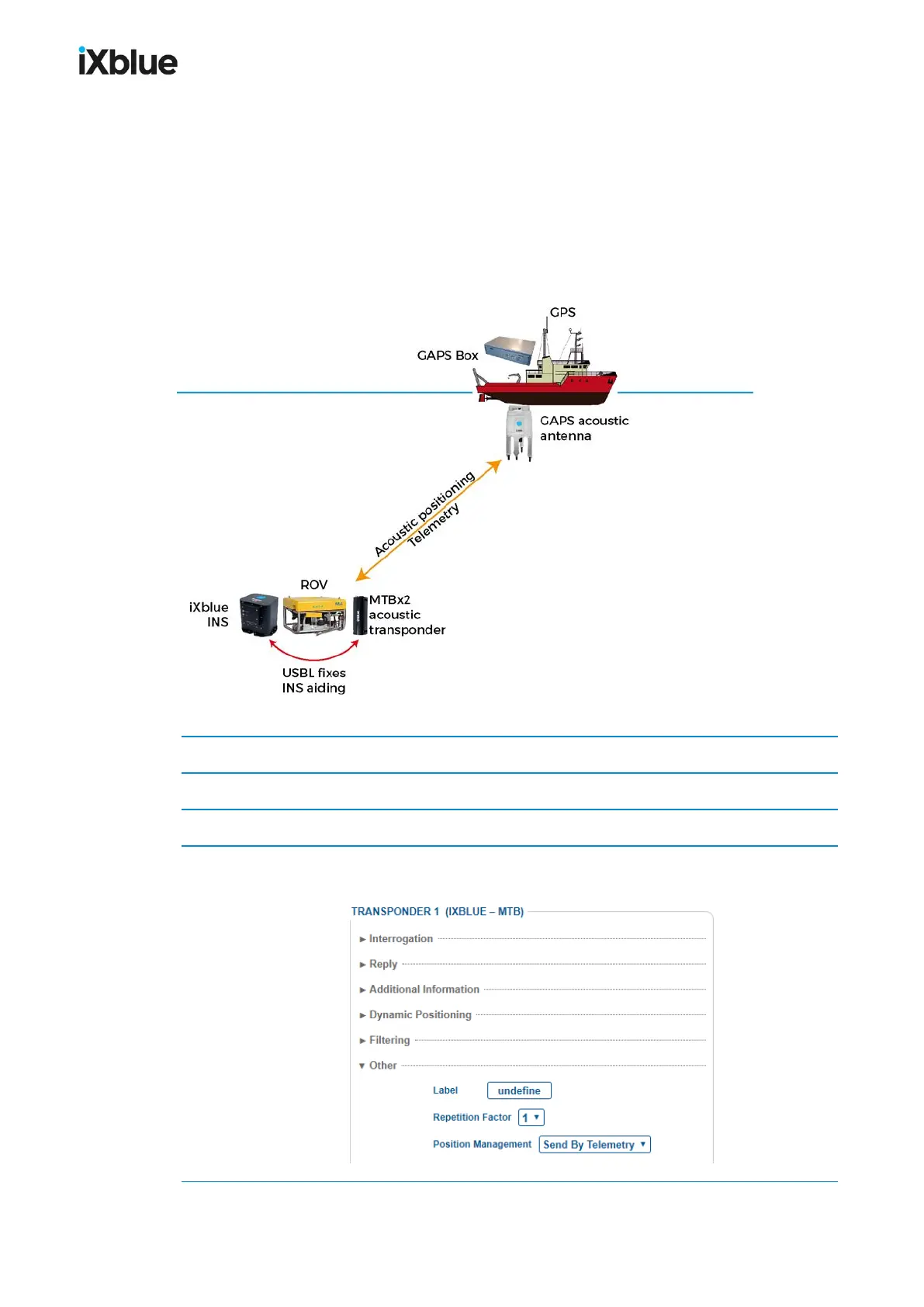
MTB is GAPS compatible for tracking and telemetry. The MTB sends and receives data via
telemetry during the positioning cycle. This data can be packed into a service (e.g. update the
position of a vehicle INS) or as a robust acoustic communication channel from and to the
vehicle to monitor its operations. The MTB position is sent over the acoustic communication
every three recurrences. The sent position is not the latest one but two positions before.
Constraints and coupling details are to be found in the MTB user guide.
Figure 65 - GAPS- INScoupling using MTBx2
1. Connect MTBx2 and INS subsea (refer MTBx2 user guide).
2. Configure the INS subsea with USBL input (protocol iXblue STDBIN).
3. In the GAPS Web-based Interface, select SETUP >TRANSPONDERand add a MTB.
4. In the list of transponders, click on Change settings for the MTB. Configure the transponder.
In Other, for the Position management, select Send by Telemetry.
134 MU-GAPS-AN-005-H - November 2019



 To Next Page