GAPS - User Guide
4.1.7.2 Restoring the Settings or Loading Options
The same procedure is used to restore the previously saved settings or to load newly acquired
options. Settings and options are stored in CNF_ files.
1. Select the SETUP > SETTINGS MANAGEMENT menu item.
The page opens.
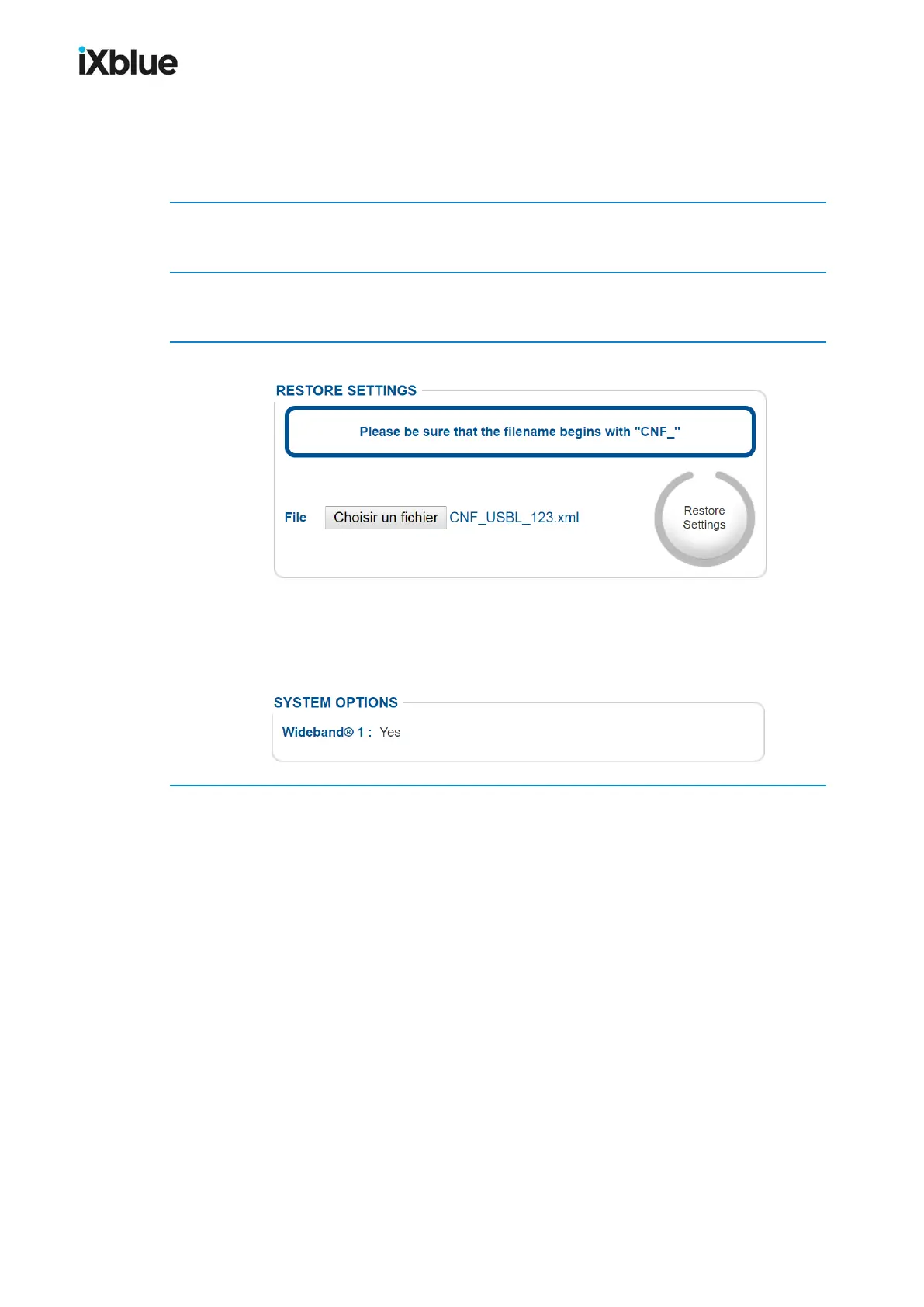
2. In the RESTORE SETTINGS frame, click on Browse… to select the CNF_ file.
Once selected the name of the file appears in the File field.
3. Click on the button Restore Settings.
A Sending File frame appears briefly. Once the frame has disappeared, the product settings
or options are loaded in the Web-based User Interface.
If you have loaded an option, then the new option is listed in the MAINTENANCE page inside
the SYSTEM OPTIONS frame. See below for the Sonardyne Wideband® 1 option.
MU-GAPS-AN-005-H - November 2019 55



 To Next Page