GAPS - User Guide
5.1.4 EXTERNAL SYNCHRONIZATION
During external synchronization, the acoustic emission of GAPS antenna is set off by an
external appliance. This mode is chosen when GAPS is simultaneously operating with another
acoustic system. A signal is sent to GAPS by one of the two BNC links located at the front
and at the back of the BOX. The parameters associated with external synchronization are:
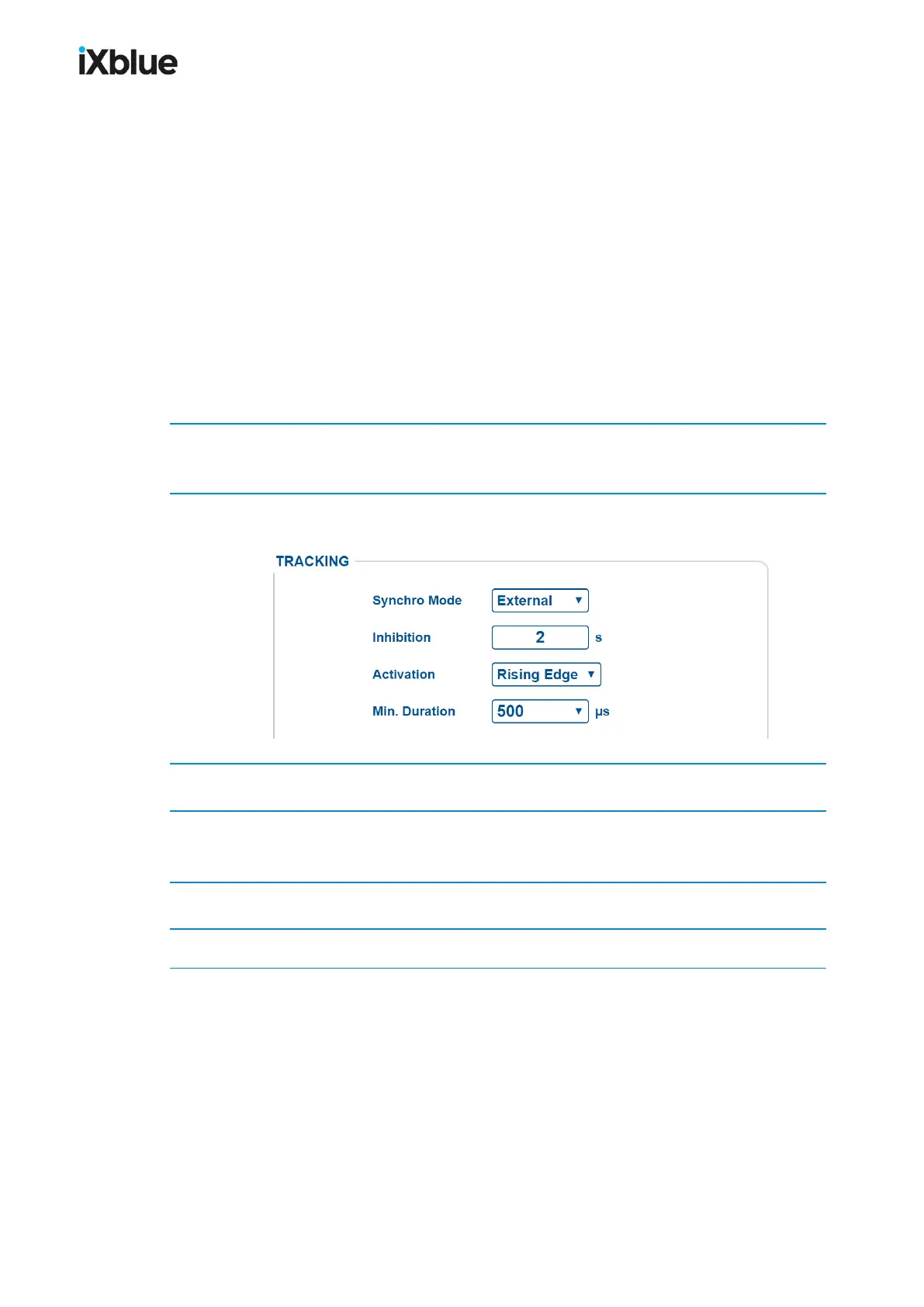
● Inhibition: this is the time after setting off during which GAPS cannot receive other
signals which could activate it at an untimely moment.
● Activation: this is the part of the signal where, on reception, the setting off takes place on
a Rising Edge of the signal.
● Min. Duration: this is the minimum length of time necessary for the setting off after
activation during which the signal must remain stable (high after a rising edge and low
after falling edge). Its values range from 50 µs to 1000 µs.
1. Click on the menu SETUP and select TRACKING.
The TRACKING window opens.
2. Select External from the Synchro mode pull-down list.
The TRACKING window shows the following parameters:
3. Enter the Inhibition value.
4. From the Activation pull-down list, set the type of edge on which the acoustic emission is to
be set off to Rising Edge.
5. Select the value of the Min. Duration from the associated pull-down list.
6. Click on OK to validate the configuration of the internal synchronization mode.
MU-GAPS-AN-005-H - November 2019 77



 To Next Page