GAPS - User Guide
6.4.2 REPLAYING A DATASET
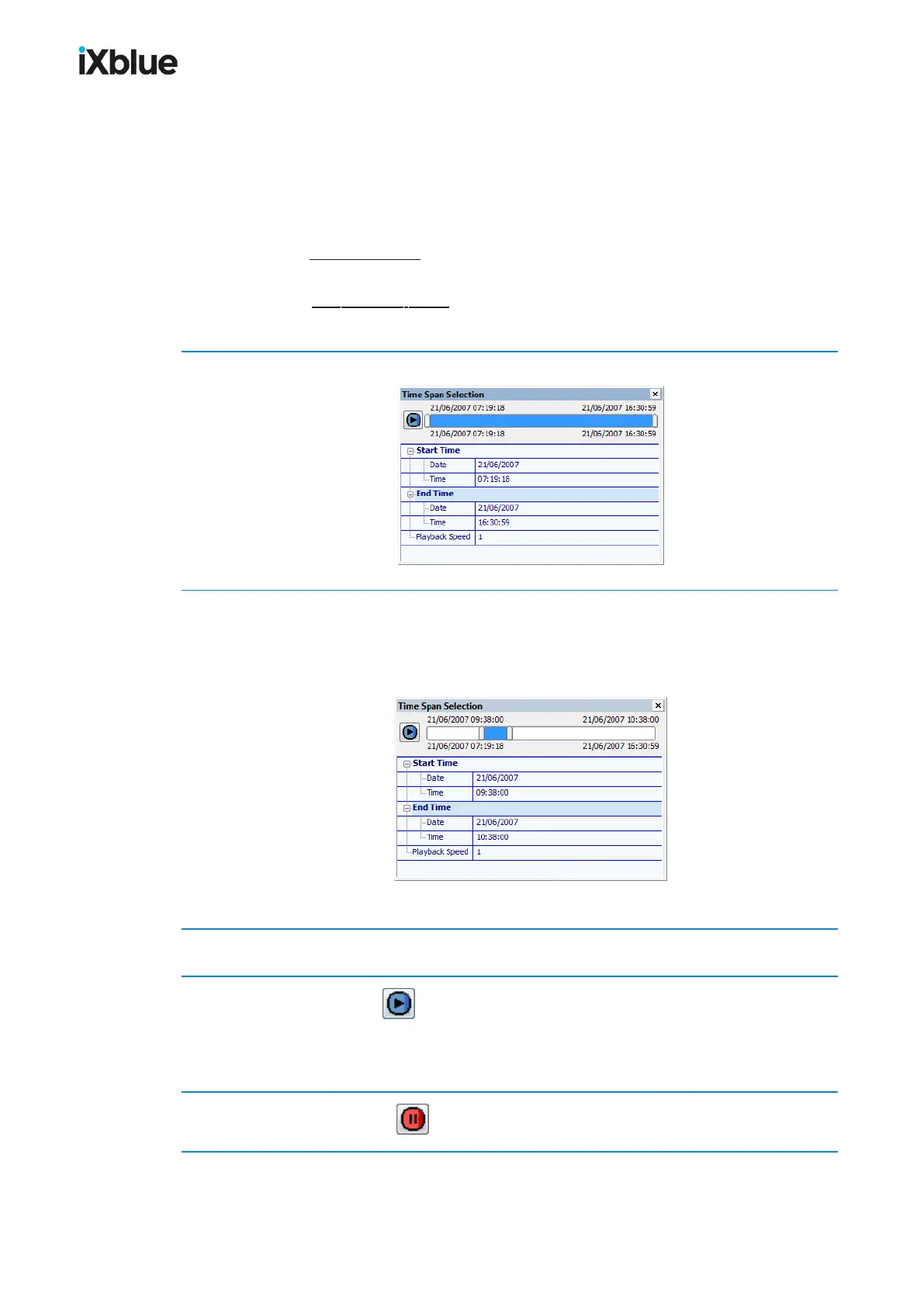
This tool replays the imported dataset and is accessible on Time panel. You may display only
a part of the imported dataset by selecting a time interval within the files limits. The speed of
the replay may be increased by a multiplicative factor (Playback speed). This tool simulates
the real-time and allows a closer look at some details in the data.
● During a full extent replay, the data is displayed at the selected speed progressively from
the starting time to the end time of the file and back again to the beginning.
● During a time segment replay, only the time segment data is displayed and is shifted at
the selected speed from the start time to the end time of the file and back again.
1. Select Display > Panels > Time or right click in the ribbon and select Time in the menu.
2. Move the two cursors at each side of the time scale and place them at the locations of the
time interval of your choice. You may also directly enter, in the Start Time and End Time
fields, the Date and Time of the interval of your choice.
Double click on the scale bar resets to the full extent.
Only data from the imported file acquired during the chosen time interval is displayed.
3. Choose a Playback Speed multiplicative value. Default value is x1.
4. Click on the Play button to initiate the replay.
The button becomes a pause button . The interval is shifted at the required speed and only the
data from the interval is displayed. Editing the parameters.
5. Click on the pause button to end the replay.
106 MU-GAPS-AN-005-H - November 2019



 To Next Page