GAPS - User Guide
9.3.6 CONTROLLING DATA ACQUISITION USING IXBLUE MULTILOGGER
iXblue Multilogger checks in real-time the consistency of several data streams carried by
different protocols (PHINS_STANDARD, POSTPROCESSING, NMEA ...). Erroneous data
are then detected in real-time and appropriate adjustments can be carried out immediately.
Repeater log
The repeater log is available in TCP connection on port 8210.
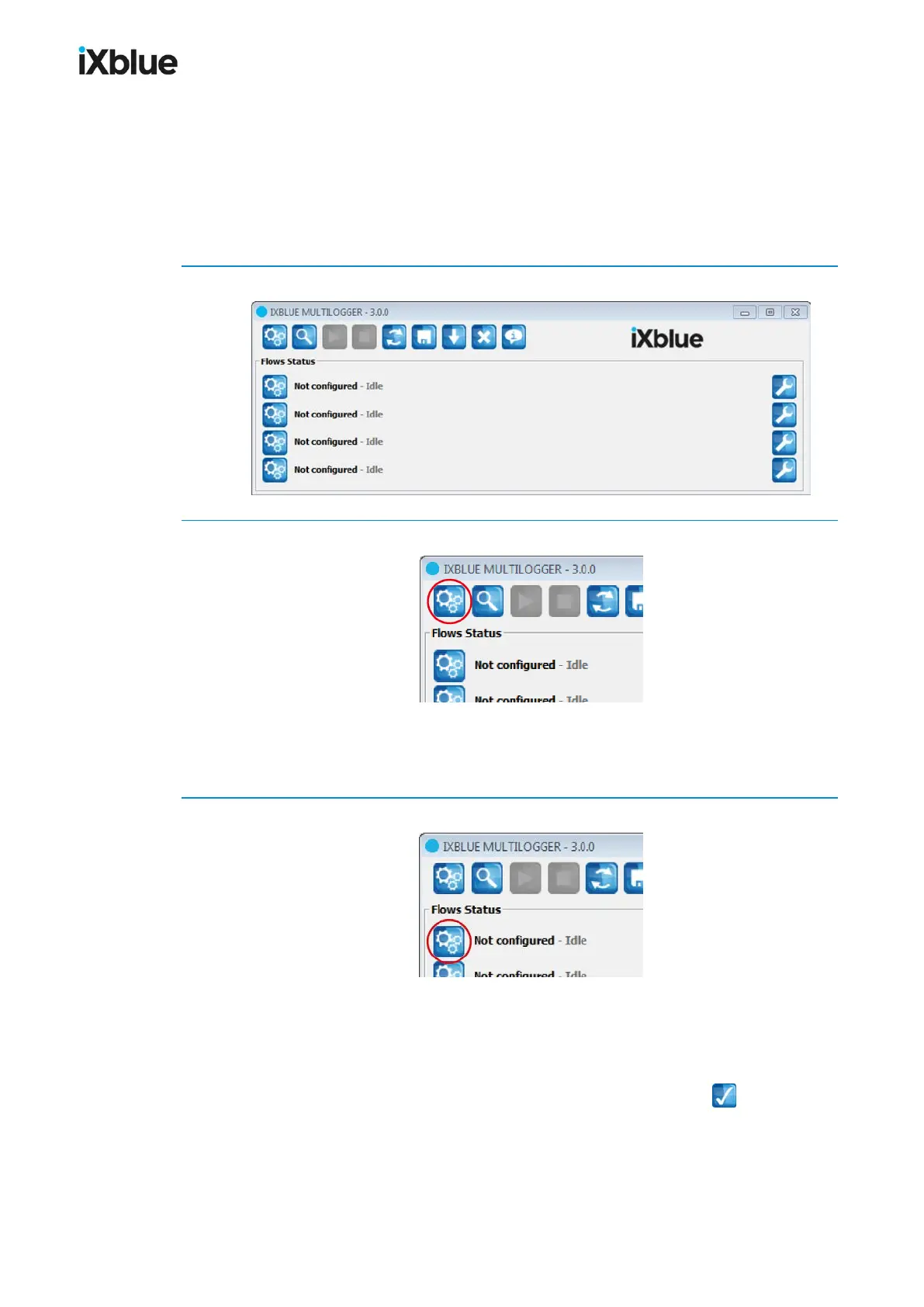
1. Open iXblue Multilogger.
2. Click on the general configuration button.
Set up the logging file and folder, session name, automatic log, date and hour format.
Set up the time out configuration, time stamping, segmentation options, log report.
Set up the display options and files lock. Click on OK.
3. Click on one of the flow configuration button.
Set up the Flow type (Serial or Ethernet).
Set up the Flow log name, Segmentation and Decimation.
Select a Protocol: PHINS_STANDARD, NMEA, ASCII...
Select the Operation to run: Check consistency or Decode and check.
Set up the Settingsand click on OK to validate, the flow button becomes:
152 MU-GAPS-AN-005-H - November 2019



 To Next Page