GAPS - User Guide
6.4 Replay Mode
The replay mode consist of the importation of a navigation file into DELPH RoadMap.
6.4.1 IMPORTING A NAVIGATION DATA FILE
1. Define the equipment from which you import data as detailed in section 6.3.1.
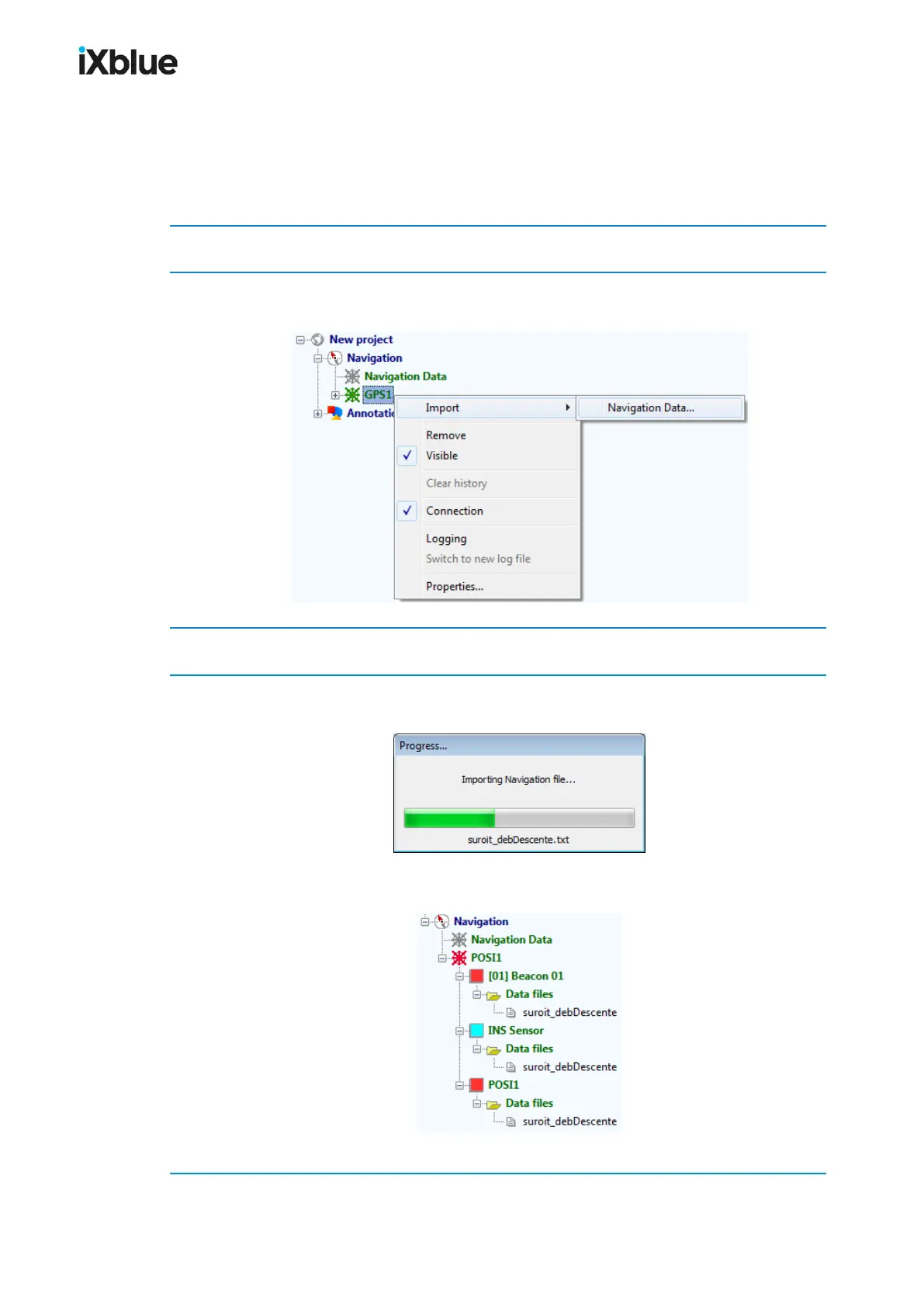
2. In the project view panel, under Navigation, right click on the name of the equipment and
select the Import > Navigation Data… menu.
3. Select the data file.
4. Choose and validate the geodesy.
The navigation data is being imported.
In the Project view panel, the mobiles that are present in the file are listed below the selected
equipment. Below the mobiles are listed the imported data files.
The trajectories of the mobiles are displayed in the 3D view.
MU-GAPS-AN-005-H - November 2019 105



 To Next Page