GAPS - User Guide
7.3 Procedures
7.3.1 OUTPUT CONFIGURATION IN GAPS WEB-BASED USER INTERFACE
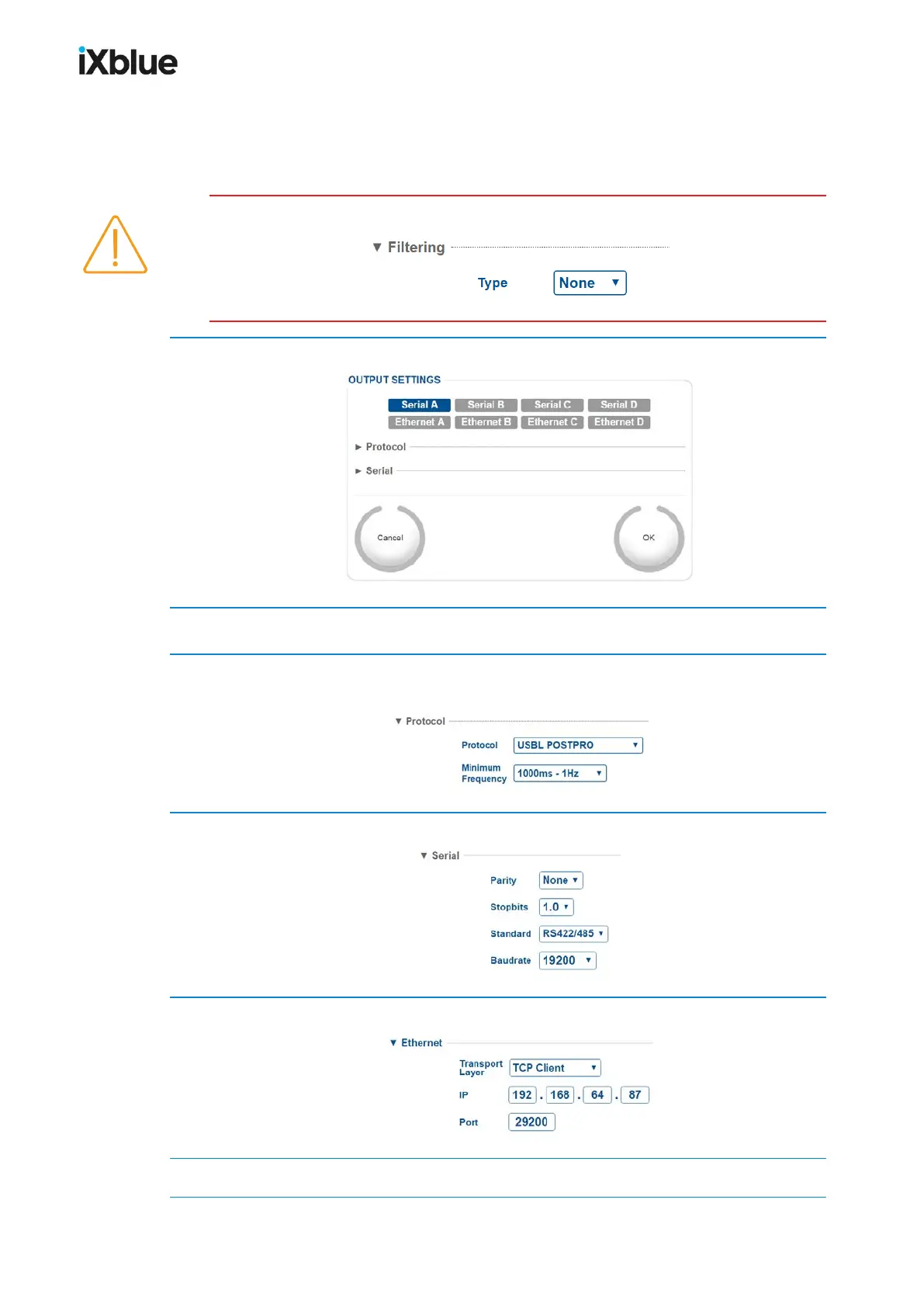
Make sure that for each used transponder, the filter on the positions is set to None:
1. Click on the INSTALLATION > OUTPUTS.
2. Click on the port of your choice: Serial A, B, C, D or Ethernet A, B, C, D.
3. Select IXSEA USBL INS 1 or POSIDONIA 6000 for the Protocol and the Minimum
Frequency of your choice from the pull-down list:
4. If you have selected a Serial link, enter the parameters of this link:
5. If you have selected an Ethernet link, enter the parameters of the link:
6. Click on OK to validate your output configuration positioning data.
MU-GAPS-AN-005-H - November 2019 131



 To Next Page