GAPS - User Guide
9.3.1.1 CONTROL Window
On the control window are displayed the following data:
● Heading, Roll, Pitch, Speed, Noise (only in tracking mode, maximum value of the 4
hydrophone noise values in the Navigation window)
● Time, UTM Zone, UTM Northing, UTM Easting or Time, Latitude, Longitude
● Messages, warnings, errors are shown under the heading STATUS
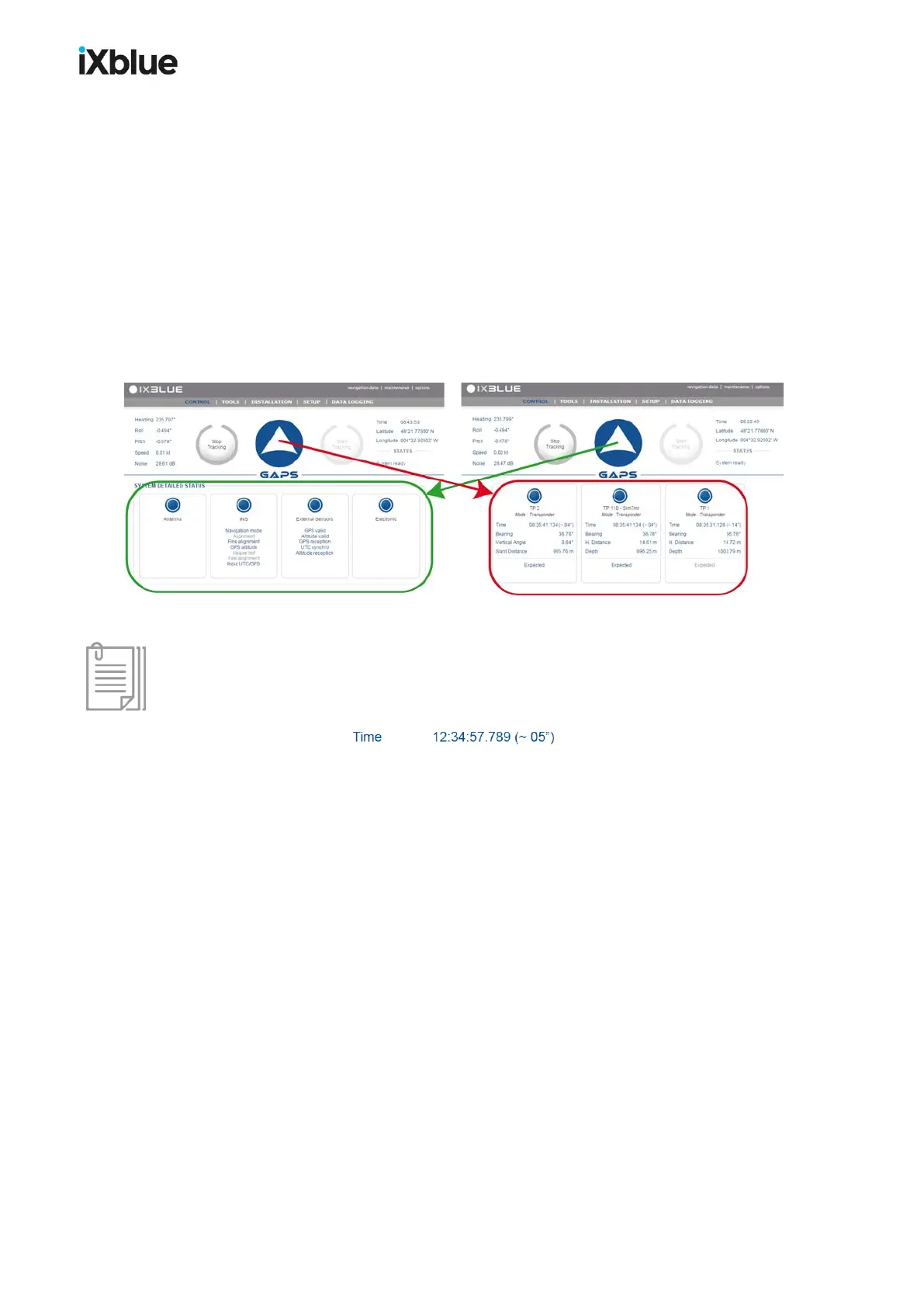
● While tracking, repetitive clicks on the main logo or on the STATUS label on the left of the
main logo display alternatively the SYSTEM DETAILED STATUS and the list of the
active transponders and their associated parameters. A click on the frame of a
transponder of the list allows the display of another set of parameters of the transponder.
Figure 74 - Display managed by the logo
The time of last detection is displayed for each transponder in the figure above, note that the
elapsed time since this last detection is also displayed between brackets: (< 01”) for less than
one second, (~ xx”) for the number of seconds and (> 99”) for more than one minute.
MU-GAPS-AN-005-H - November 2019 145



 To Next Page