GAPS - User Guide
6.5.13 EXPORTING A TRAJECTORY
The track of a mobile (from imported data files, not from real time data files) is exported to be
visualized in other geographic applications. The parameters are:
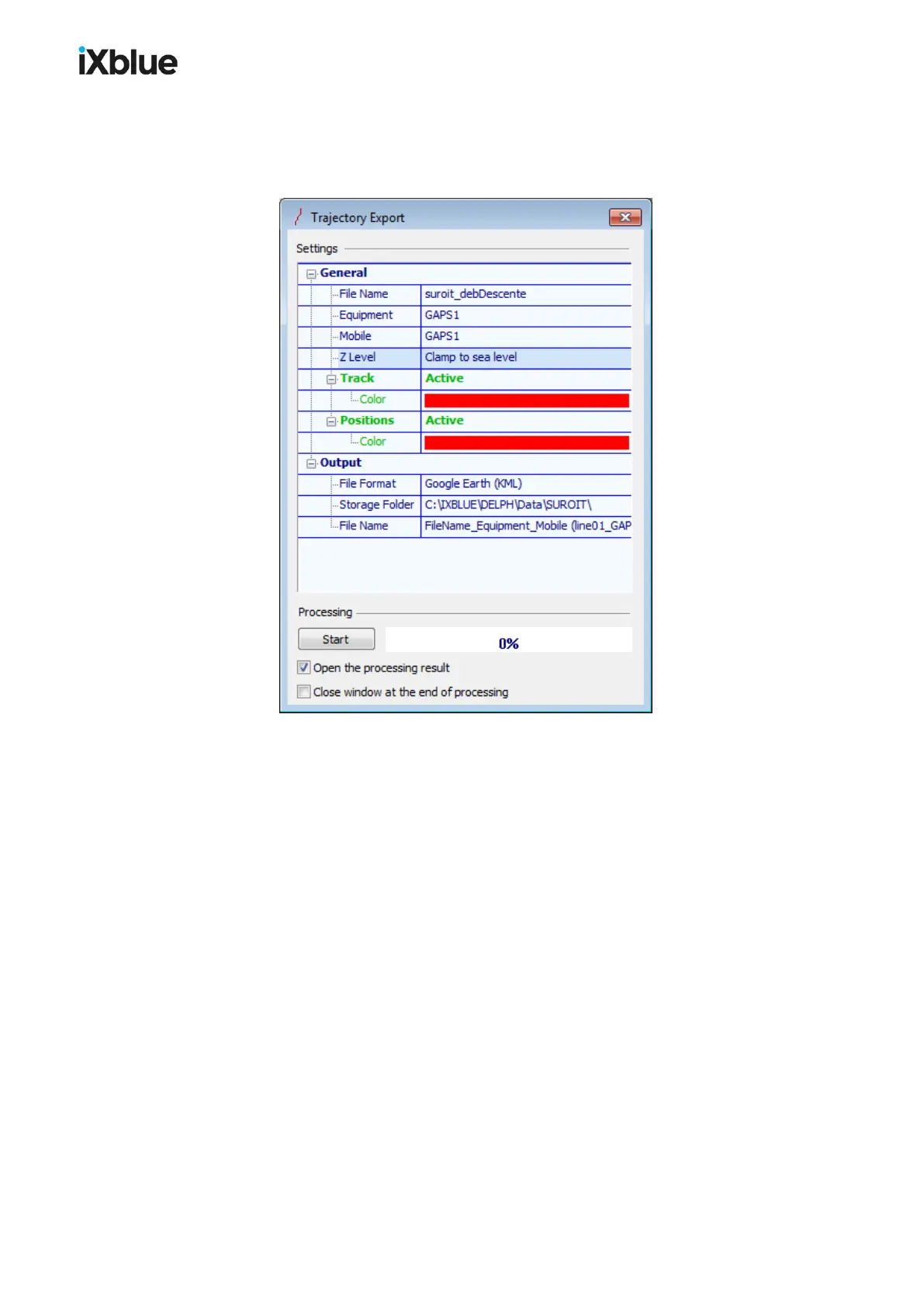
Figure 62 - Trajectory Export window
● General
> File Name: the name of the source navigation file
> Equipment: label of the selected equipment
> Mobile: label of the selected mobile
> Z Level: if you have selected Google Earth (KML) as a File Format, you may select
the source of the exported depth, the default value for other File Formats than
Google Earth (KML) is Surface:
- Clamp to sea level the trajectory is displayed on the surface,
- Clamp to seabed the trajectory is displayed on the seabed
- Relative to sea level the trajectory is displayed relatively to the surface
> Track: this option includes the track in the output, a Color may be selected (Color is
set by default to white for other File Formats)
> Positions: this option includes the positions in the output, a Color may be selected
(Color is set by default to white for other File Formats)
● Output
> File Format: three formats are available
- Google Earth (KML) you may then choose the type of Z Level above
- ESRI Shape File (SHP)
- Autocad DXF File (DXF)
126 MU-GAPS-AN-005-H - November 2019



 To Next Page