GAPS - User Guide
4.1.4 COLOR CODE
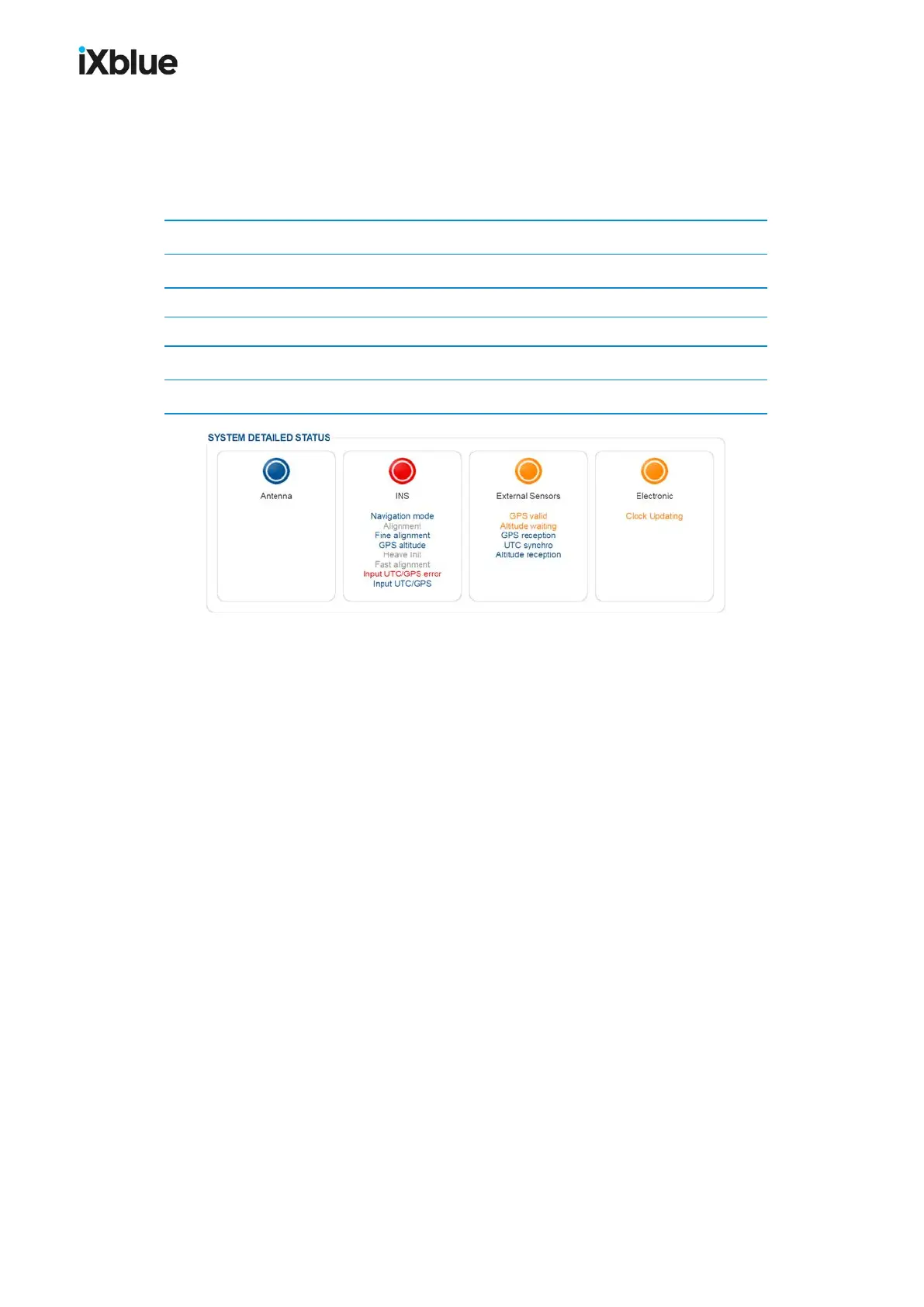
Valid for text labels, status indicators and logo, the color code is defined below:
Table 8 - Color code definition
Color Definition
Grey Inactivity
Flashing Grey / Blue System Configuration (during initialization)
Blue Activity, nominal operation
Orange Activity, warning, the system works with limited efficiency
Red Activity, alarm, part of the system is not working correctly
Figure 32 - Warning and alarm status examples
50 MU-GAPS-AN-005-H - November 2019



 To Next Page