GAPS - User Guide
5.2 Entering a Sound Velocity Profile
GAPS measures the angle and the signal time between the acoustic antenna and the
immersed transponder. In order to convert the data into distance time, you have to know the
speed of the sound in the entire water column. An operator equipped with a sounding line takes
this measurement at the beginning of the mission. The corresponding values are then entered
into the system via the Web-based user interface so that the necessary calculations can be
carried out as accurately as possible. These values comprise data concerning both depth and
speed. They can be input manually or via a data file.
It is necessary to fill the GAPS Depth field (section 4.3) even if you use only the altitude of
the transponder for a correction of the sound velocity profile.
A complete SVP down to the deepest transponder is recommended. If a transponder is
deeper than the last layer of the SVP, the last layer is virtually extended at 10,000 m depth.
5.2.1 LOADING A PROFILE FROM A DATA FILE
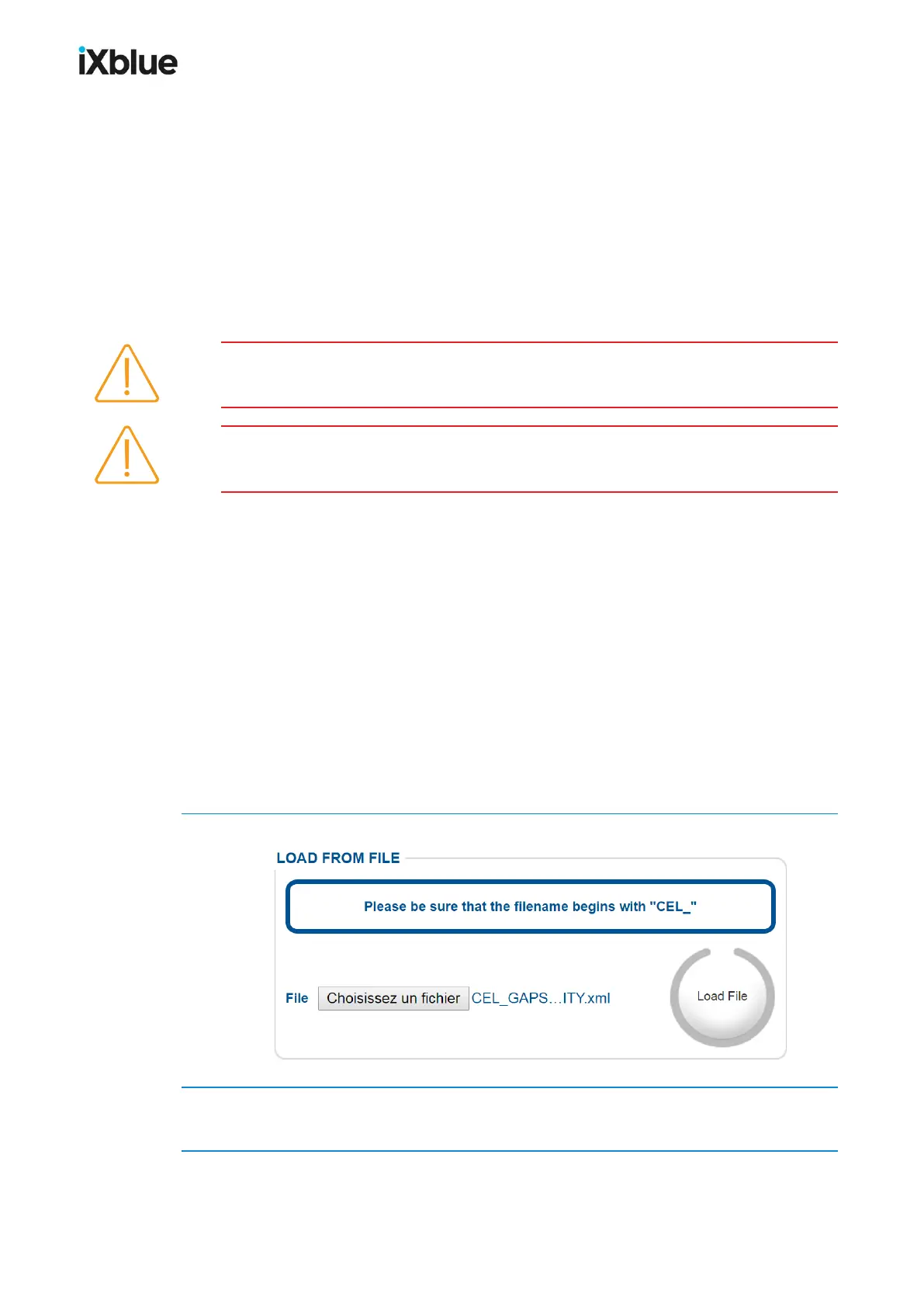
It is possible to load a file containing the sound velocity profile in the Web-based user
interface. The format of this file must respect the following rules:
● The file is in ASCII format.
● The name of the file must start by “CEL_”.
● The two first numbers of each line of the file are read like the depth and velocity. The other
numbers after these first two are ignored.
● Any separator can be used to separate the two values of depth and velocity.
● The depth must be in meters and the velocity in meters per second.
● The depth must be strictly increasing from one line to the other. If it is not the case, the file
is sorted out to have a strictly increasing series of depth.
● The data over limits are ignored.
1. Click on Browse… and select the file containing the sound velocity profile.
2. Click on Send File.
The file is read and the depth and velocity data are displayed in the table.
80 MU-GAPS-AN-005-H - November 2019



 To Next Page