GAPS - User Guide
6.5.7 HEADING ORIENTED VIEW
This tool is available in real-time mode.
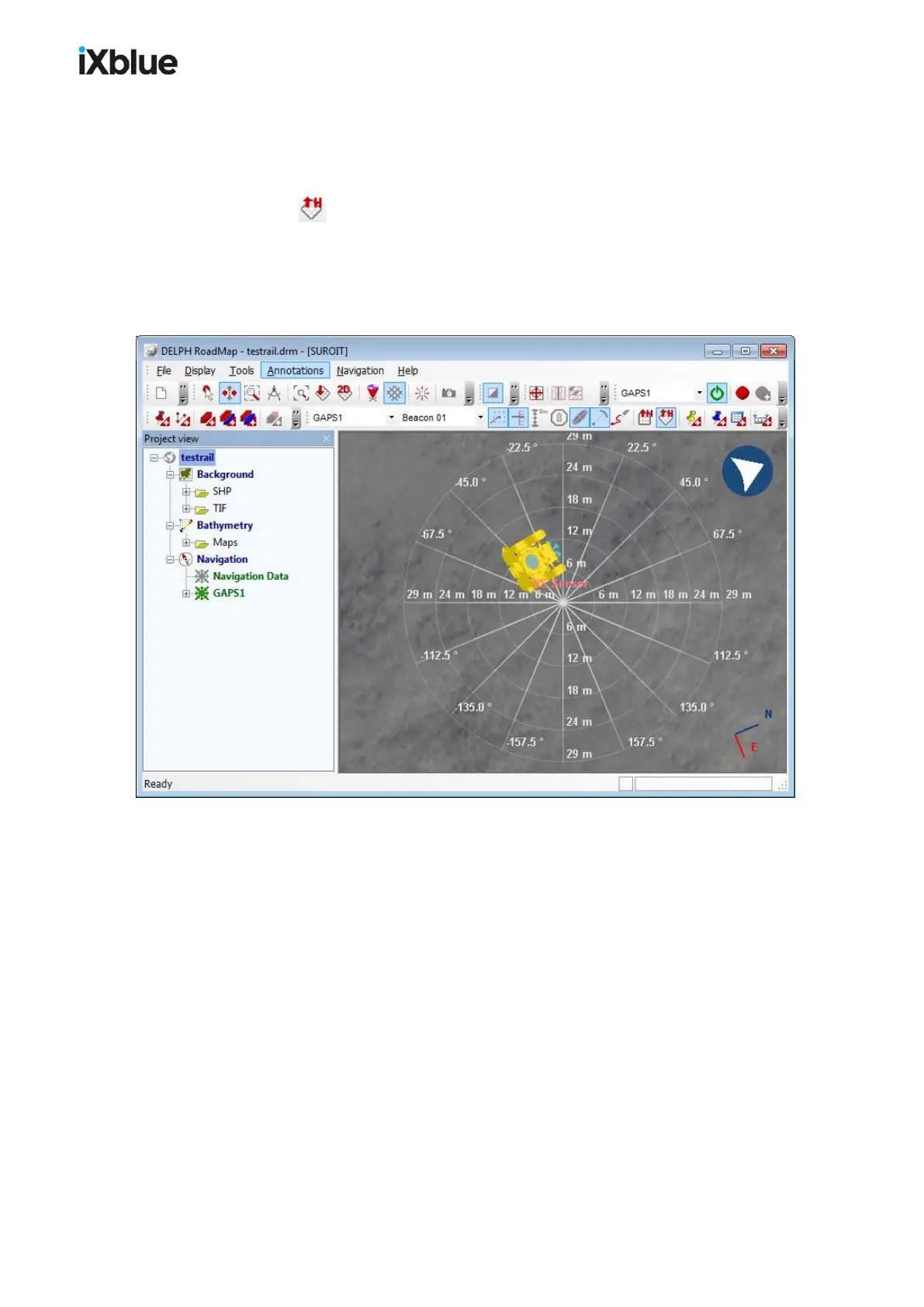
You can at any time switch from the current view to the heading-oriented view by clicking on
the button or by selecting the menu Display > 2D View Heading up. This view is
centered on the selected mobile. The heading of the position source stays always directed to
the top of the display. Equidistant concentric circles are drawn to indicate the distance to the
tracked mobile. Rays of these circles are drawn at regular angular intervals to indicate the
angle with respect to the heading of the mobile.
Figure 54 - Heading oriented view
114 MU-GAPS-AN-005-H - November 2019



 To Next Page