GAPS - User Guide
4.4.1.6 Configuring the Hoisting System
1. Click on the INSTALLATION > INPUTS.
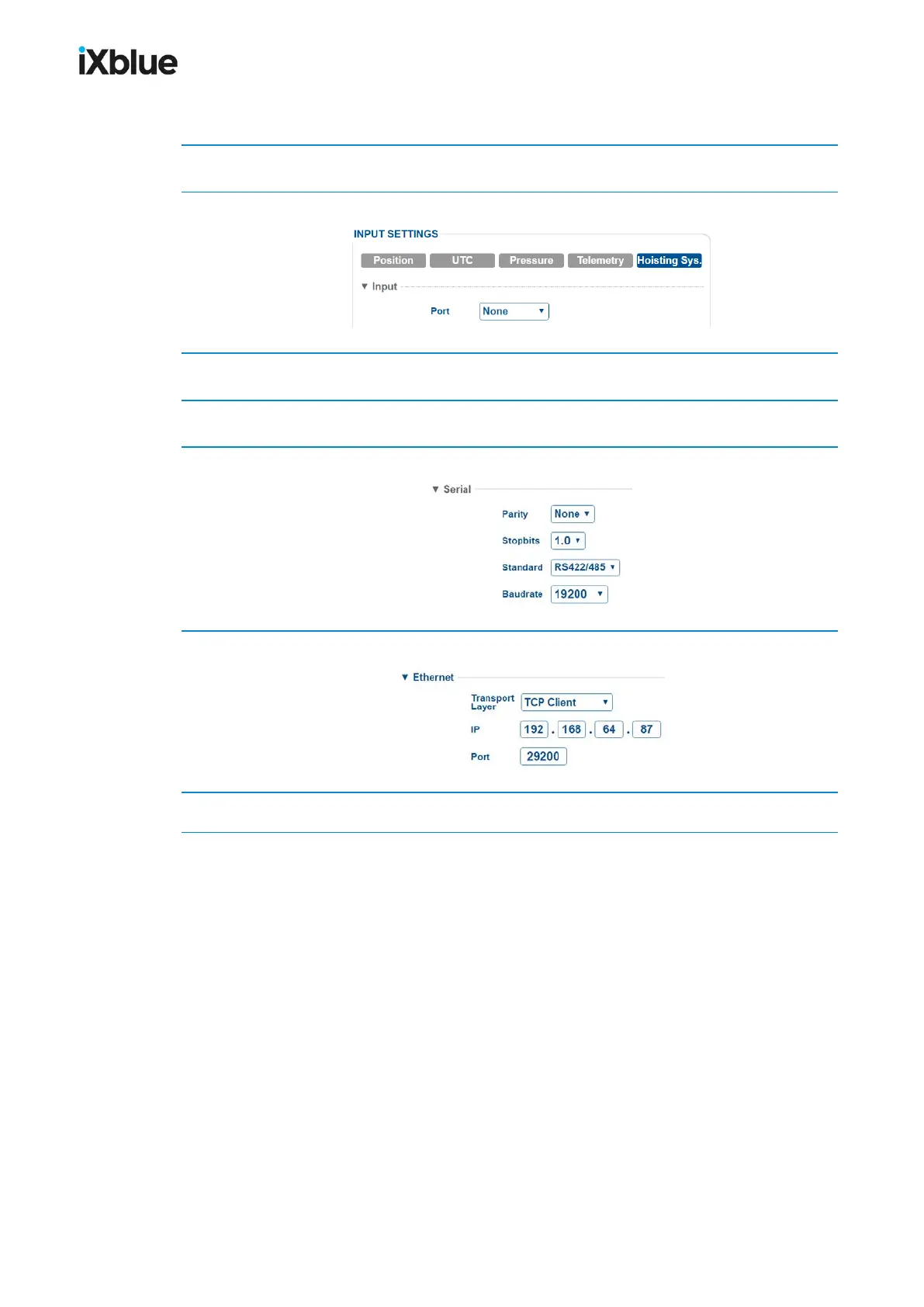
2. Click on Hoisting System to have access to the pressure sensor parameters.
3. In Input, select the Port between Serial A, B, C, D or Ethernet A, B, C, D.
4. In Protocol, select NMEA 183 / PMEVL and enter a Timeout (from 1 to 10 s).
5. If you have selected Serial in step 3, enter the following parameters:
6. If you have selected Ethernet in step 3, enter the following parameters:
7. Click on OK to validate your input data configuration and send this data to the GAPS.
70 MU-GAPS-AN-005-H - November 2019



 To Next Page