GAPS - User Guide
9.3.2 CHECKING THE CURRENT VOLTAGE OF A ZTA02C TRANSPONDER
During the tracking, it is possible to interrogate each of the ZTA02C transponders in use on
their current voltage.
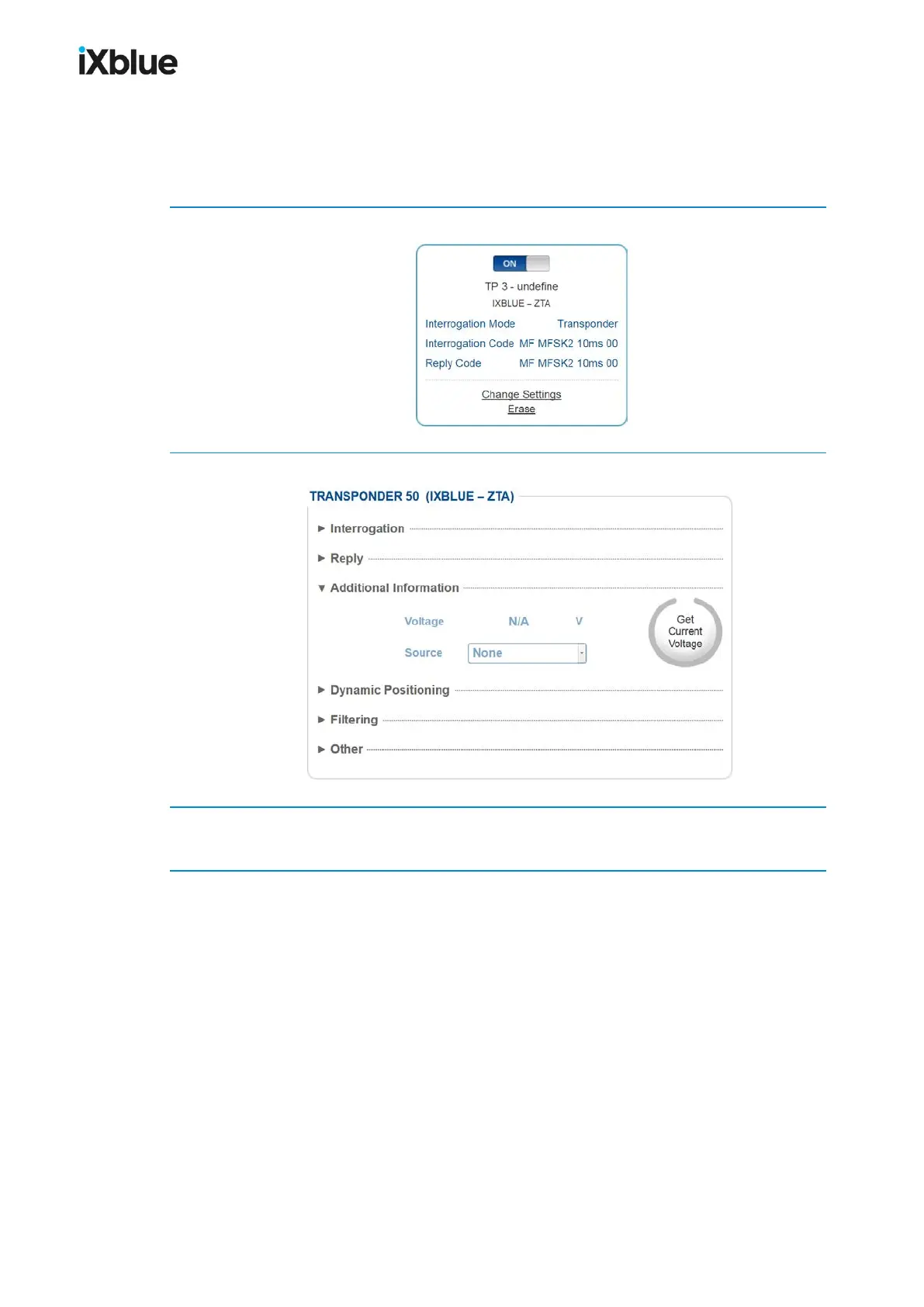
1. During tracking, select the SETUP > TRANSPONDERS menu.
2. Click on Change Settings for one of the active ZTA02C transponders.
3. Click on the Get Current Voltage button.
After a moment the current voltage of the transponder is displayed in the Voltage field.
MU-GAPS-AN-005-H - November 2019 147



 To Next Page