GAPS - User Guide
1. Click on options in the upper right corner of the main window.
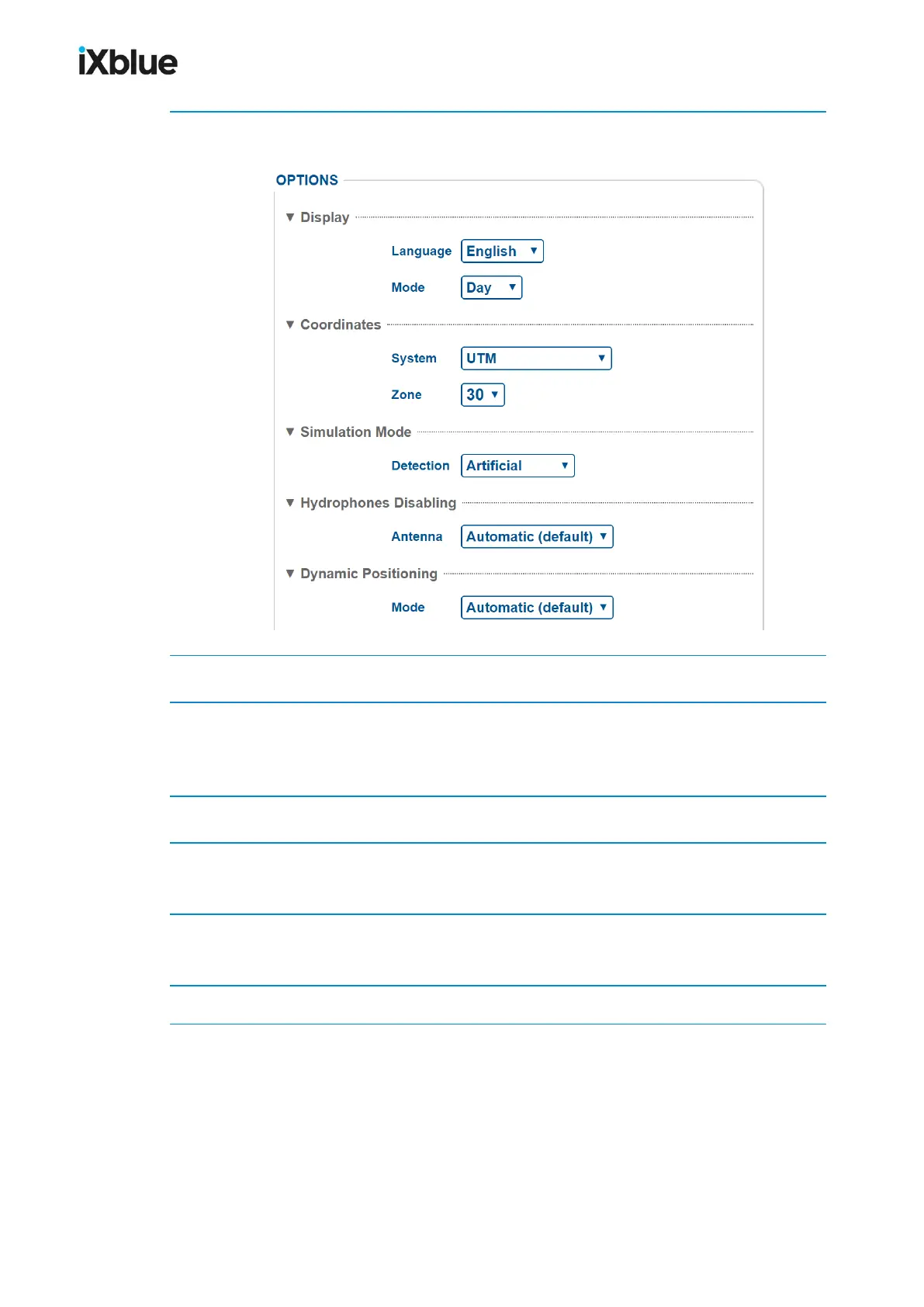
The OPTIONS page opens.
2. In Display, select the Language and the Day or NightMode in the scrolling list.
3. In Coordinates, select the System in the scrolling list (UTM or Latitude/Longitude).
For UTM system, select the Zone in the scrolling list.
For Latitude/Longitude system, select the Notation in the scrolling list.
4. In Simulation Mode select between Real (default) and ArtificialDetection.
5. In Hydrophones Disabling, select between Automatic or one of the hydrophone disabled.
See section 9.3.3.
6. In Dynamic Positioning select between Automatic(default); GPS Only, LBL Only and
USBL OnlyMode.
7. Click on OK to validate your choice and to apply it to the Web User Interface.
MU-GAPS-AN-005-H - November 2019 53



 To Next Page